EasyManua.ls Logo

Navman MOVE85LM - User Manual

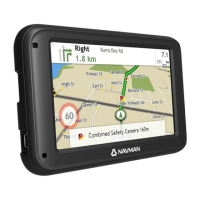
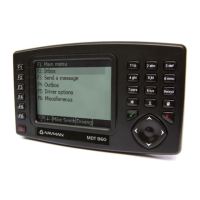
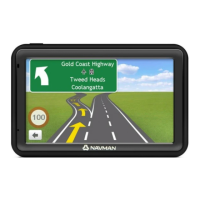
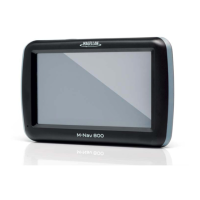
Navman MOVE85LM
96 pages
Print Icon
To Next Page IconTo Next Page
Loading...
EZY400LMT
MOVE85LM
MY570LMT
MY670LMT
User Manual
EZY-Series
MOVE-Series
MY-Series

Table of Contents

Questions and Answers

  • J
    Jason BarreraAug 10, 2025
    Why can't my Navman MOVE85LM get a signal?
    • A
      Anne EspinozaAug 10, 2025
      If your Navman GPS isn't acquiring a signal, ensure you are stationary with an unobstructed view of the sky. If the issue persists, try resetting the GPS chip through the Settings menu on your device.
  • J
    Jeremy HillAug 15, 2025
    How to change speed limit on Navman GPS?
    • J
      Jennifer SampsonAug 16, 2025
      Your Navman GPS unit might be showing a default speed limit of 110 kph. You can adjust this setting in the "Safety" section of your Settings menu.
  • K
    Kimberly JonesAug 21, 2025
    What to do if Navman MOVE85LM GPS is not turning on?
    • T
      taragarciaAug 21, 2025
      If your Navman GPS unit isn't powering on, try connecting it to a computer using a USB cable. If it powers up this way, the issue is likely with the vehicle power adapter. If it still doesn't turn on, there may be a fault with the unit itself.
  • C
    Claudia SmithAug 27, 2025
    Why does my Navman MOVE85LM GPS keep displaying battery low?
    • A
      allisonlunaAug 28, 2025
      If your Navman GPS consistently shows a low battery, connect it to a computer via USB for 8 hours. Make sure the device is powered on and displaying the USB connection screen during this time.
  • J
    Jerry CurrySep 2, 2025
    Where to find Navman MOVE85LM product key?
    • J
      Jennifer PerezSep 2, 2025
      There's no need to activate your Navman GPS unit. The Activation tab in the NavDesk software is only for subscriptions, travel books, international maps, and map upgrades. Your unit should work right out of the box without activation.

Summary

Safety and Precautions

General Safety Warnings

Cautions regarding device use, potential hazards, and injury/damage risks.

Vehicle Power Adapter Guidelines

Safe and correct usage instructions for the vehicle power adapter.

Battery Safety and Disposal

Information on Lithium-ion battery safety, handling, and proper recycling/disposal.

Device Overview and Basic Operations

Getting to Know Your Navman

Identifies device components, ports, and buttons for various Navman models.

Mounting and Powering On;Off

Guides for vehicle mounting, turning the device on/off, and enabling traffic reception.

Connecting and Inserting Peripherals

Instructions for connecting to a computer via USB and inserting a memory card.

Navigating the Interface

Explains screen interactions like tapping, dragging, and using the main menu and keyboard.

Navigation and Route Planning

Planning Your Route

Step-by-step guide to planning routes using the FIND wizard, address search, and trip creation.

Previewing and Managing Your Route

How to preview routes, adjust volume, zoom maps, and view route statistics.

Advanced Routing and Traffic Features

Utilising Smart Routes, My Drive, and traffic information for optimized navigation.

Searching for Points of Interest (POI)

Comprehensive guide on finding POIs using various methods like Near Me, Explore, and keywords.

Traffic Information and Management

Receiving, viewing, and managing traffic information, events, and detours.

Connectivity and Customisation

Bluetooth Hands-Free Calling

Pairing devices, making calls, managing call history, and using in-call options.

Voice Command Control

Instructions on using voice commands to control the Navman without touching the screen.

Customising System Settings

Adjusting audio, screen, safety, route, map, language, and device settings.

NavDesk Software and Features

Using NavDesk for software updates, map management, custom POIs, and photo album features.

Managing Subscriptions and Maps

Purchasing, activating, updating, and installing maps and subscriptions.

My Places and Trip Planning

Managing saved locations, importing/exporting, and planning trips via NavDesk.

Troubleshooting and Support

Solutions for common problems and resources for further assistance.

Navman MOVE85LM Specifications

General IconGeneral
BrandNavman
ModelMOVE85LM
CategoryGPS
LanguageEnglish

Related product manuals