EasyManua.ls Logo

Naxa NID-7010 - User Manual

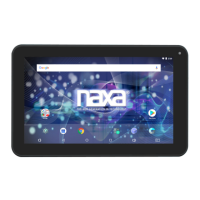
Naxa NID-7010
3 pages
Print Icon
To Next Page IconTo Next Page
Loading...
Quick Setup Guide
Thank you for puchasing a Core Internet tablet from Naxa Electronics.
Befor read the User’s Guide and
save it for your reference. Then, read this guide to learn how to get
started quickly with your new tablet.
This guide covers: 1) How to turn the tablet on; 2) How to unlock the screen;
3) How to add an account, and 4) How to connect wirelessly to the Internet.
1) How to turn the tablet on
Pr reen turns
ready to be used.
By default, the tablet will turn o the scr
in or r. Pr
the tablet and turn the screen back on.
2) How to unlock the screen
show you how to get started with your tablet.
When the tablet is woken from
sleep, the screen will be locked.
Tap and hold the lock icon an
open lock will appear on the
screen. Slide your finger to
meet the open lock.
NID-7010 | NID-7011 | NID-7012
For Sales Information Please Contact
RoadTrucker Inc (www.RoadTrucker.com)
8312 Sidbury Rd. Wilmington, NC 28411
(800) 507-0482 / (910) 686-4281

Questions and Answers

  • J
    Janice ParsonsAug 12, 2025
    How to fix abnormal operation on Naxa NID-7010 Tablet?
    • G
      garnerjasonAug 12, 2025
      If your Naxa Tablet is acting abnormal, try the following: * Reboot the device to see if it works OK. * Charge the device to activate the battery. Make sure it has power before operating it. * It is suggested to upgrade the OS of the device by professional.
  • E
    Erica WatsonAug 22, 2025
    Why is the standby time so short on my Naxa Tablet?
    • S
      Sarah EstesAug 22, 2025
      The standby time on your Naxa Tablet might be short due to: * Temperature being too high or too low: Use the device in normal temperature. * Increased volume and frequent operation.
  • A
    Amy LesterSep 1, 2025
    Why is my Naxa Tablet so hot?
    • K
      Kelly ButlerSep 1, 2025
      It's normal for the tablet to feel hot when running a complex application, using the highest brightness level, or charging. This should not cause the tablet to function abnormally.

Naxa NID-7010 Specifications

General IconGeneral
BrandNaxa
ModelNID-7010
CategoryTablet
LanguageEnglish

Related product manuals