Need help?
Do you have a question about the Naxa NID-1056 and is the answer not in the manual?
Instructions for charging the tablet's battery for optimal longevity and performance.
Covers powering the device on, entering sleep mode, and shutting it down completely.
Tips and settings to conserve battery power and extend usage time.
How to restart the tablet using a small pin for troubleshooting or force shutdown.
Explains basic touch gestures like click, tap and hold for interacting with the tablet interface.
Steps to personalize the tablet's background by selecting wallpapers or pictures.
Guides on creating app shortcuts and adding widgets for quick access to features.
How to organize app icons into folders for a cleaner and more accessible home screen.
Instructions to enable or disable the auto-rotate screen function for different orientations.
Explains the notification bar and its function for displaying status information.
Steps to configure email accounts, including personal and company email settings.
Guide on composing and sending emails, including attaching files.
Instructions on how to use the sound recorder to capture and save audio.
How to play music tracks from the device's music library.
Using the video player and capturing photos with the built-in camera.
Instructions for recording videos and adjusting camera settings.
How to navigate and manage files stored on the device or external storage.
Steps to close running apps and connect the tablet to a PC for file transfer.
Information on connecting USB peripherals like keyboards and mice to the tablet.
Guide on installing a memory card to expand storage capacity up to 32GB.
Steps to connect the tablet to wireless Wi-Fi networks for internet access.
How to change network settings, passwords, and advanced options for Wi-Fi.
Guide to selecting display languages and configuring keyboard input methods.
How to set the date and time, including automatic network synchronization.
Steps to enable developer options by tapping the build number multiple times.
Solutions for common problems like power issues, noise, download errors, and USB connectivity.
Critical warnings about electrical shock, fire hazards, and proper handling of the device.
Essential safety guidelines covering reading instructions, cleaning, attachments, and environmental factors.
Guidelines on ensuring proper ventilation and using correct power sources for the device.
Information on plug grounding, cord safety, and when to seek professional servicing.
Precautions against lightning surges and overloading electrical outlets for safety.
Details on FCC compliance, potential radio interference, and mitigation measures.
Warnings against unauthorized modifications and exposure to specific chemicals.
 General
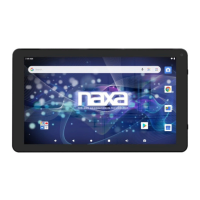
| Screen Size | 10.1 inches |
|---|---|
| Operating System | Android |
| RAM | 1 GB |
| Internal Storage | 16 GB |
| Processor | Quad-Core |
| Wireless Connectivity | Wi-Fi |
| Resolution | 1024 x 600 |
| Processor Speed | 1.2 GHz |
| Battery | 5000 mAh |
| Camera | 2 MP rear, 0.3 MP front |


 To Next Page