EasyManua.ls Logo

Naxa NPB-251 - User Manual

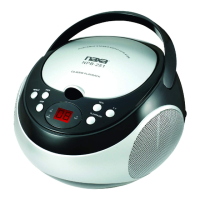
Naxa NPB-251
20 pages
Print Icon
To Next Page IconTo Next Page
Loading...
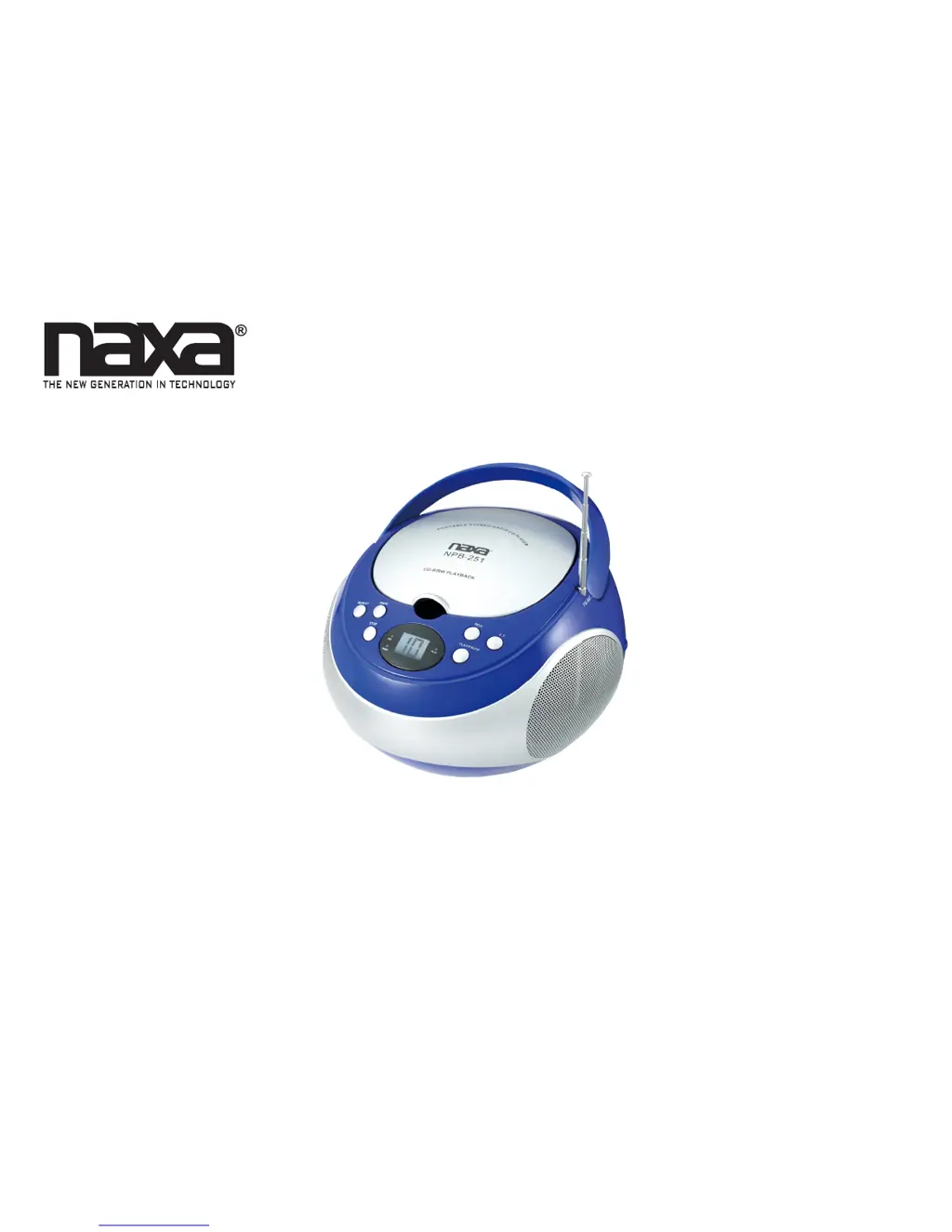
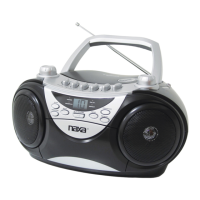
Portable CD Player with AM/FM Stereo Radio
NPB-251
Instruction Manual
Please read carefully before use and keep for future reference.

Other manuals for Naxa NPB-251

Questions and Answers

  • A
    aprilgarciaJul 26, 2025
    Why does the Naxa NPB-251 Portable Stereo System sound distorted at high volume?
    • S
      Shannon MartinJul 27, 2025
      Sound distortion at high volumes on your Naxa Portable Stereo System can occur if the volume control is set too high. Try lowering the volume to a comfortable level. Also, if you are playing very loud music, try turning off the DBBS function.
  • J
    john48Jul 31, 2025
    What to do if my Naxa NPB-251 CD player skips?
    • A
      Amanda SandovalJul 31, 2025
      If the CD skips while playing on your Naxa Portable Stereo System, the disc may be dirty or scratched. Try wiping the CD with a clean cloth or using another disc.
  • M
    Mark WhiteAug 5, 2025
    How to fix noise on AM or FM broadcast on Naxa NPB-251 Portable Stereo System?
    • D
      Douglas JonesAug 5, 2025
      If you are experiencing noise or distorted sound on AM or FM broadcasts with your Naxa Portable Stereo System: - Ensure the station is properly tuned. - If listening to FM, extend the FM telescopic antenna. - If listening to AM, reposition the unit until you get the best reception.
  • R
    Robert GouldAug 10, 2025
    What to do if there is no sound on AM or FM on Naxa Portable Stereo System?
    • P
      plambAug 10, 2025
      If there is no sound on AM or FM on your Naxa Portable Stereo System: - Make sure the function switch is in the “RADIO” position. - Increase the volume, as it may be set at minimum.
  • A
    Aimee SanfordAug 15, 2025
    What to do if Naxa Portable Stereo System CD player has intermittent sound?
    • C
      cheryl69Aug 15, 2025
      If your Naxa Portable Stereo System CD player has intermittent sound: - The disc might be dirty or defective; try cleaning or replacing it. - The pick-up lens could be dirty; use a CD lens cleaning disc to clean it. - The player may be subject to excessive shock or vibration; relocate it away from such disturbances.
  • R
    Reginald ClaytonAug 20, 2025
    How to troubleshoot a Naxa Portable Stereo System when the CD player will not play?
    • D
      douglasobrienAug 20, 2025
      If the CD player on your Naxa Portable Stereo System will not play: - Ensure the unit is in CD function mode. - Make sure the CD is loaded correctly, with the label side up. - If using a self-compiled CD, the media may not be compatible; try using better quality blank media and ensure the format is compatible.

Summary

Before You Start

Safety and Placement Guidelines

Guidelines for safe operation, ventilation, and avoiding hazardous locations.

Battery Handling Precautions

Instructions for safe battery insertion, removal, and disposal to prevent damage.

Connect Power

AC Power Connection

How to connect the unit to a standard AC wall outlet using the provided cable.

Battery Power Installation

Steps for installing six 'C' size batteries for portable power operation.

Device Operation

Basic Controls and Power Management

Instructions for turning the unit on/off and adjusting the volume level.

Radio Tuning and Reception

Steps for selecting AM/FM bands and optimizing radio reception.

Using the CD Player

About Compatible Discs

Information on compatible CD formats including CD, CD-R, and CD-RW.

Loading a CD Disc

Step-by-step guide on how to open the compartment and load a disc.

Playing and Navigating CDs

Instructions for starting, pausing, stopping, and skipping tracks on a CD.

Repeat Playback Modes

How to set single-track or all-track repeat playback using the REP key.

Programming a Custom Playlist

Steps to create a custom playback order for up to 20 CD tracks.

Using the AUX Input

Connecting External Audio Devices

How to connect and play audio from external devices via the AUX input jack.

Warnings and Precautions

Electrical Shock and Fire Safety

Warnings against opening the unit and handling electrical components.

Laser Safety and Operation

Precautions regarding laser exposure and safe operation of the CD mechanism.

Important Safety Information

General Operating and Cleaning Safety

Key safety instructions for reading, retaining, following instructions, and cleaning.

Environmental and Placement Safety

Guidelines on water, moisture, ventilation, and proper placement of the unit.

Lightning and Surge Protection

Advice on unplugging the unit and antenna during storms for protection.

Servicing and Damage Assessment

Instructions for when to seek qualified service and what constitutes damage.

FCC and Regulatory Compliance

FCC Radio Frequency Notice

Information on compliance with FCC rules for digital devices and interference.

Polarized Plug Safety Feature

Explanation of the polarized plug's safety function and proper usage.

California Proposition 65 Warning

Notice regarding lead content and its potential health effects.

Specifications

Technical Specifications Overview

Details on power requirements, dimensions, media support, and audio output.

Support and Contact Information

Naxa Technical Support Details

Contact information and website for assistance and product support.

Naxa NPB-251 Specifications

General IconGeneral
BrandNaxa
ModelNPB-251
CategoryPortable Stereo System
LanguageEnglish

Related product manuals