Need help?
Do you have a question about the NCE NCECD100W and is the answer not in the manual?
Important guidelines for safe and proper installation of the unit.
Instructions for installing the unit using the front DIN mount.
Step-by-step guide on how to detach the unit from its housing.
How to secure the unit to a standard car radio mounting bracket.
Method for installing the unit using side mounting screws.
Guide on how to attach and detach the front panel of the unit.
Proper method for cleaning CDs before playback to ensure quality.
Technical details and performance characteristics of the unit.
Extra details related to the unit's features and connections.
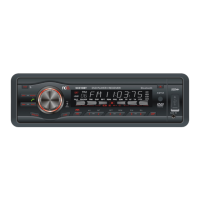
Diagram and identification of controls on the unit's front panel.
Diagram and identification of buttons on the remote control.
Instructions for turning the unit on and off, and memory function.
How to detach the removable front panel from the main unit.
Guide to adjusting volume, bass, treble, balance, and fader.
How to mute the sound and return to the previous volume level.
Accessing and selecting various operational modes like DSP, Loudness, Demo.
Pairing, handsfree calls, and audio streaming via Bluetooth.
Information on MP3 and WMA file formats and playback compatibility.
How to switch between different playback modes (Tuner, CD, USB, etc.).
How to change display modes and adjust the clock.
How to select the desired radio band (FM1, FM2, FM3, AM1, AM2).
Manual and automatic tuning methods for finding radio stations.
How to store and scan preset radio stations automatically.
Procedure for manually storing and recalling preset radio stations.
How to choose between Mono and Stereo reception modes.
How to select between local (LOC) and distant (DX) station reception.
How to enhance low frequencies for better sound sensitivity.
How to scan for stations and preview them for 5 seconds.
How to set radio frequency areas for USA or Europe.
Methods for searching and selecting MP3/WMA files by time, track, name, or character.
How to navigate between tracks on discs, SD, or USB devices.
Controls for starting, pausing, and resuming playback.
Function to preview the beginning of each track on a disc.
How to continuously repeat a selected track during playback.
How to play tracks in a random order from the disc.
Buttons for skipping 10 tracks forward or backward.
Details on using front and rear AUX inputs for external audio sources.
Information on compatible disc types and formats for playback.
Instructions for inserting and removing discs from the player.
Using the slot for MMC/SD cards with MP3/WMA files.
How to connect and play music from a USB flash drive.
Notes and compatibility information for USB, SD, and MMC cards.
 General
| Brand | NCE |
|---|---|
| Model | NCECD100W |
| Category | Car Receiver |
| Language | English |

 To Next Page