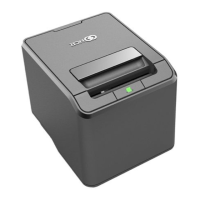
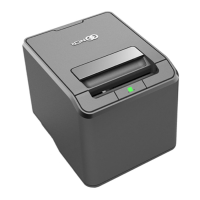
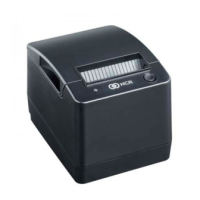
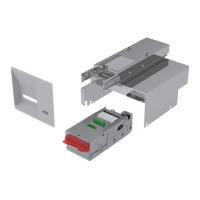
NCR 7199 Thermal Receipt Printer
NCR Proprietary Information – not to be disclosed or reproduced without written consent. © 2019 by NCRCorporation, Global Headquarters, 864 Spring St NW, Atlanta, GA 30308,U.S.A.
http://www.ncr.com. All Rights Reserved.
BCC5-0000-5406
Quick Reference Guide
2
CONFIGURING ETHERNET NETWORK SETTINGS
The Network Configuration Utility is used to set up the network settings for
the printer.
Item Description
Onlinemode
Connects the printer to the terminalusing any of the following connection
options:
• UniversalSerial Bus(USB)
• Local Area Network(LAN)
Port settingsand
options
Displaysthe default Transmission Control Protocol (TCP) and the User
Datagram Protocol (UDP) port settingsand providesoptionsto modify the
port settings.
Companylogo
Shows information about the application, such as the application name,
version number, and copyright year.
Instructions
Providesinstructionson how to connect the printer to the terminal.
Note: The instructions depend on the selected interface option.
Navigationbuttons Providesnavigation options.
Note: For more information, refer to NCR Printer Utilities User
Documentations (BCC5-0000-5382).
UPDATING PRINTER FIRMWARE
Printer firmware can be updated through any of the following options.
Option Details
Online mode
Enables firmware flashing through the Printer Flash Utility.
Note: The printer should be connected to the terminal.
IPLmode
Enables firmware flashing through the Printer Flash Utilityin the following
scenarios:
• The main firmware of the printer iscorrupted.
• The printer encounters an unrecoverable error that requires reflashing of
firmware.
Note: The printer should be connected to the terminal.
Windows
Command Line
Enables firmware flashing through the WindowsCommand Prompt.
Note: The printer should be connected to the terminal.
USBThumb Drive
Enables firmware flashing through a USBthumb drive connected to the
USBTypeA port of the printer.
Note: The printer should be disconnected from the terminal(offline
mode).
To download printer firmware and utilities, go to
http://www5.ncr.com/support/support_drivers_patches.asp.
PRINTER SPECIFICATIONS
Item Details
Print Type Direct thermal
Resolution 203.2 dpix 203.2 dpi(8 dots/mm)
Speed Maximum of 14 inchesper second (355 mm/sec)
Character Cell
• Standard: 13 x24 dots
• Compressed: 10 x24 dots
Character Sets
• 95 Alphanumeric
• 18 set international
• UTF-16 (Unicode)
Memory
• DRAM (User-defined data buffer): 64 kB
• Logo buffer: 256 kB
Interface
USB type A(config/flash) and type B 2.0
Other options:
• Ethernet (100 Base-TX/10 Base-T)
• Serial (RS-232) Single cash drawer connector
Sensor
• Paper low, paper out, cover open, and jam detection
• Thermalprint head failure detection
• Knife jam detection
Power Requirements
• Requirements: 24 Vdc+/-5%
• Optionalpower supply (supports 75W and 60W power supply)
Temperature
• Operating: 5°C to 50°C
• Storage: –10°C to 55°C
Humidity
• Operating: 5% to 90%
• Storage: 10% to 90%
Thermal print head life 200 km
Auto cutter life 2 million cuts
Mechanism MCBF 60 million lines
PAPER SPECIFICATIONS
Item Details
Paper type Paper Roll
Paper roll width
• 80 mm (+0.5 / -1.2 mm)
• 58 mm (+0 / -1.0 mm)
Paper roll diameter Maxof 83 mm
Paper thickness 50~65 um
Paper weight 50~65 gsm


 To Previous Page
 Loading...