08
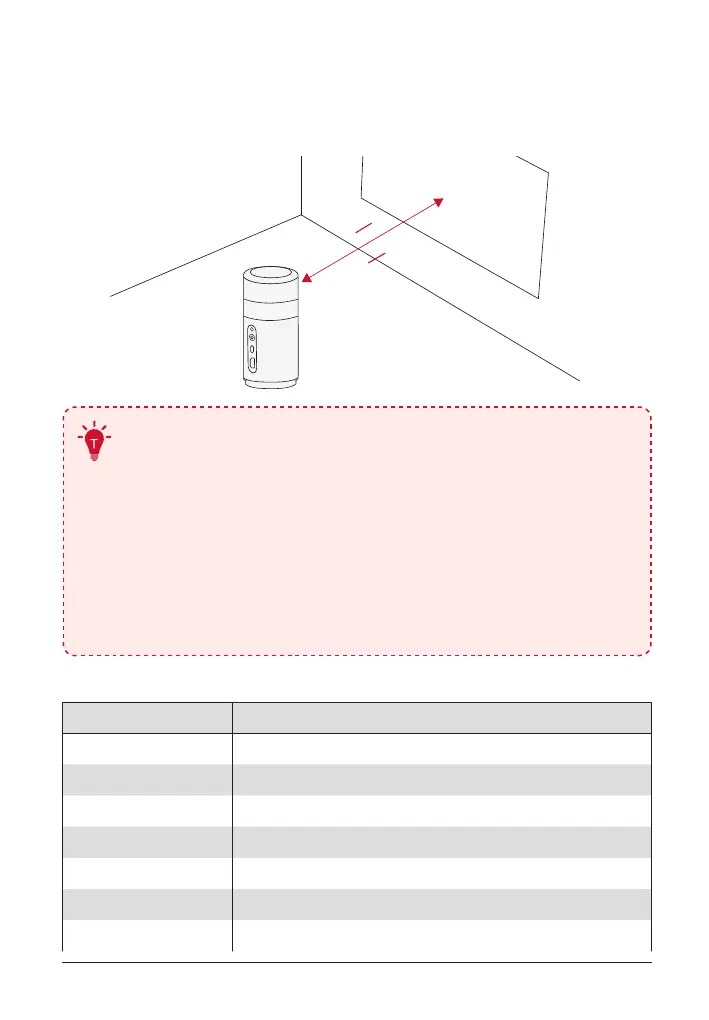
2. Position Your Projector
Place the projector on a stable, flat surface in front of the projection
surface. For the best results, the projection surface should be white and
flat.
0.5m 2.7m
1.64 8.86 ft
•
It is unnecessary to tilt the projector towards the
projection surface. You can correct the projection image
with the built-in autofocus and auto-keystone correction.
•
You may also install the projector onto a tripod (sold
separately).
•
The distance between the projector and the projection
surface determines the projection image size. For the best
result, position the projector 0.5 - 2.7 m / 1.64 - 8.86 ft
away from the projection surface to get a screen size of
40~120 inches.
Screen Size Distance Between Projector Lens and Screen
40 inches 1.06 m / 3.47 ft
50 inches 1.33 m / 4.36 ft
60 inches 1.60 m / 5.24 ft
70 inches 1.86 m / 6.10 ft
80 inches 2.13 m / 6.98 ft
90 inches 2.39 m / 7.84 ft
100 inches 2.65 m / 8.69 ft



 To Next Page