English
16
Using Nebula Capsule II
1.
Play from HDMI Playback Devices
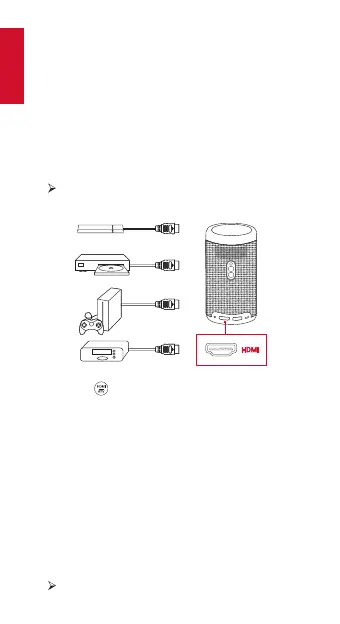
Nebula Capsule II can be connected to various HDMI
playback devices such as a TV box, TV stick, DVD player,
set-top box (STB), gaming consoles, or other devices.
Choose one of the following three options to play from
devices that have an HDMI output port:
①
Connect Nebula Capsule II to an HDMI playback device
with an HDMI cable (not included).
It will automatically start HDMI playback once
connected to an HDMI playback device.
②
Press the
button on the remote control to switch
between Android TV and HDMI interfaces.
③
On the home menu, go to [Settings] > [HDMI] and follow
the on-screen instructions to complete connection
process.
2.
Play from a USB Drive
With Nebula Capsule II, you can enjoy music, video, and
pictures that are stored on a USB drive.
To play from a USB drive:
①
Download the ES File Explorer from Google Play.
②
Insert a USB drive into the USB port.
The USB folder will appear on the ES File Explorer.



 To Next Page