English
17
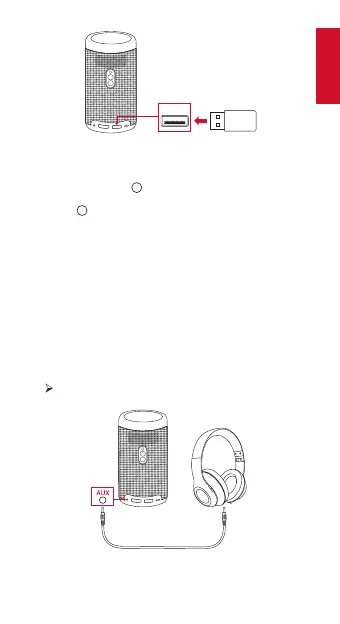
USB
③
Select videos or photos from the USB drive that you want
to play, and press .
④
Press to stop playback.
3.
Play Through External Sound Devices
This projector can also be connected to external sound output
devices, including headphones and speakers; when connected
to external speakers, the built-in speaker system is disabled.
To play sound through external sound devices:
①
Use a 3.5mm audio cable or an adapter (not provided) to
connect your headphones or external speakers.
②
Connect the other end of the cable to the AUDIO OUT
port on this projector.
You will hear audio from external devices.
Note: Before connecting headphones and putting them on,
turn down the volume to avoid hurting your ears.



 To Next Page