English
18
4.
Connect Bluetooth Accessories
You can connect Bluetooth devices to Nebula Capsule II.
①
Press to access the home menu, select [Settings] >
[Remotes & Accessories] and press .
②
Select Add accessories.
This projector will begin searching for accessories.
③
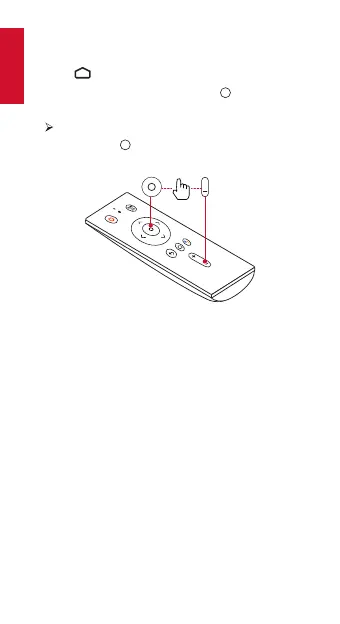
Press and hold and volume - button on the remote
control simultaneously to enter Bluetooth pairing mode.
④
Follow the on-screen instructions to complete the
Bluetooth connection.
Note: Before pairing your Bluetooth devices, make sure they
are in pairing mode.



 To Next Page