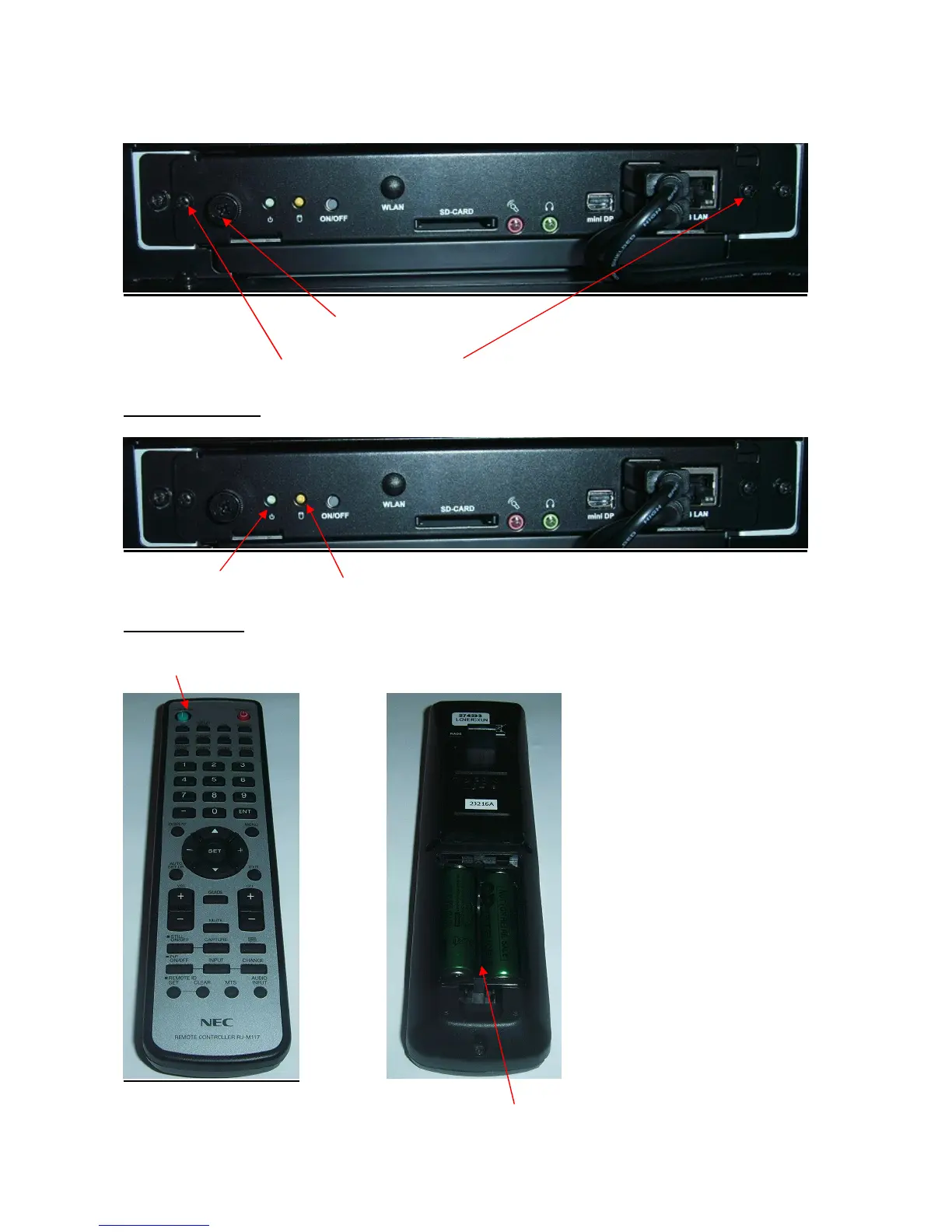
Next remove the inner two self tapping screws that fix in the computer, and then gently pull it
out using the removal knob.
Removal knob
Remove these two screws only to remove the computer, it slides out on its mounting rails.
Information lights
Power on light Disc access light
Remote Control
Power on button
Install two AA batteries.



 To Next Page