
 Need help?
Do you have a question about the NEC AccuSync AS203WMi-BK and is the answer not in the manual?
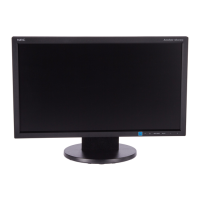
This document serves as the User's Manual for the NEC AccuSync AS203WMi Desktop Monitor, providing essential information for its setup, operation, and maintenance.
The AccuSync AS203WMi is a desktop monitor designed for use in both office and domestic environments. Its primary function is to display visual information from a connected computer. The monitor features an On-Screen Display (OSD) control system, allowing users to adjust various display settings directly on the screen using touch keys located on the front of the monitor. These controls include basic functions such as input signal selection, brightness, contrast, and volume adjustment. The OSD menu also provides access to more advanced settings like Auto Contrast, Auto Adjust (for analog inputs), Image Position (Left/Right, Down/Up), H. Size, Fine tuning, and Color Control Systems with several preset options (9300/7500/sRGB/USER/NATIVE) as well as individual Red, Green, and Blue color adjustments. A "TOOL" submenu offers additional functions, and a "FACTORY PRESET" option allows users to reset all OSD settings to their default values. The monitor also includes an "EXIT" function to close the OSD menu.
The monitor supports both DVI digital and VGA analog input signals, making it compatible with a wide range of display cards. It also includes an audio input and a headphone output, along with integrated speakers, allowing for sound playback directly through the monitor. The volume of the speakers or headphones can be controlled via the OSD, and there's an option to mute the speaker output.
For ease of setup, the monitor comes with a tilt base that can be adjusted to the user's preferred viewing angle. The manual provides clear instructions on how to attach the base stand to the monitor and how to connect the necessary cables (video signal, audio, and power) to the computer and the monitor. It also details how to properly route cables through the integrated cable holder to prevent damage. The monitor supports No Touch Auto Adjust, which automatically optimizes settings upon initial setup for most timings, simplifying the configuration process.
The AccuSync AS203WMi is designed with several usage features to enhance the user experience. Its "Reduced Footprint" makes it suitable for environments with limited space, and its low weight facilitates easy movement or transportation. The "Color Control Systems" enable users to customize colors to meet various standards. The "NaViSet Software" offers an expanded graphical interface for adjusting OSD settings via mouse and keyboard. "ErgoDesign Features" are incorporated to improve the working environment and protect user health, including OSD controls for quick adjustments, a tilt base for optimal viewing angle, and compliance with MPRII and TCO guidelines for lower emissions. The "Plug and Play" functionality, compatible with Microsoft® Windows® operating systems, simplifies setup by allowing the monitor to communicate its capabilities directly to the computer for automatic display optimization. "Intelligent Power Manager System" provides energy-saving methods, shifting the monitor to a lower power consumption level when idle, which helps reduce energy costs and emissions. "Multiple Frequency Technology" automatically adjusts the monitor to the display card's scanning frequency, ensuring the required resolution is displayed. "FullScan Capability" allows the use of the entire screen area in most resolutions, significantly expanding image size. The monitor also features a "VESA Standard Mounting Interface," enabling users to connect it to any VESA-compatible third-party mounting arm or bracket.
Environmental impact is also a key consideration, with the manual providing information on the monitor's estimated annual typical maximum operating carbon footprint and manufacturing carbon footprint. The monitor is an ENERGY STAR® partner, indicating its compliance with energy efficiency guidelines. It also supports HDCP (High-bandwidth Digital Content Protection) for secure display of digital content.
Maintenance features are outlined to ensure the longevity and optimal performance of the monitor. The manual provides instructions for cleaning the LCD panel and the cabinet, emphasizing the use of soft, lint-free, non-abrasive cloths and cautioning against harsh cleaning agents that could damage the surfaces. It also advises against applying pressure to the LCD surface. For image persistence, a common issue with LCD monitors when static images are displayed for long periods, the manual recommends turning off the monitor for a duration equal to the time the image was displayed to erase the residual image. It also suggests using a moving screen saver or turning off the monitor when not in use.
The manual includes a comprehensive troubleshooting section to address common issues such as no picture, an unresponsive power button, image persistence, "OUT OF RANGE" messages, unstable or unfocused images, dim picture, unlit LED, improper image sizing, no video, no sound, and brightness variations over time. For each issue, practical solutions are provided, such as checking cable connections, adjusting OSD settings, or ensuring proper display modes are selected. The monitor's OSD also includes "OSD TURN OFF" settings to control how long the menu remains visible and an "OSD LOCK OUT" function to prevent unauthorized changes to settings. "SIGNAL INFORMATION" and "MONITOR INFO" functions provide details about the input signal and the monitor's model and serial numbers, respectively. "CARBON SAVINGS" and "CARBON USAGE" display estimated carbon saving and usage information.
The manual also provides important safety precautions, including warnings against opening the monitor, exposing it to liquids or moisture, inserting objects into slots, placing heavy objects on the power cord, or using it in unstable or extreme environmental conditions. It highlights the importance of using the provided power cord and shielded video signal cable to prevent interference and ensure safety. The monitor is designed to be serviced by qualified personnel only. Information on manufacturer's recycling and energy information, including WEEE Mark compliance for the European Union, is also provided, encouraging responsible disposal of the product at the end of its life.
 General
| Screen Size | 20 inches |
|---|---|
| Resolution | 1600 x 900 |
| Panel Type | TN |
| Brightness | 250 cd/m² |
| Contrast Ratio | 1000:1 |
| Response Time | 5 ms |
| Connectivity | VGA, DVI-D |
| VESA Mount Compatibility | 100 x 100 mm |
| Aspect Ratio | 16:9 |
| Viewing Angle | 170° horizontal, 160° vertical |
| Speakers | Yes, 1W x 2 |



 To Next Page