EasyManua.ls Logo

NEC DLP Cinema NC1700L - User Manual

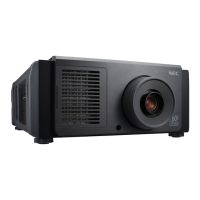
NEC DLP Cinema NC1700L
85 pages
Print Icon
To Next Page IconTo Next Page
Loading...
Users Manual
DLP Cinema
®
Projector
NC1700L
Chiller Unit
NP-17CU01
DLP Cinema
®
Projector
Model No.
NP-NC1700L

Other manuals for NEC DLP Cinema NC1700L

Questions and Answers

  • H
    Heather CamachoAug 10, 2025
    Why won't my NEC DLP Cinema NC1700L turn on?
    • L
      louismichaelAug 11, 2025
      There are several reasons why your NEC Projector might not be turning on. First, verify that AC power is being supplied to both the projector and chiller unit. Next, ensure that the main power switch is in the ON position. Also, check if the panel key lock function is activated, as this locks the control buttons. If the internal temperature is too high, wait for some time before attempting to turn it on again. Ensure the administrator key is inserted, as the projector won't function without it.
  • E
    elijahmathewsAug 20, 2025
    What to do if my NEC Projector image cannot be projected?
    • R
      randy76Aug 21, 2025
      If your NEC Projector isn't projecting an image, start by checking if the connected input has been selected. Also, ensure that the cable is properly connected to the input terminal. Verify that the douser is not closed and that all settings are correctly adjusted.
  • M
    mary85Aug 31, 2025
    How to fix a blurred image on my NEC Projector?
    • M
      michellenicholsAug 31, 2025
      If the image on your NEC Projector is blurred, first make sure that the lens is properly focused. Also, check that the screen and projector are installed at the correct angles. Be aware that the projection distance may exceed the focusing range. If condensation is present on the lens or other parts, wait until it disappears.

NEC DLP Cinema NC1700L Specifications

General IconGeneral
TypeDLP Cinema Projector
TechnologyDLP
Contrast Ratio2000:1
Resolution2048 x 1080
Light SourceLaser

Related product manuals