©2019 NEC Australia Pty Ltd
11
Commercial in Confidence
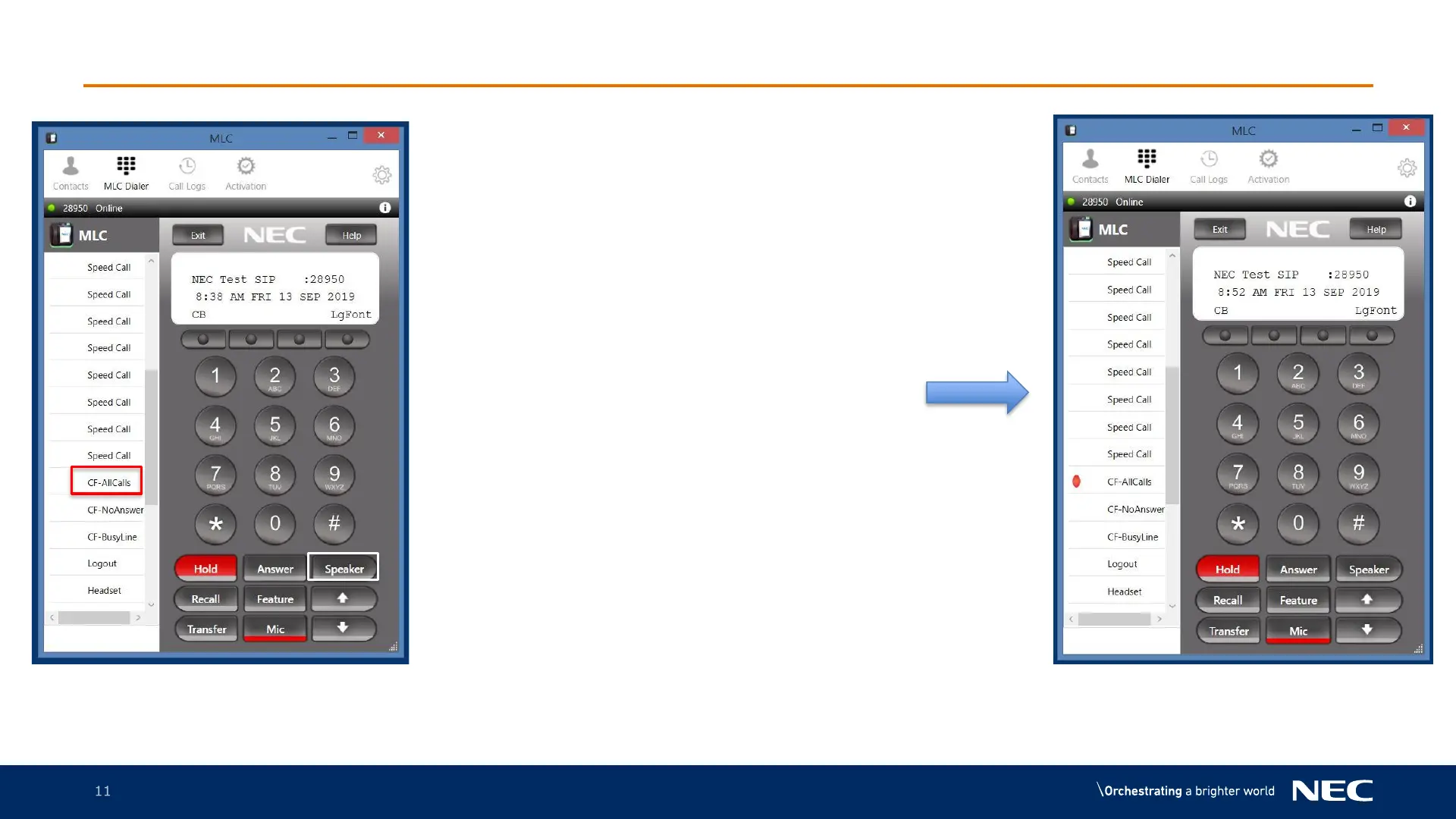
MLC Call Forward – All Calls
1.Press the Speaker button to get dial
tone
2.Press the CF-AllCalls button
3.Enter the number you wish to forward
all. E.g. Mobile 00401 123 456.
You will need to ensure you place a “0”
before the phone number required
4.Press the Speaker button when
complete
5.The red light will now be on
To turn off the CF-AllCalls function press
the Speaker button, wait for the dial tone
and press the CF-AllCalls button again



 To Next Page