©2019 NEC Australia Pty Ltd
14
Commercial in Confidence
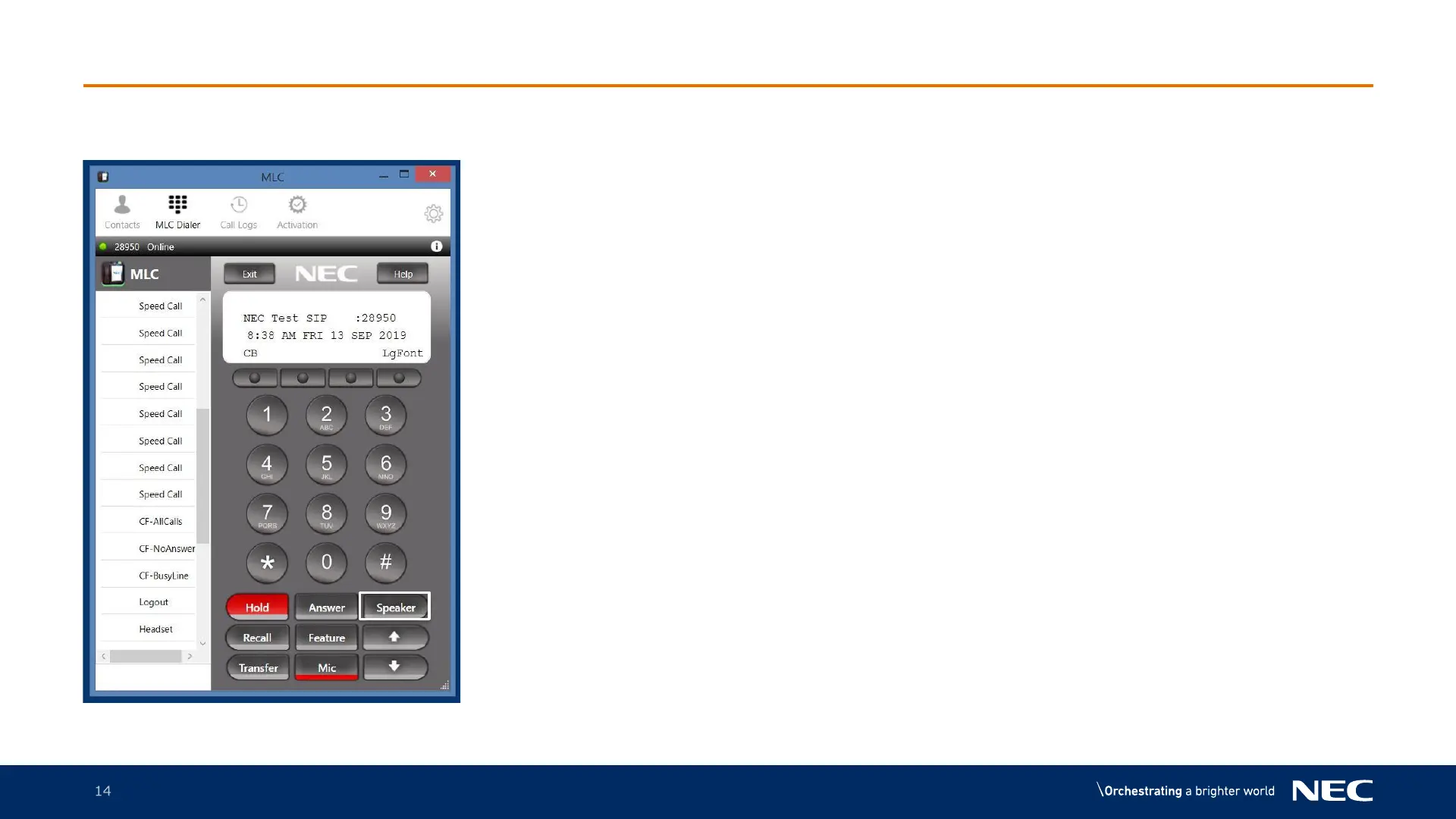
MLC Making a Call
1. Press the digits on the MLC softphone and
press Speaker to make the call
For an external department call please place a
“0” in front of the number
2. To hang up the call press Speaker again



 To Next Page