©2019 NEC Australia Pty Ltd
15
Commercial in Confidence
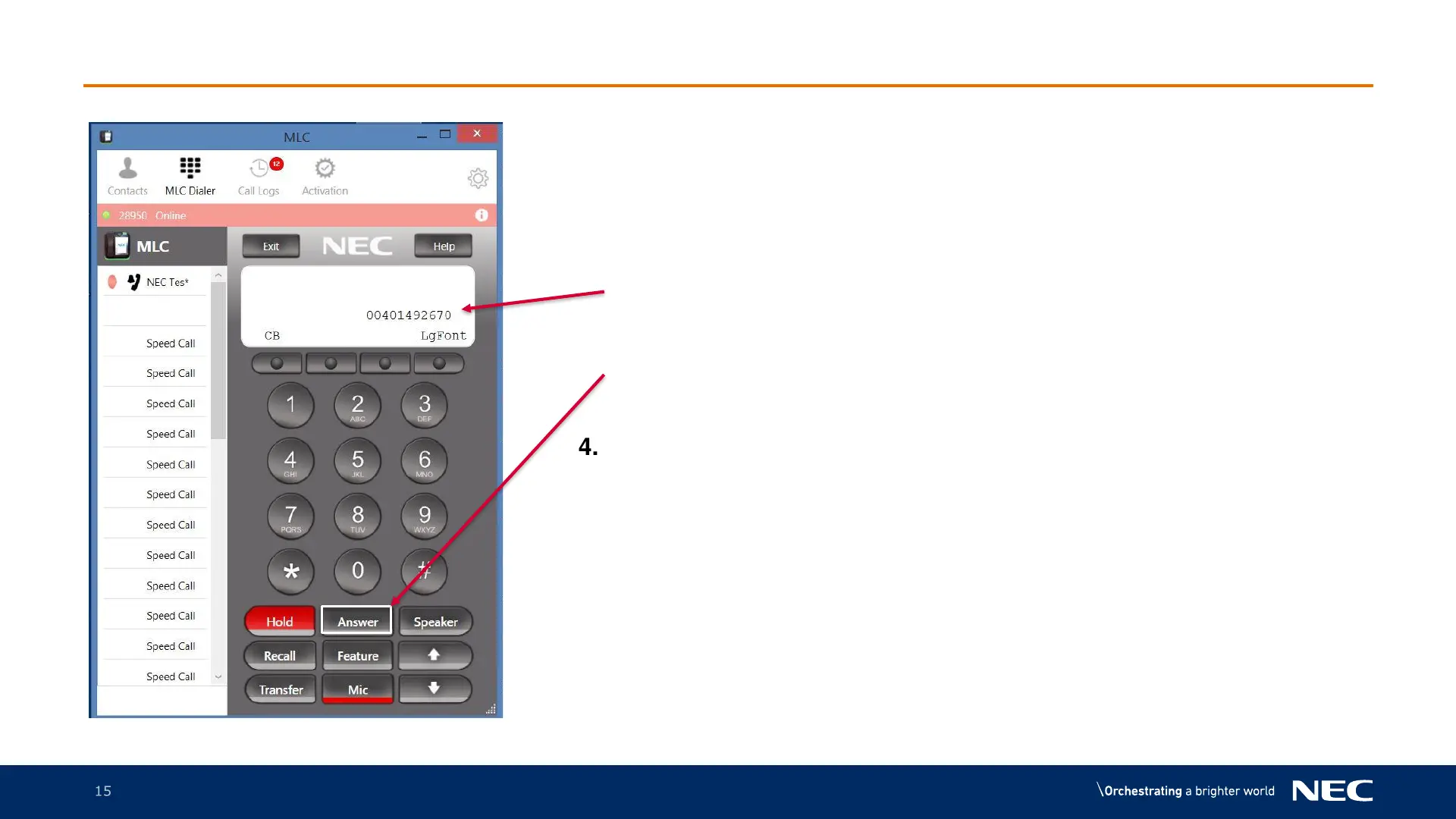
MLC Receiving a Call
1. Lights will flash on the MLC and a
ringing tone will come through the
headset
2. The calling number will be displayed on
the screen
3. To answer the call, press the Answer
button
4. To complete the call either wait for the
caller to hang up or press the Speaker
button



 To Next Page