©2019 NEC Australia Pty Ltd
16
Commercial in Confidence
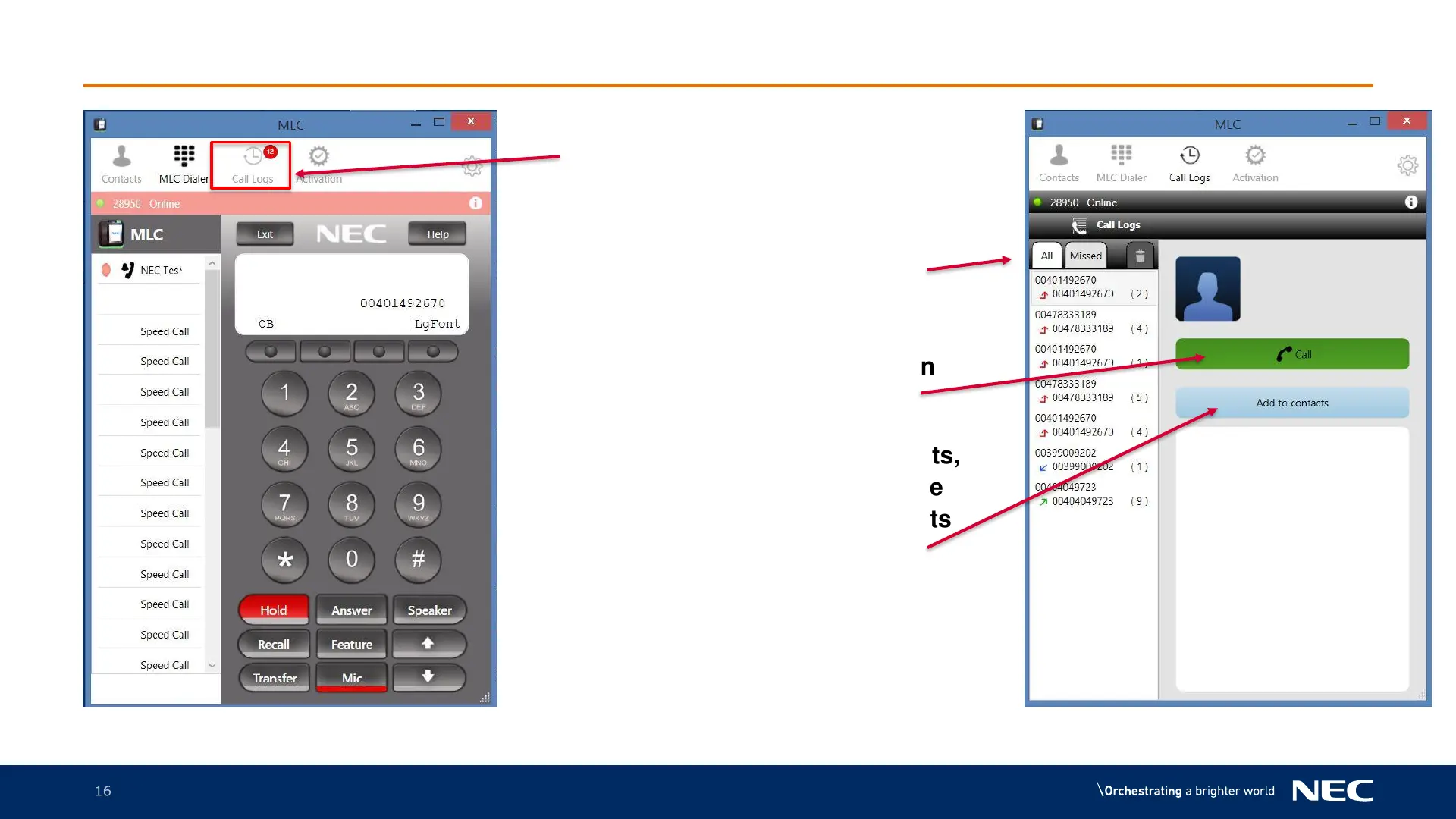
MLC Call Logs
1. Press on the Call Logs button
2. Call Logs will be displayed for
either All or missed depending
all the tab selected
3. To make a call, press the number
required and press the green
handset icon
4. To add the number to contacts,
press the number you require
and press the Add to Contacts
icon. Follow the on screen
prompts and press save.



 To Next Page