©2019 NEC Australia Pty Ltd
6
Commercial in Confidence
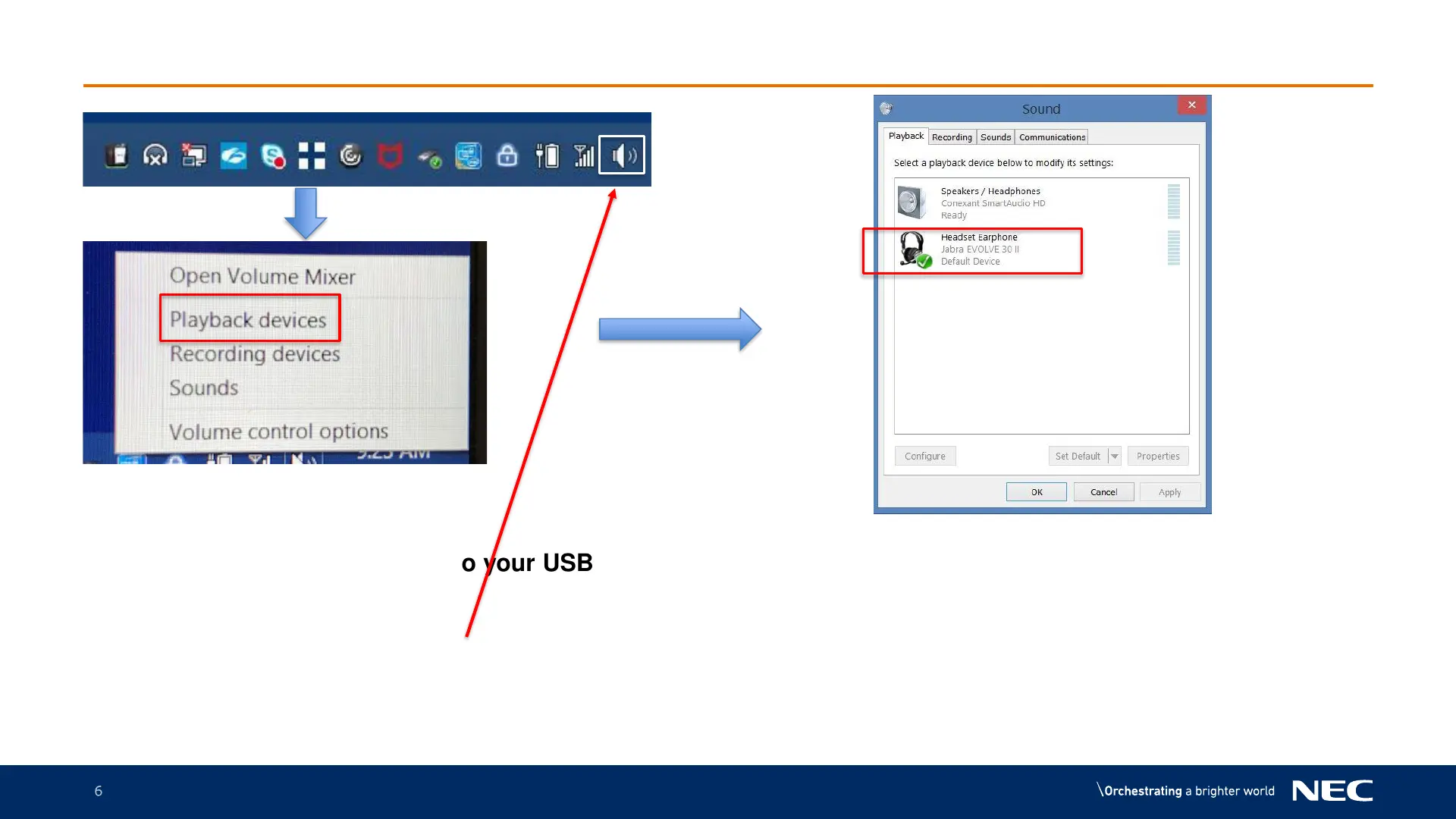
MLC Headset setup
Bottom right icon tray
1.Have your headset connected to your USB
port of your laptop
2.Right Click on the Speaker icon
3.Left click on Playback Devices
4.Right click Headset icon
5.Left click on Set as Default Device
6.Press OK
7.Headset is now setup. This is a one time setup for your
headset



 To Next Page