©2019 NEC Australia Pty Ltd
7
Commercial in Confidence
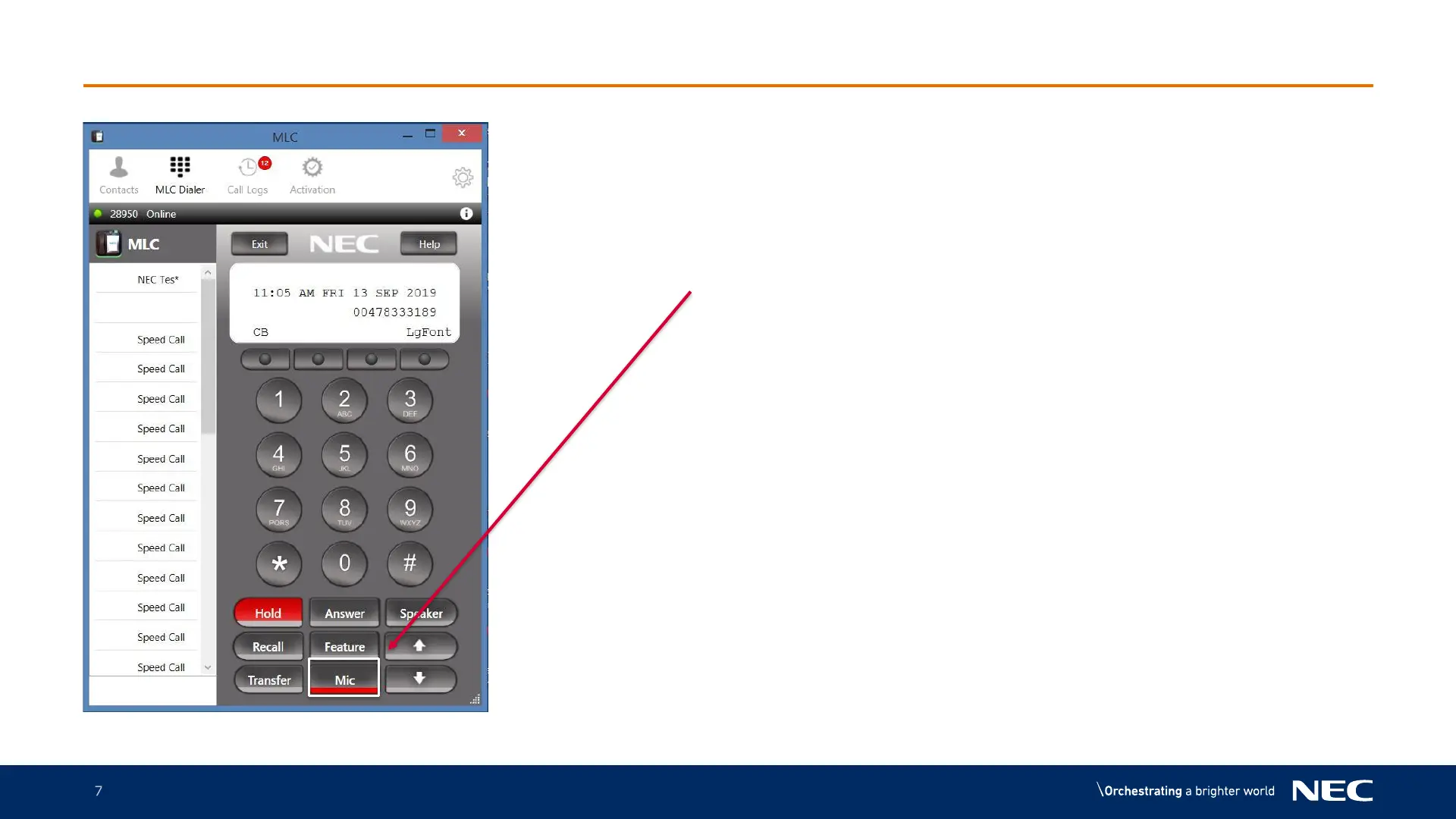
MLC Headset setup - continued
1.The Mic button needs to be RED
to ensure the Microphone on your
headset works
2.To mute your call so the caller can
not hear you press the Mic button,
the red light turns off, the caller will
not be able to hear you.
3.For the caller to recommence
hearing your conversation press
Mic again the red light will turn on



 To Next Page