©2019 NEC Australia Pty Ltd
8
Commercial in Confidence
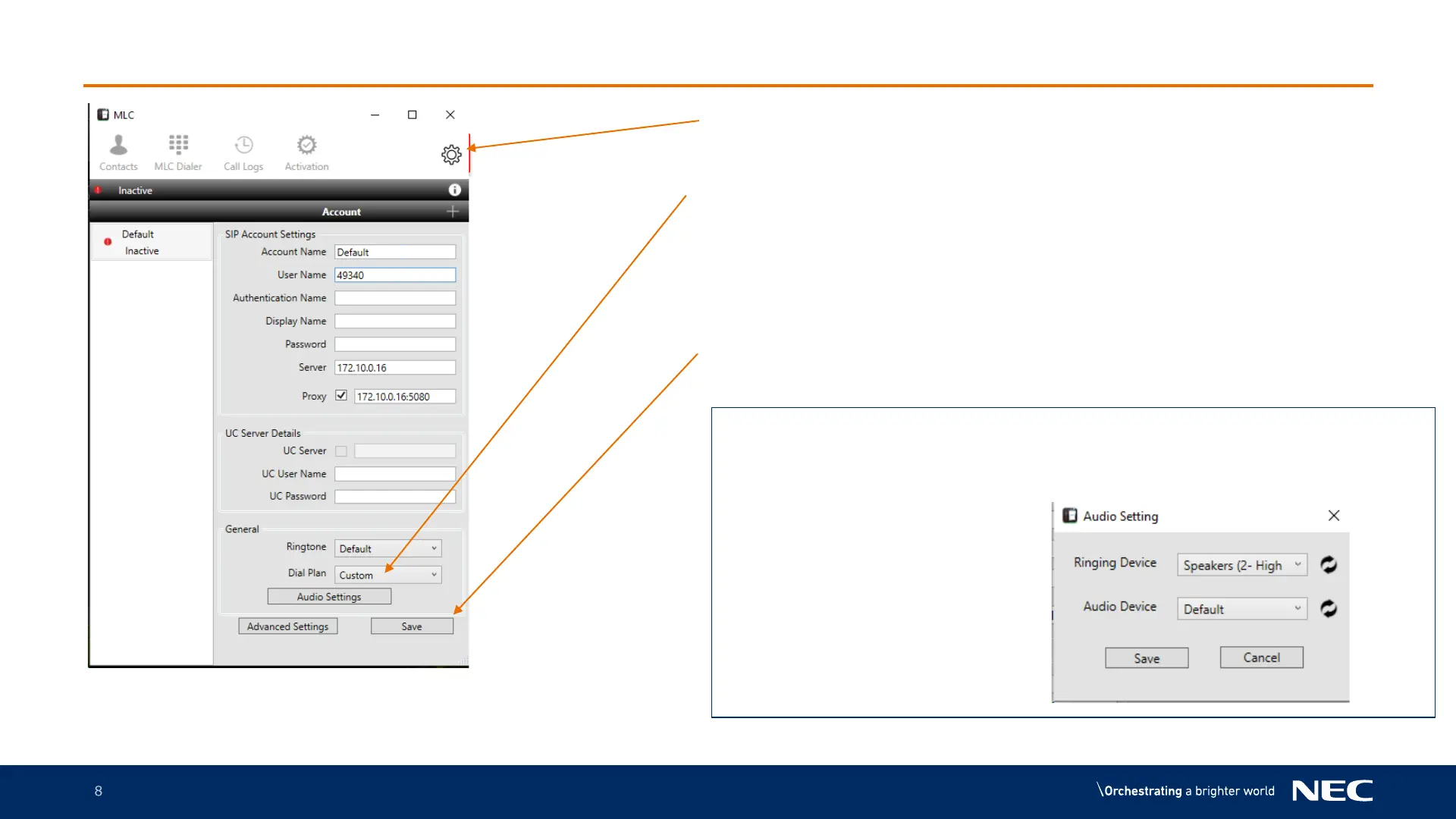
Laptop setup – In Coming Call Ringing Device
1.Click on the Option Cog
2.Click on the Ring Device down
arrow to select either your
Headset or laptop as your
incoming call ringing device
3.Click save once you have
selected your preferred option
When you press the AUDIO SETTINGS button you get the
following window. This allows you to select one audio device
for ring tone, usually your laptop speakers and a different
device for Audio ( speech)



 To Next Page