EasyManua.ls Logo

NEC MultiSync E171M-BK - User Manual

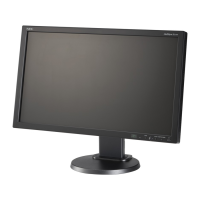
NEC MultiSync E171M-BK
17 pages
Print Icon
To Next Page IconTo Next Page
Loading...
MultiSync E171M
Users Manual
Question and Answer IconNeed help?

Do you have a question about the NEC MultiSync E171M-BK and is the answer not in the manual?

Overview

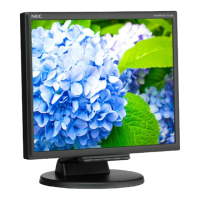
This document is the User's Manual for the NEC MultiSync E171M LCD color monitor.

Function Description

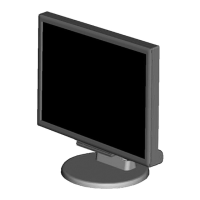
The NEC MultiSync E171M is a color monitor designed for display purposes, offering various features for optimal performance and user comfort. It supports both analog (15-pin mini D-Sub) and digital (DVI-D) video inputs, as well as stereo mini-jack audio input and headphone output. The monitor is equipped with an On-Screen Display (OSD) control system for easy adjustment of various settings. It also includes an Intelligent Power Manager System for energy saving and Multiple Frequency Technology for automatic adjustment to the display card's scanning frequency.
Important Technical Specifications

  • LCD Module: Active matrix, thin film transistor (TFT) liquid crystal display (LCD) with a 0.264 mm dot pitch.
  • Screen Size: 43 cm (17 inches) viewable image size.
  • Native Resolution: 1280 x 1024 pixels.
  • Luminance: 250 cd/m² white luminance.
  • Contrast Ratio: 1000:1 (typical).
  • Display Colors: 16.7 Million.
  • Viewing Angle: -85°/+85° (Left/Right, CR≥10), -80°/+80° (Up/Down, CR≥10).
  • Synchronization Range: Horizontal: 31.5 kHz to 81.1 kHz; Vertical: 56 Hz to 76 Hz.
  • Supported Resolutions: Includes 720 x 400 (VGA text), 640 x 480, 800 x 600, 832 x 624, 1024 x 768, 1152 x 864, 1152 x 870, 1280 x 960, and 1280 x 1024 at various refresh rates. The recommended resolution for optimal display performance is 1280 x 1024 at 60 Hz.
  • Active Display Area: Horizontal: 337.9 mm; Vertical: 270.3 mm.
  • Speakers: Practical Audio Output: 1.0 W + 1.0 W.
  • Power Supply: 100-240 V ~ 50/60 Hz.
  • Current Rating: 0.4 - 0.2 A (with Audio).
  • Power Consumption: Maximum Operation: 19 W (with Audio); Normal Operation: 12 W; Energy Saving Mode: 0.15 W; Off Mode: 0.15 W.
  • Dimensions (Landscape): 368.0 mm (W) x 358.5 - 408.5 mm (H) x 230.0 mm (D) or 14.5 inches (W) x 14.1 - 16.1 inches (H) x 9.1 inches (D).
  • Weight: 4.2 kg (9.3 lbs).
  • Environmental Considerations: Operating Temperature: 5°C to 35°C (41°F to 95°F); Storage Temperature: -10°C to 60°C (14°F to 140°F); Humidity: 20% to 80% (operating), 10% to 85% (storage); Altitude: 0 to 2,000 m (0 to 6,562 Feet) (operating), 0 to 12,192 m (0 to 40,000 Feet) (storage).
  • VESA Standard Mounting Interface: Allows for connection to VESA standard third-party mounting arms or brackets. The monitor stand can be removed for alternative mounting.

Usage Features

  • Quick Start: Provides instructions for setting up the monitor, including connecting cables (DVI-D, D-Sub, audio) and attaching the cable management cover. It also covers initial adjustments like raising/lowering and tilting the screen.
  • OSD Controls: The monitor features front-panel buttons for OSD navigation.
    • SELECT: Displays OSD, selects icons, and adjusts selected functions.
    • - (Minus): Shortcut to Brightness, moves leftward, adjusts down.
    • + (Plus): Shortcut to Volume, moves rightward, adjusts up.
    • 1⇔2/RESET: Selects input signal, resets functions, mutes/unmutes audio, and opens volume adjustment.
  • OSD Menu Functions:
    • AUDIO: Controls speaker/headphone volume and mute.
    • BRIGHTNESS: Adjusts overall image brightness, including ECO MODE settings (OFF, 1, 2) to reduce power consumption.
    • CONTRAST: Adjusts image brightness relative to background.
    • AUTO CONTRAST (Analog input only): Adjusts image for non-standard video inputs.
    • AUTO ADJUST (Analog input only): Automatically adjusts Image Position, H. Size, and Fine setting.
    • LEFT/RIGHT (Analog input only): Controls horizontal image position.
    • DOWN/UP (Analog input only): Controls vertical image position.
    • H. SIZE (Analog input only): Adjusts horizontal size.
    • FINE (Analog input only): Improves focus, clarity, and image stability.
    • COLOUR CONTROL SYSTEMS: Five color presets (9300/7500/sRGB/USER/NATIVE) for desired color settings.
    • COLOUR RED, GREEN, BLUE: Adjusts individual color levels.
    • TOOL: Accesses sub-menus.
    • FACTORY PRESET: Resets all OSD settings to factory defaults.
    • EXIT: Exits OSD menu/sub-menu.
    • LANGUAGE: Selects OSD language.
    • OSD TURN OFF: Sets the duration for the OSD menu to remain on screen.
    • OSD LOCK OUT: Locks/unlocks OSD controls (except Brightness and Contrast).
    • SIGNAL INFORMATION: Displays "VIDEO INPUT MENU" after input change (if ON).
    • DDC/CI: Turns ON/OFF two-way communication and control of the monitor.
    • CARBON SAVINGS/USAGE: Displays estimated carbon saving/usage information in kg, based on OECD (2008 Edition) data.
    • MONITOR INFO: Shows model and serial numbers.
  • ErgoDesign Features: Includes OSD controls for quick adjustments, tilt base, and compliance with MPRII and TCO guidelines.
  • Plug and Play: Facilitates setup with Windows by automatically optimizing display performance.
  • FullScan Capability: Utilizes the entire screen area for all resolutions.
  • HDCP (High-bandwidth Digital Content Protection): A system to prevent illegal copying of video data over DVI.

Maintenance Features

  • Safety Precautions:
    • Do not open the monitor; refer servicing to qualified personnel.
    • Avoid spilling liquids or inserting objects into the cabinet.
    • Do not place heavy objects on the power cord.
    • Position the monitor on a stable surface.
    • Use the approved power supply cord for your country.
    • Avoid high temperatures, humidity, dust, or oily areas.
    • Do not cover vents.
    • Avoid continual vibration.
    • Handle with care if the monitor or glass is broken.
    • Install in a stable location to prevent tipping.
    • Immediately turn off and unplug the monitor if damaged or malfunctioning.
  • Cleaning the LCD Panel: Gently wipe with a soft cloth when dusty. Do not rub with coarse materials, apply pressure, or use OA cleaner.
  • Cleaning the Cabinet: Unplug the power supply, gently wipe with a soft cloth, or use a neutral detergent and water, followed by a dry cloth. Avoid benzene, thinner, alkaline detergents, alcohol-based cleaners, glass cleaner, wax, polish cleaner, soap powder, or insecticide. Do not allow rubber or vinyl to contact the cabinet for extended periods.
  • Image Persistence: To alleviate "ghost" images from static displays, turn off the monitor for a duration equal to the time the image was displayed. NEC recommends using a moving screen saver or turning off the monitor when idle.
  • Troubleshooting: Provides solutions for common issues such as no picture, unresponsive power button, image persistence, "OUT OF RANGE" messages, unstable/unfocused images, dim picture, unlit LED, improperly sized images, no video, and no sound.

NEC MultiSync E171M-BK Specifications

General IconGeneral
BrandNEC
ModelMultiSync E171M-BK
CategoryMonitor
LanguageEnglish

Related product manuals