4. Connect one end of the power cord to the MultiSync FP Series monitor
and the other end to the power outlet (Figure D.1).
5. Turn on the monitor (Figure E.1) and the computer.
6. The Factory Setting for your monitor is set for D-SUB installation. If you
are using a BNC cable connection, push the BNC/D-SUB button on the
front of the monitor (Figure E.1) to switch settings.
NOTE: If you have any problems, please refer to the Troubleshooting
section of this User's Manual.
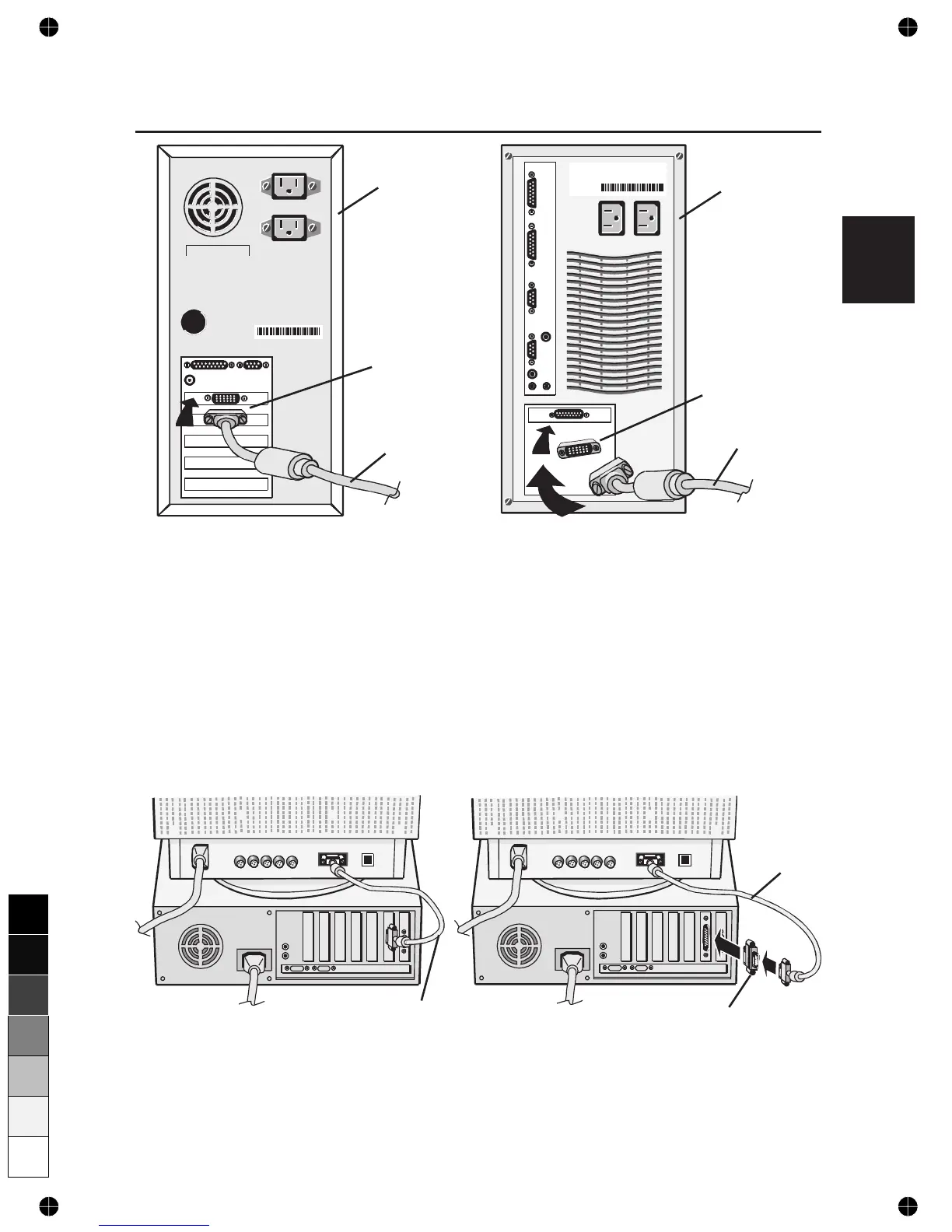
Computer
15-pin mini
D-SUB
Signal Cable
Figure A.1
Computer
Signal Cable
Mac Adapter
(not included)
Figure B.1
Signal
Cable
Mac Adapter
(not included)
Figure B.2
Signal Cable
Figure A.2
E-3
0
5
25
75
95
100






 To Next Page