EasyManua.ls Logo

Necta Sfera 6-36 R/F - User Manual

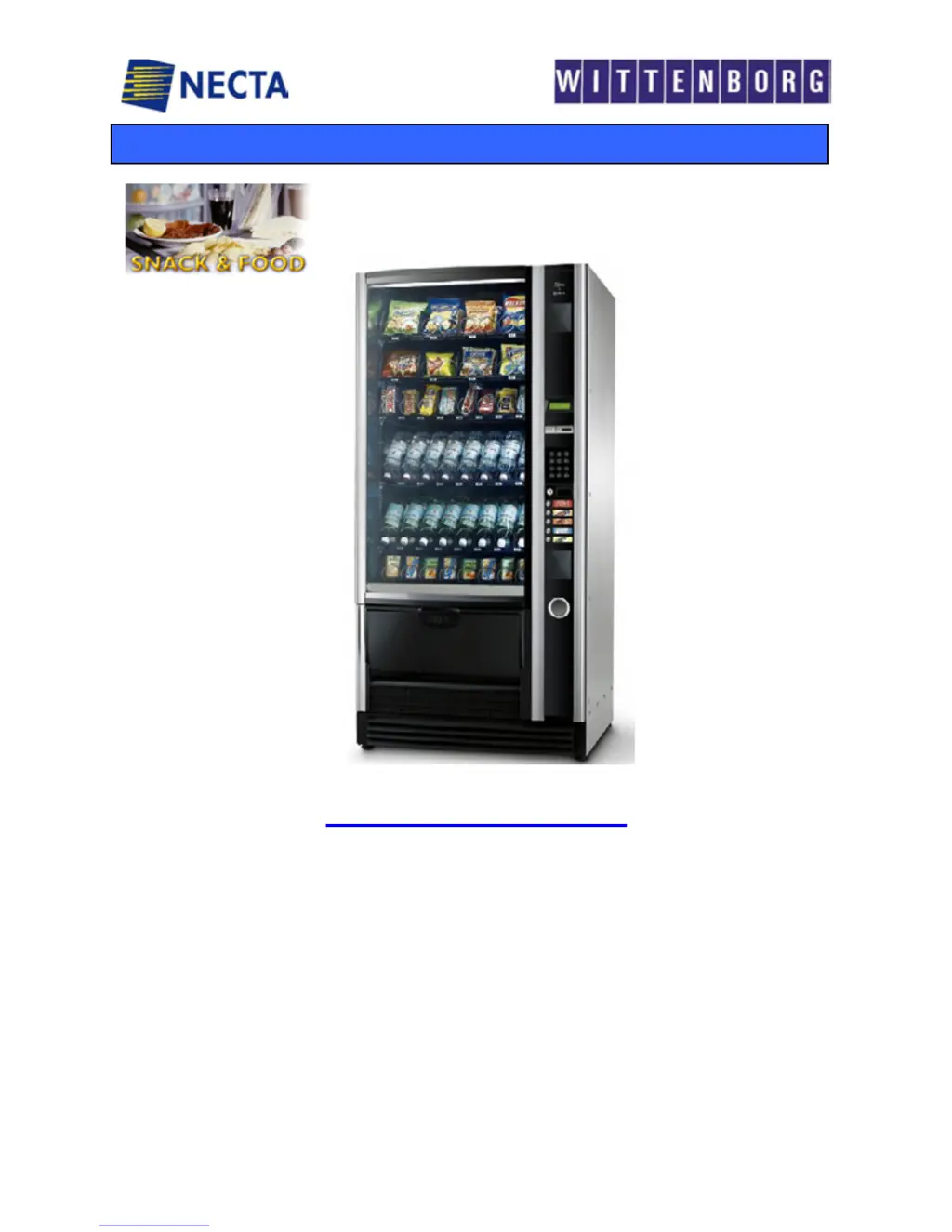
Necta Sfera 6-36 R/F
19 pages
Print Icon
To Next Page IconTo Next Page
Loading...
NECTA SPA TECHNICAL MANUAL SFERA
Manual “ SFERA” 1 / 19
SERVICE MANUAL
“ SFERA ”
BASIC TECHNICAL MANUAL
THE CONTENTS OF THIS DOCUMENT ARE INTENDED FOR NECTA’S AFTER SALES PERSONNEL.
A
FTER SALES SERVICE Snack & Food

Questions and Answers

  • M
    Margaret RandolphAug 17, 2025
    What to do if my Necta Vending machine display says 'Compressor'?
    • T
      Teresa LiAug 17, 2025
      If your Necta Vending machine displays the message 'Compressor', it could be due to several reasons: * A lack of gas in the refrigeration circuit, possibly due to leaks. Check for small leaks and repair if needed, then recharge with the correct amount of gas. * A failure of the evaporator's electric fan. Ensure the electric fans are working correctly. * A failure of the condenser's electric fan or a triggered PTC. Verify the electric fans' functionality. * A clogged lower and/or side grille. Make sure there's proper cooling airflow inside the refrigerated box. * A failed probe (if this is the case, the message 'probe failure' will be displayed). If components have failed, replace them with original parts.
  • B
    Bobby WongAug 20, 2025
    What to do if my Necta Vending machine display says 'Coin mechanism'?
    • B
      Bryan WilsonAug 20, 2025
      If your Necta Vending machine displays the message 'Coin mechanism', it could indicate a communication problem. Here's what to check: * If the CPU hasn't received communication impulses from an Executive serial coin mechanism for more than 30 seconds, replace the coin mechanism with a known working one and check the communication. * If the CPU receives an impulse for longer than 2 seconds, replace the coin mechanism with a known working one and check the communication. * Check the connections to the coin mechanism. * Check the CPU board; if necessary, replace it with one known to be working. * Ensure the 24 V DC power supply fuse is intact.
  • M
    Monica RuizAug 22, 2025
    Why is my Necta Vending machine display showing 'RAM data'?
    • D
      Don MyersAug 22, 2025
      If your Necta Vending machine displays the message 'RAM data', it means that one or more areas of the RAM contain incorrect data, potentially altering the default operating values. To resolve this: * Initialize the CPU again to reset the data. * After initializing, all data settings will revert to their defaults. Restore your customized data using a programmer or PC. * If the problem persists after initializing, replace the CPU board with a tested, working one. * If the malfunction continues, replace the cables or check the connections. * Consider moving the machine to a different location.
  • T
    terryshepherdAug 26, 2025
    What to do if my Necta Vending machine is not cooling properly?
    • T
      Teresa ThomasAug 26, 2025
      If the refrigerated box in your Necta vending machine isn't cooling down to the set temperature, consider these potential causes: * Ensure that there are no obstructions in the lower section of the vending machine, as the cooling unit draws air from there. * Check for small leaks using a special instrument and detecting foam. The cooling unit sucks in air from the lower section and expels it downwards through the front grille. * Restore the charge after eliminating the leak. * Check that the NTC probe is positioned and functioning correctly.
  • O
    Olivia WilliamsAug 28, 2025
    How to troubleshoot a 'Probe' error on my Necta Vending machine?
    • H
      Holly AndersenAug 28, 2025
      If your Necta Vending machine displays the message 'Probe', it indicates a problem with the temperature control probe. Here's how to troubleshoot: * The temperature control probe in the refrigerated box is of the NTC type, with the internal resistance that lowers as the temperature rises, so check the internal resistance in the NTC probe using a digital multimeter. * Replace the probe with an original one; before installing the new one check that the internal resistance corresponds to the above parameters. * Reset the failures by accessing the special software function.
  • F
    fernandezjacobAug 31, 2025
    Why are the internal lamps not working in my Necta Vending machine?
    • J
      Jessica MartinezAug 31, 2025
      If the internal lamps in your Necta vending machine are not lighting, consider the following: * Switching on and off of the lamps can be programmed; therefore check that such option was not included in the programming and check the functioning of the fluorescent lamp, starter and ballast. * There may be a probable failure to the starter / ballast, so check the functioning of the relay card (SOR) that controls the 230 V AC power supply. * Check in the special software program that the time band setting is correct.
  • M
    Maureen PruittSep 2, 2025
    What does 'Motor failure n. XY' mean on my Necta Vending machine and how do I fix it?
    • E
      Eric MackSep 2, 2025
      If your Necta Vending machine displays the message 'Motor failure n. XY', you can try the following: * Check that there are no interferences to the motor rotation. * Check that the motor is efficiently running. * Check that the microswitch is efficiently working. * Check that in fact there is not a time-out. * If all checks are OK replace the card, as the actuation or the software may be malfunctioning.
  • F
    Frederick ObrienSep 5, 2025
    What to do if my Necta Vending machine display says 'programming'?
    • K
      Kendra CunninghamSep 5, 2025
      If your Necta Vending machine displays the message 'programming', it means that the CPU and payment system compartment door closure is monitored by a microswitch that in the event of actuation with the door open indicates "Programming". * Check that microswitches are activated correctly. * Check that cables are not damaged or disconnected. * Replace the microswitches and/or the cables.
  • W
    William Williams DVMSep 8, 2025
    Why won't my Necta Vending machine start and the display is off?
    • B
      Brandi WilsonSep 8, 2025
      If your Necta Vending machine won't start and the display is off, it could be due to a power issue. Here's what to check: * The vending machine is protected against short-circuits with two line fuses (one on each phase), with fuses on the secondary winding and on CPU board power supply, so check that the fuses are intact and replace if necessary. * First identify the cause of the blown fuses. * Check the power supply cable. * Check the transformer’s functioning.
  • S
    shane54Sep 12, 2025
    Why does my Necta Vending machine say 'product finished'?
    • M
      Margaret AllenSep 12, 2025
      If your Necta Vending machine displays the message 'product finished', the barrier was not interrupted during a selection due to two possible causes: * end of product * jammed product Reset the failure after correcting the problem.

Summary

1 - LAYOUT - MODELS

2 - ELECTRICAL SYSTEMS - CONNECTIONS - CONFIGURATIONS

Actuation Board and Connections

Details the actuation board and its connections within the electrical compartment.

Connections, Board, and Wiring Diagrams

CPU Board Layout and Components

Power Supply and Lighting Diagram

3 - VENDING SYSTEMS

4 - POWER SUPPLY AND WIRING

5 - COOLING UNIT

7 - TROUBLESHOOTING

Troubleshooting: Display Messages and Communication Errors

Addresses display messages like 'Compressor', 'Coin mechanism', 'RAM data', and 'Probe' errors.

Troubleshooting: Motor and Mechanical Issues

Covers motor failures and mechanical problems indicated on the display.

Troubleshooting: Product Detection and System Startup

Troubleshooting: Cooling, Lighting, and Programming

Necta Sfera 6-36 R/F Specifications

General IconGeneral
BrandNecta
ModelSfera 6-36 R/F
CategoryVending machines
LanguageEnglish

Related product manuals