EasyManua.ls Logo

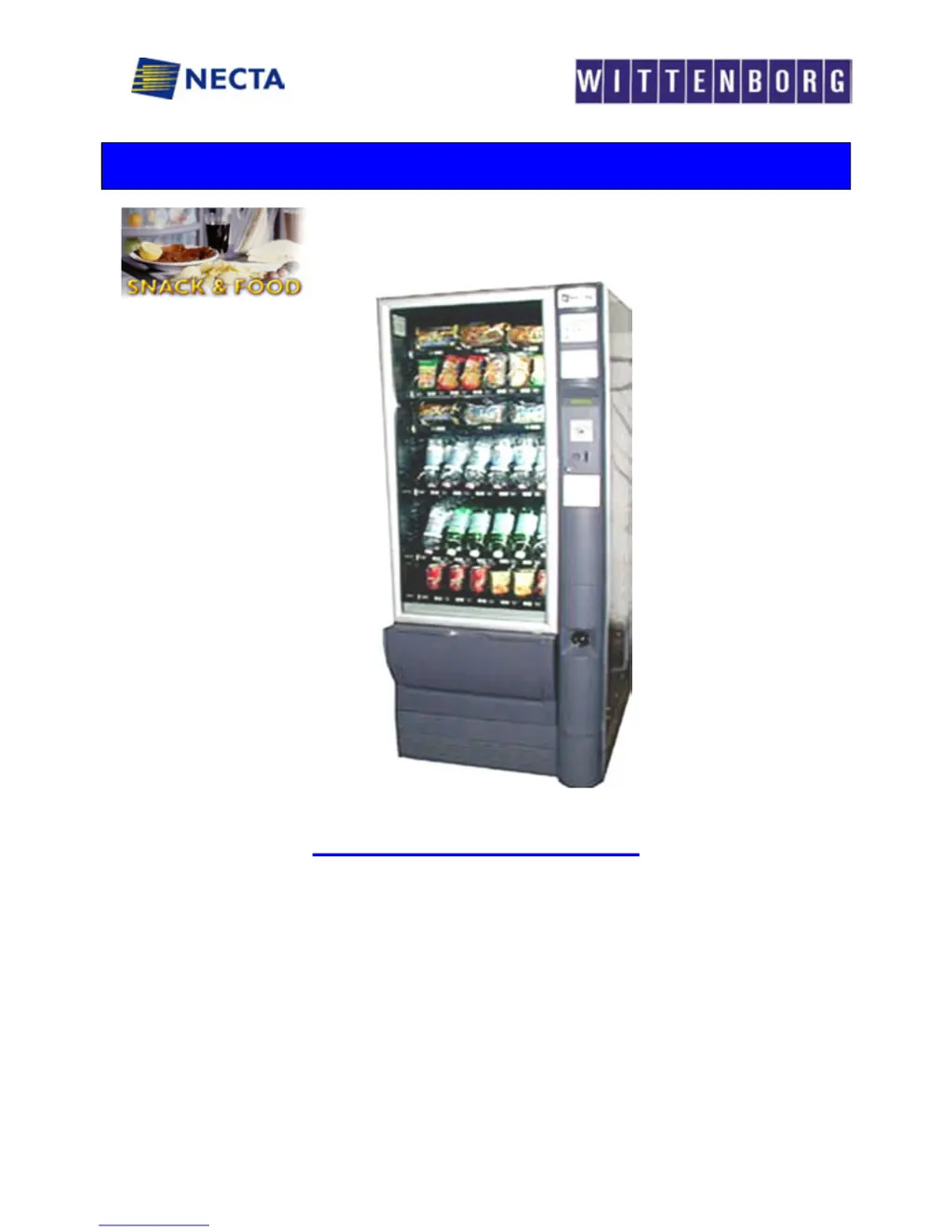
Necta Snakky 6-30R/I - User Manual

Default Icon
23 pages
Print Icon
To Next Page IconTo Next Page
Loading...
NECTA SPA TECHNICAL MANUAL “ Snakky “
Manual Snakky 1 / 23
AFTER SALES SERVICE food & snack
SERVICE MANUAL
“ SNAKKY ”
BASIC TECHNICAL MANUAL
THE CONTENTS OF THIS DOCUMENT ARE INTENDED FOR NECTA’S AFTER SALES PERSONNEL.
by

Questions and Answers

  • M
    mercersharonAug 16, 2025
    What to do if Necta Snakky 6-30R/I Vending machines display “Coin mechanism” message?
    • K
      Kerri PatelAug 17, 2025
      If the CPU doesn't receive communication impulses from an Executive serial coin mechanism for more than 30 seconds, or 75 seconds from a BDV serial coin mechanism, or receives an impulse longer than 2 seconds, the machine locks and disables selections. To resolve this: * Replace the coin mechanism with a known working one and check the communication. * Check the connections. * Inspect the CPU board, replacing it if necessary with a tested one. * Ensure the 24 V DC power supply fuse is intact.
  • S
    sandersstaceyAug 19, 2025
    Why does my Necta Vending machine display “Compressor” error?
    • V
      vstewartAug 19, 2025
      The "Compressor" message on your Necta Vending machine indicates a problem within the refrigerating system. This could be due to: * Lack of gas in the refrigerating circuit. * Failure of the evaporator's electric fan. * Failure of the condenser's electric fan or a triggered PTC. * Clogged rear and/or side grille. * Failed probe (though this usually shows “probe failure”). To resolve this, check for leaks in the refrigerating gas circuit, repair any leaks, and recharge with the correct amount of gas. Also, verify that the electric fans are working correctly and that there's proper cooling airflow. Replace any failed components with original parts.
  • M
    Molly AndersonAug 22, 2025
    How to fix “RAM data” error on Necta Snakky 6-30R/I?
    • K
      kathleenadamsAug 22, 2025
      The “RAM data” message on your Necta Vending machine means that one or more RAM areas contain incorrect data, potentially altering default operating values. To fix this: * Reinitialize the CPU. This will revert all data settings to default. Restore customized data using a programmer or PC. * If the problem persists after initialization, replace the CPU board with a tested, working one. * If the issue continues, replace the cables or check the connections. * If the vending machine is in an area with high interference, consider moving it to a different location.
  • P
    Patricia ShermanAug 25, 2025
    Why Necta Vending machine's refrigerated box isn't cooling properly?
    • M
      Mrs. Marissa JohnstonAug 26, 2025
      If the refrigerated box in your Necta Vending machine isn't cooling down to the set temperature, it could be because the cooling unit isn't correctly positioned, preventing adequate circulation of condenser cooling air. Ensure the back of the machine isn't directly against a wall (unless it's the side of a bank of machines with the right side free). Also, check for small leaks using a special instrument and detecting foam. Restore the charge after eliminating the leak.
  • F
    fwagnerAug 27, 2025
    What does “Probe” message mean on Necta Snakky 6-30R/I Vending machines and how to fix it?
    • R
      Ronald HansenAug 27, 2025
      The “Probe” message on your Necta Vending machine indicates an issue with the temperature control probe in the refrigerated box. This probe is an NTC type, and its internal resistance changes with temperature. To troubleshoot: * Check the internal resistance of the NTC probe using a digital multimeter. A resistance of 730 ohm should correspond to 30°C, and 2612 ohm to 0°C. * Replace the probe with an original one, ensuring its internal resistance matches the expected parameters before installation. * Reset the failures by accessing the special function.
  • P
    Patrick NelsonAug 30, 2025
    How do I troubleshoot “Motor failure n. XY” on Necta Snakky 6-30R/I?
    • A
      ashley02Aug 30, 2025
      The "Motor failure n. XY" message on your Necta Vending machine indicates a problem with a motor. To troubleshoot: * Check for any obstructions preventing the motor from rotating. * Ensure the motor is functioning correctly. * Verify the microswitch is working efficiently. * Check for a time-out issue. If the motor isn't starting, check the electrical connection to ensure it's receiving 24 V DC. If all checks pass, replace the card, as the actuation or software may be faulty.
  • A
    Andrea TaylorSep 2, 2025
    Why won't my Necta Vending machine start and the display is off?
    • H
      holmesmeganSep 2, 2025
      If your Necta Vending machine won't start and the display is off, it may be due to blown fuses. The machine is protected against short-circuits with line fuses, fuses on the secondary winding, and a fuse on the CPU board power supply. Check that the fuses are intact and replace them if necessary, first identifying the cause of the blown fuses. Also, inspect the power supply cable and the transformer's functioning.
  • J
    Joseph RiveraSep 4, 2025
    What does “product finished” mean on Necta Snakky 6-30R/I?
    • L
      Linda RodriguezSep 4, 2025
      The “product finished” message on Necta Vending machines (in versions with infrared sensors) indicates that the sensor barrier wasn't interrupted during a selection. This is due to either the product being depleted or the product being jammed. The software automatically attempts to dislodge the product with small movements. If this fails, the selection is blocked. Reset the failure after correcting the problem. The software allows another selection without the customer losing credit.
  • P
    Paul KellerSep 7, 2025
    Why does my Necta Vending machine display incorrect number of trays?
    • K
      Kevin RamirezSep 8, 2025
      If your Necta Vending machine displays a number of trays that doesn't match the actual number, it's likely because a tray isn't being electrically detected. Check that the cables are correctly connected and in good condition.
  • R
    rebekah95Sep 10, 2025
    Why aren't the internal lamps lighting up in my Necta Vending machine?
    • H
      Haley RichardsSep 12, 2025
      If the internal lamps in your Necta Vending machine aren't lighting, first check if the lamp's on/off function has been programmed to be off. Also, check the neon lamp, starter, and ballast for failures. Verify the relay card (SOR) that controls the 230 V AC power supply is functioning. Lastly, confirm in the software program that the time band setting is correct.

Summary

Electrical Systems, Connections, and Configurations

Vending and Loading Systems

Wiring Overview

Power Supply Unit

Cooling Unit and Internal Ventilation

Troubleshooting Common Issues

Compressor Message Troubleshooting

Addresses issues indicated by the 'Compressor' message, including causes and solutions.

Coin Mechanism Message Troubleshooting

Provides guidance for troubleshooting problems indicated by the 'Coin mechanism' message.

RAM Data Message Troubleshooting

Details how to resolve issues indicated by the 'RAM data' message, involving data initialization.

Probe Message Troubleshooting

Explains how to diagnose and fix problems indicated by the 'Probe' message related to temperature sensing.

Motor Failure Troubleshooting

Guides users on how to troubleshoot 'Motor failure' messages and related issues.

Product Finished; Jammed Troubleshooting

Addresses 'product finished' indications and solutions for jammed products or sensor issues.

Periodic Cleaning and Hygiene

Necta Snakky 6-30R/I Specifications

General IconGeneral
BrandNecta
ModelSnakky 6-30R/I
CategoryVending machines
LanguageEnglish

Related product manuals