EasyManua.ls Logo

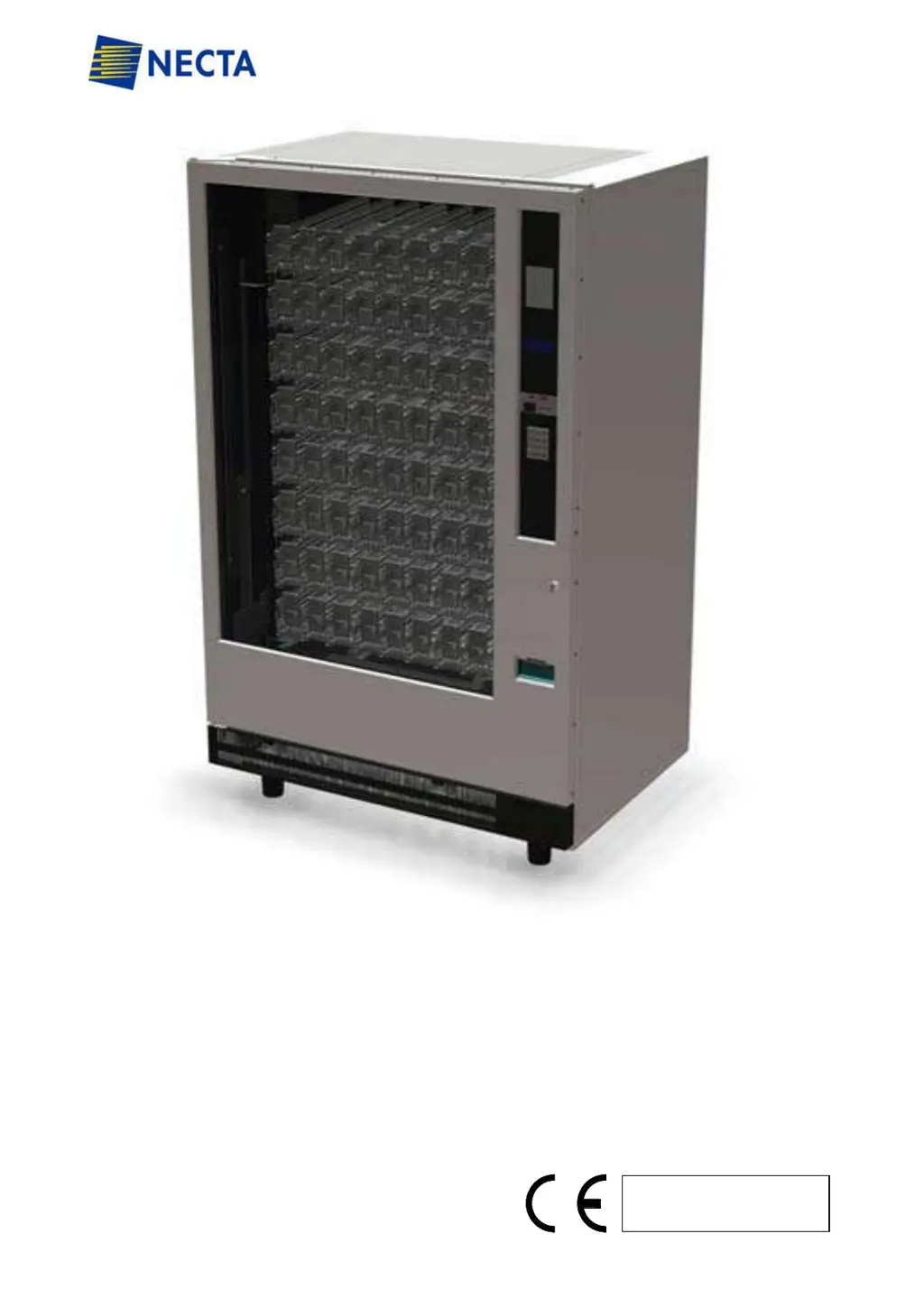
Necta SINFONIA GF6 - User Manual

Default Icon
44 pages
Print Icon
To Next Page IconTo Next Page
Loading...
USER AND MAINTENANCE MANUAL
VENDING MACHINE
Mod. SINFONIA
Code : H4345 EN 00
Date: February 2013

Questions and Answers

  • L
    Linda MyersAug 15, 2025
    Why does my Necta Vending machine keep returning all coins?
    • H
      Haley FischerAug 15, 2025
      If all coins are being returned by your Necta Vending machine, there might be several reasons: * The vendor isn't getting power; in this case, check the socket. * The coin mechanism isn't getting power; inspect the connecting harness for defects and check the fuse. * The coin mechanism is faulty, or the coin return lever isn't closing properly; inspect the coin mechanism and replace the lever if needed. * The coin acceptor is dirty; clean it with an approved detergent and dry it thoroughly. * The vendor is in a sold-out state; ensure all columns are not empty and that those that are not empty have signalled a product jam to the board. Check that the full columns work properly with manual test after which reset the errors.
  • F
    fmooreAug 18, 2025
    What to do if my Necta Vending machine accepts coins but doesn't dispense product?
    • C
      Christina BowmanAug 18, 2025
      If your Necta Vending machine accepts the coin but doesn't deliver the product, consider the following: * The prices might be set too high; reset the prices. * There could be a communication error between the coin mechanism and the board; check the cord connecting them and replace either if necessary. * The motors might be jammed; ensure the motor is powered by 24V when a selection is made, and always cancel any errors on the board.
  • K
    Kyle JonesAug 21, 2025
    Why is the cooling unit not working in my Necta Vending machine?
    • K
      Kathryn HaydenAug 21, 2025
      If the cooling unit in your Necta Vending machine isn't working, check these items: * Ensure the vendor is receiving power by checking the power supply. * Look for a communication failure between the power board and the vendor. Check the power cord connection, fuses, and the communication cable for any damage.
  • V
    vzunigaAug 25, 2025
    Why does the compressor work continuously on my Necta SINFONIA GF6 Vending machines?
    • A
      Alison HolmesAug 26, 2025
      If the compressor in your Necta Vending machine works continuously, it could be due to: * A defective relay board; check the relay board and its wiring. * An incorrect temperature setting; verify the temperature setting. * A gas leak; repair the leak and then reload the cooling unit.
  • J
    Jaime RogersAug 28, 2025
    What causes the compressor to not work, but the condenser fan turns in Necta Vending machines?
    • W
      William AdamsAug 28, 2025
      If the compressor in your Necta Vending machine isn't working but the condenser fan is turning and the compressor is cold, the issue might be: * A faulty overload protector or compressor relay; inspect the overload protector or compressor relay. * A defective relay board; ensure the compressor winding has the correct electrical resistance and that the guide relay has control wiring.
  • K
    Kelly CrawfordAug 31, 2025
    How to fix a Necta Vending machine when the compressor works but the temperature is not ideal?
    • W
      Wayne HansenAug 31, 2025
      If the compressor in your Necta Vending machine is working, but the temperature isn't ideal, consider these potential causes: * The condenser fan isn't working; check the circuit. * The condenser is dirty; replace the motor. * The evaporator fan isn't working; check if the fan is blocked. * There's no gas in the system; inspect the relay guide board and check if the condenser fans are dirty or blocked. * The temperature setting is incorrect; set the desired temperature. * The EMS is badly programmed; verify the energy-saving program and change it if necessary.
  • J
    James BellSep 3, 2025
    Why is the evaporator covered with ice in my Necta Vending machine?
    • A
      andersenrobertSep 3, 2025
      If the evaporator in your Necta Vending machine is covered with ice, the following could be the reasons: * The evaporator fan isn't working; check the evaporator fan. * The cooling compartment is poorly sealed; replace the sealing and adjust the internal door closure, ensuring the product door isn't blocked.
  • K
    Kaylee CochranSep 7, 2025
    What to do if vends are not counted on my Necta Vending machine?
    • T
      Thomas OchoaSep 7, 2025
      To fix the vend counter issue on your Necta Vending machine, adjust the door and perform a vend with the door closed to ensure the door switch is activated.
  • K
    Kathryn MaddoxSep 12, 2025
    How to fix the display showing the vend counter on my Necta SINFONIA GF6?
    • L
      Lauren CoxSep 12, 2025
      To resolve the issue of the vend counter being displayed on your Necta Vending machine, adjust the position of the “door closure” sensor.

Summary

General Information

Purpose of Manual

Outlines the manual's purpose and importance for the vending machine's lifespan.

Target Audience and Responsibilities

Identifies intended users like operators, installers, and technicians, defining their roles.

Manufacturers Liability

Defines the manufacturer's limited responsibility for damages caused by improper use or installation.

Manufacturer Information

Highlights the manufacturer's experience and technical expertise in vending machines.

Service Center Contacts

Provides contact information for authorized service centers.

General Information

Warranty Terms and Conditions

Details the vending machine's warranty period and common exclusions like operator errors.

Essential Safety Warnings

Lists critical safety instructions for operating and maintaining the vending machine to prevent hazards.

General Information

Understanding Machine Symbols

Explains the meaning of various symbols and icons used to indicate dangers or obligations on the machine.

Machine Features

Technical Specifications Overview

Presents detailed technical data including dimensions, weight, and electrical/cooling features for different models.

Machine Features

Key Component Identification

Illustrates and labels major parts of the vending machine for user familiarity.

Installation

Transport and Positioning Guidelines

Provides instructions and crucial cautions for safely moving and placing the vending machine.

Installation

Installation Environment Requirements

Specifies optimal environmental conditions like temperature and ventilation for machine installation.

Removing Shipping Bases

Details the steps required to safely remove the wooden bases from the machine.

Machine Levelling Procedure

Explains how to adjust the machine's feet to ensure a stable and level installation.

Installation

Ensuring Machine Stability

Discusses the machine's inherent stability and options for securing it against tilting.

Installation

Electrical Connection Procedures

Guides on safely connecting the machine to the mains power, including voltage and grounding checks.

Installation

Coin Mechanism Installation Guide

Step-by-step instructions for mounting the coin mechanism and connecting its communication interface.

Installation

Control System Settings Reference

Refers users to a separate manual for programming the SF01 electronic board and control settings.

Access to Internal Parts

Using the Vending Machine

Product Loading Warnings

Alerts users to only load recommended product types into the machine.

Recommended Product Types

Lists compatible product sizes, capacities, and dimensions for optimal vending.

Using the Vending Machine

Step-by-Step Product Loading

Provides detailed instructions and visual aids for loading products into the machine's shelves.

Using the Vending Machine

Loading Operation Best Practices

Illustrates proper loading techniques and highlights critical safety precautions during the process.

Using the Vending Machine

Shelf Extraction Method

Explains how to safely remove shelves from the vending machine's dispensing system.

Using the Vending Machine

Final Checks Before Operation

Outlines essential checks to perform after loading products to ensure correct delivery.

Control Settings and Programming

Directs users to the SF01 Programming Manual for detailed control and operation settings.

Machine Start-Up Procedure

Details the sequence of actions required to power on and prepare the vending machine for use.

Using the Vending Machine

Adjusting Shelf Assembly Height

Guides on changing tray assembly positions and ensuring correct shelf installation for proper dispensing.

Description and Function of Control Unit

Description and Function of Control Unit

Control Unit Display Explained

Describes the function of the control unit's display and its various LED indicators.

Description and Function of Control Unit

Control Unit Keypad Functions

Explains the operation and purpose of each button on the control unit's keypad.

Setting Internal Temperature

Details the procedure for adjusting the machine's internal temperature settings via the control unit.

Initiating a Quick Defrost

Describes how to manually start a defrost cycle to address potential ice build-up.

Description and Function of Control Unit

Understanding Machine Signals and Alarms

Lists and explains error codes, display messages, and alarms indicating machine status.

Core Operational Functions

Explains the normal working logic of the compressor, fans, and cooling unit.

Maintenance

Accessing the Maintenance Area

Outlines the method for gaining access to the internal components for maintenance.

Routine Preventive Maintenance Tasks

Lists recommended periodic checks and cleaning to ensure optimal performance and longevity.

Maintenance

Removing and Installing the Bucket

Provides step-by-step instructions for detaching and reattaching the product catching bucket.

Maintenance

LED Lighting Tube Replacement

Details the procedure for replacing the internal LED lighting tubes.

Maintenance

Drum Photocell Sensitivity Adjustment

Explains how to adjust the photocell sensor for accurate product detection in the drum.

Maintenance

General Machine Cleaning

Provides guidelines for cleaning the vending machine's exterior and interior to maintain hygiene and efficiency.

Important Cleaning Precautions

Lists critical warnings and safety measures to observe before and during cleaning operations.

Maintenance

Detailed Cleaning Operations

Offers specific instructions for cleaning various parts like painted surfaces, neon boards, and cooling areas.

Maintenance

Recommended Cleaning Agents

Lists approved cleaning products and warns against using incompatible or damaging chemicals.

Cleaning Safety Gear

Advises users to wear appropriate personal protective equipment during cleaning tasks.

Information - Danger Signs

Warning Signs and Indicators

Explains various warning labels, indicators, and their meanings for user safety and machine status.

Troubleshooting Guide

Troubleshooting Common Errors

Provides solutions for frequent issues like coin return, product delivery, and counting errors.

Storage and Clearance

Guidelines for Machine Storage

Provides instructions for proper storage of the vending machine during long periods of inactivity.

Disposal and Environmental Information

Covers procedures for disposing of packing materials and recycling the machine responsibly.

Storage and Clearance

Responsibilities for Waste Disposal

Clarifies legal obligations for disposing of WEEE waste and identifying the responsible party.

Penalties for Improper Disposal

Mentions sanctions associated with illegal disposal of WEEE waste.

Necta SINFONIA GF6 Specifications

General IconGeneral
BrandNecta
ModelSINFONIA GF6
CategoryVending machines
LanguageEnglish

Related product manuals