Instructions
for Installer,
Maintenance Engineer
and final User
SINFONIA
Rev. 00
H4345 - 00 02/2013 Page 30 of 41
7.5 D
rum Photocell Adjustment
Th
e identification of the product is performed as follows:
The bucket brings the product up to flap of the drum then let the product slide inside the drum through the
flap.
If the product is detected by passing in front of the sensor, the drum slide opens and you will find the product
inside to take out.
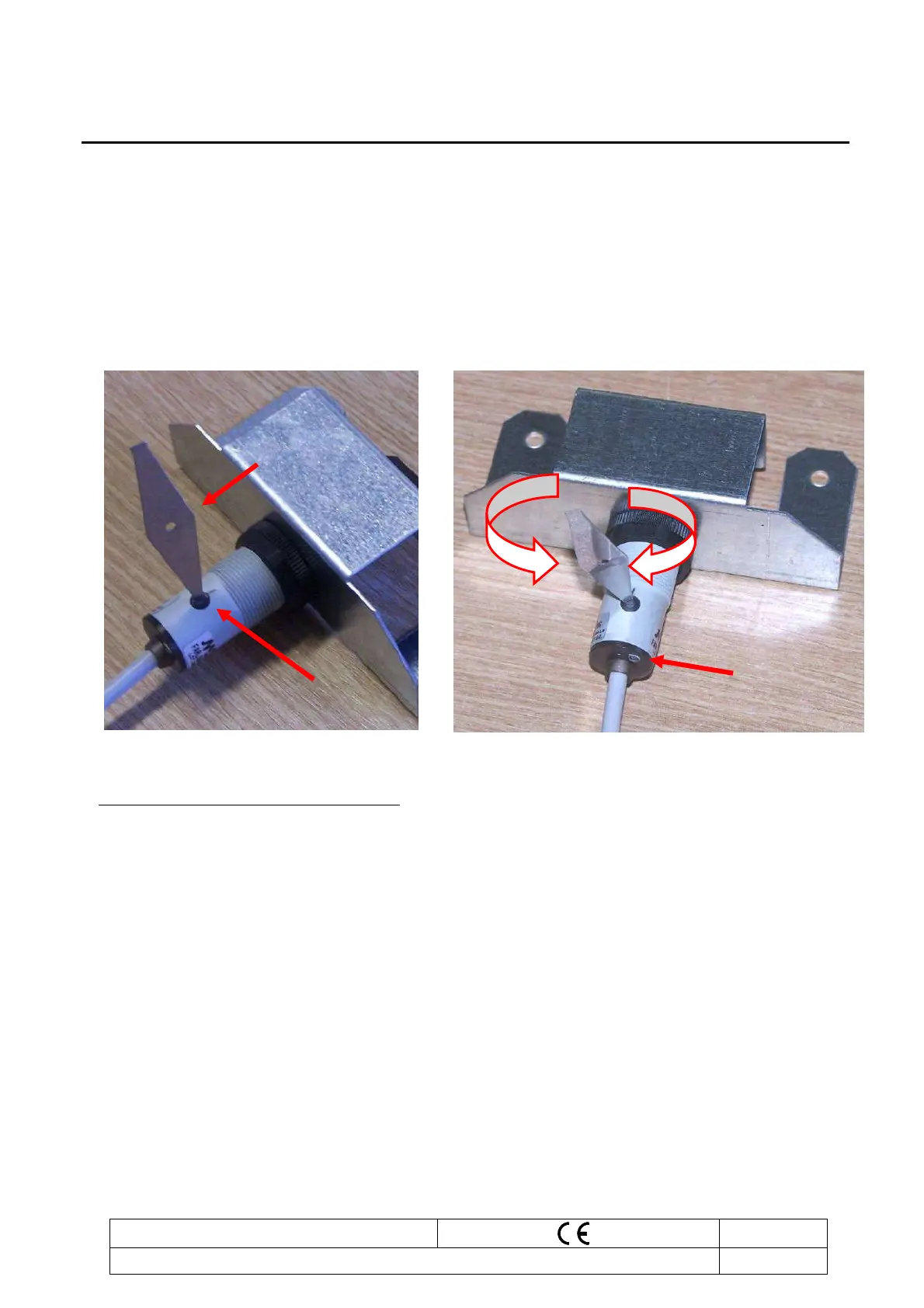
How to adjust the sensitivity of the photocell
:
1. Insert the appropriate regulation key “A”, provided whit photocells, into the cut of the fornt “B”
2. Turn the regulation key in one direction until the led lights on “C” underneath the photocell.
3. Turn it to the opposite direction until the led turns off.
4. Turn it to the opposite direction and stop immediately after the led turns on.
5. Check the function by passing an object between the photocell and reflector, and check if the status
of the led changes from on (product is not present) to off (product is present).
C
B
A











 To Next Page