15
Special Funcons
Acvang the emergency power down feature
Locate and remove the cover on the 9V baery compartment in
the power supply unit.
Install two (2) alkaline 9V baeries (not included with the
adjustable bed). Replace the baery cover.
When the 9V baeries are installed and a power failure occurs,
press the FLAT buon on the remote control for the bed to return
to a at posion.
NOTE: The 9V baeries are for single use only. Aer lowering the
adjustable bed once during a power failure, replace with a new
set of baeries.
1
2
3
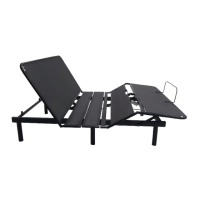
Your adjustable bed supports the emergency power down feature when a power failure occurs while the head and/or
foot secons are raised.
Connecng your bed to a smart device
Your adjustable bed is equipped with the Bluetooth technology that enables your iOS or Android smart device to
interact with your bed through the Nectar Move mobile applicaon.
If you are connecng your bed to the mobile app for the rst me,
enable the mobile device pairing mode on your control box.
• Unplug the power cord from the outlet and then plug it back
in. The LED light on the control box turns blue. Aer 20
seconds or aer being operated by a paired remote control,
the LED light turns green and the control box enters mobile
device pairing mode.
• On the control box, press the PAIR buon twice. The LED
light on the control box turns blue. Aer 20 seconds, the LED
light turns green and the control box enters mobile device
pairing mode.
NOTE: The control box stays in mobile device pairing mode for
60 seconds and the name of the of your bed is now visible on the
app.
From your mobile device, launch the app, and then tap the gear
icon to go to the Seings screen.
From the Devices list, select the name of your adjustable bed. The
name of your bed is on the scker on the front cover of the Owner's
Manual and on the bed's control box.
1
2
3
Sample scker showing the name
of your adjustable bed.
Before connecng your base to the mobile app, do the following:
• Make sure your adjustable bed is plugged into a working electrical
outlet and the control box is on.
• Download and install the Nectar Move mobile app from the App
Store
®
or the Google Play
TM
Store.
• For iOS users, turn on your device's Bluetooth
®
. For Android users,
turn on your device's Bluetooth
®
and Locaon seings.
NOTES:
• If your bed is not on the Devices list,
make sure your bed is in mobile device
pairing mode. For informaon, see step 1.
• You can only connect one smart device
to one adjustable bed at a me.
• For more informaon on using the mobile
app to control your adjustable bed, see
the Nectar Move App Guide.
NOTE: Install the 9V baeries in the power supply unit only during a
power failure when the emergency power down funcon is needed.


 To Next Page
 Loading...