8
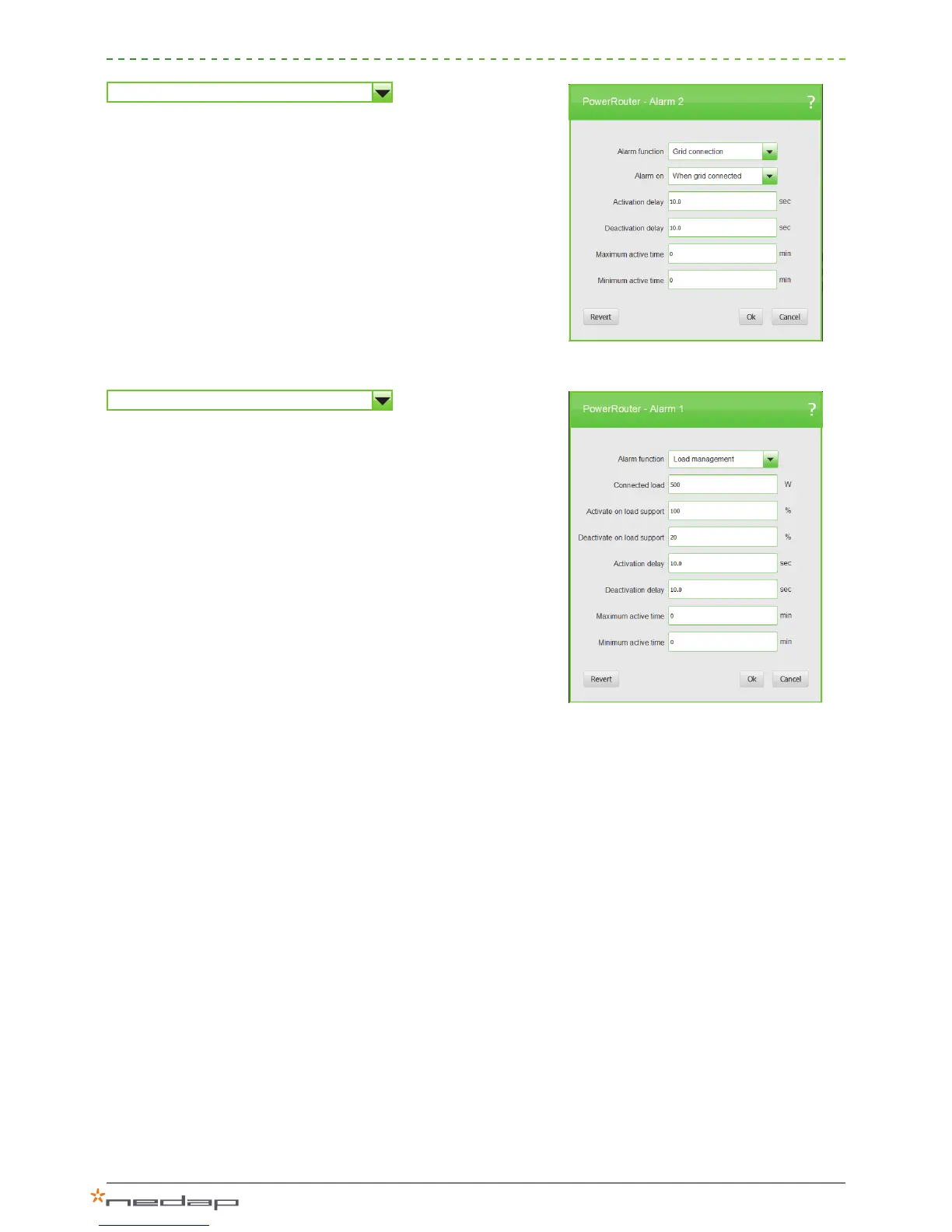
Grid connection
This setting will trip the relay in the event of a grid failure:
> Alarm on: choose the alarm to be activated when grid
connected or disconnected.
> Activation delay: delay time in seconds before the alarm will be
activated (between 0 and 100 seconds).
> Deactivation delay: delay time in seconds before the alarm will
be deactivated (between 0 and 100 seconds).
> Maximum active time: maximum time in minutes that the alarm
can be activated (between 0 – 720 minutes).
> Minimum active time: minimum time in minutes that the alarm
can be activated (between 0 – 720 minutes).
Load management
Select conditions to switch on or off additional loads:
> Connected load: dene how much power is connected as
additional load to be switched on, in watts.
> Activate on load support: activates if the percentage of the
dened power of the load is available as an energy surplus.
> Deactivate on load support: deactivates if the available surplus
is below a coverage of a % set between 20 and 200%.
> Activation delay: delay time in seconds before the alarm will be
activated (between 0 and 100 seconds).
> Deactivation delay: delay time in seconds before the alarm will
be deactivated (between 0 and 100 seconds).
> Maximum active time: maximum time in minutes that the alarm
can be activated (between 0 – 720 minutes).
> Minimum active time: minimum time in minutes that the alarm
can be activated (between 0 – 720 minutes).
To use the load management application this alarm must be linked
to a user-selectable relay.
Figure 16: Grid connection
Figure 17: Load management

 To Next Page
 Loading...