Energy consumption indicator en
19
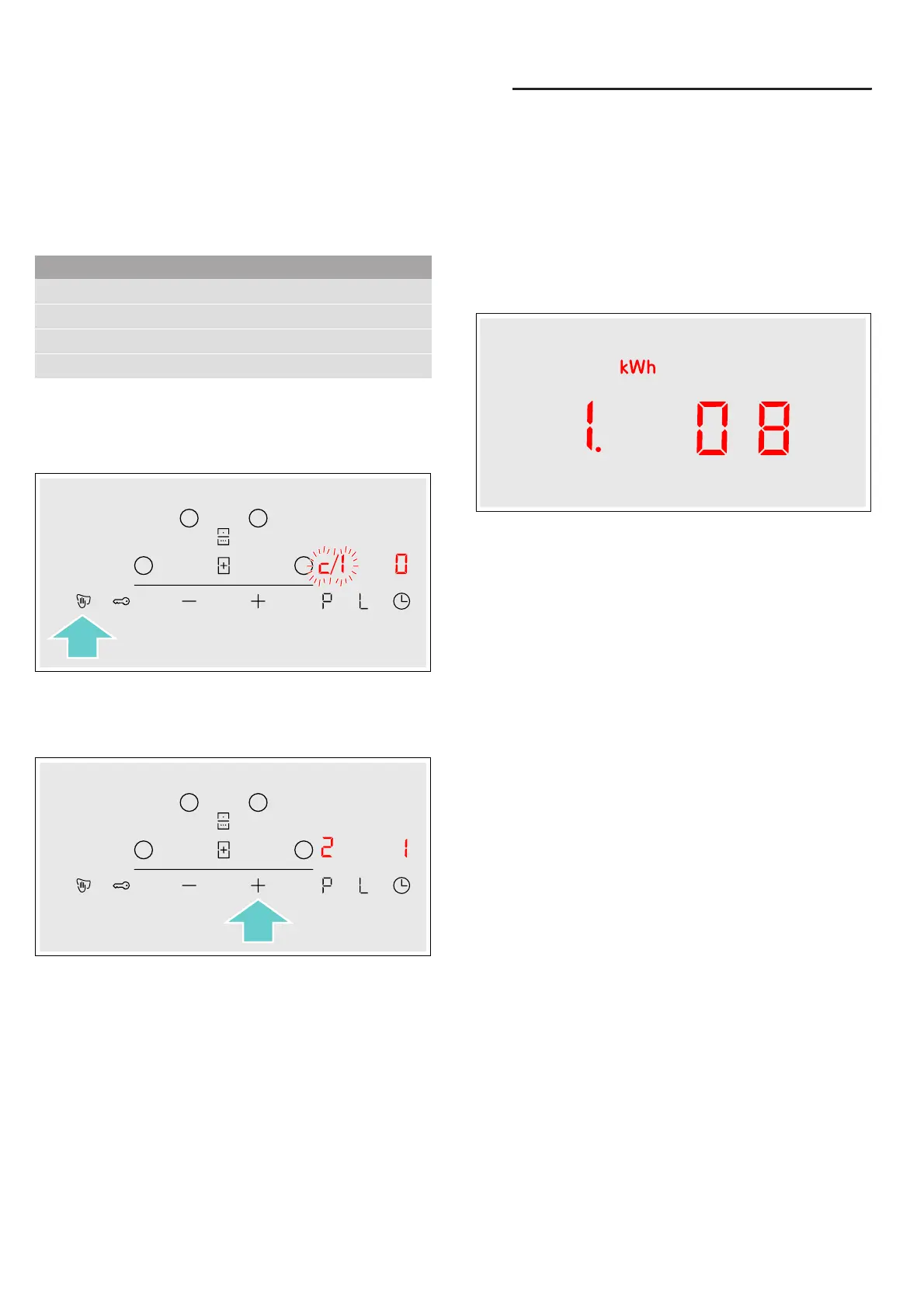
To access the basic settings:
The hob must be off.
1. Switch on the hob.
2. Within ten seconds, touch and hold the z symbol
for approximately four seconds.
The first four displays provide product information.
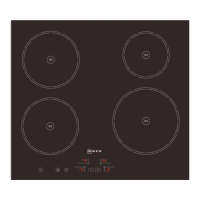
Touch the @ or A symbol to view the individual
displays.
3. Touch the z symbol again to access the basic
settings.
™ and ‚ flash alternately on the displays and ‹
appears as a presetting.
4. Touch the z symbol repeatedly until the required
function is displayed.
5. Then use the @ and A symbols to select the
required setting.
6. Touch the z symbol for at least four seconds.
The settings have been saved.
Leaving the basic settings
Turn off the hob with the main switch.
[Energy consumption
indicator
Energy consumption indicator
This function indicates the total amount of energy
consumed by this hob the last time it was used for
cooking.
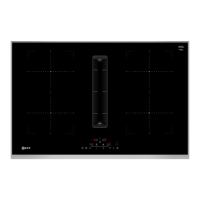
Once switched off, the energy consumption in kWh is
displayed for 10 seconds.
The picture shows an example with an energy
consumption of ‚.‹‰ kWh.
You can find out how to switch this function on in the
section on ~ "Basic settings"
Product information Display screen
After-sales service index (ASSI)
‹‚
Production number
”š
Production number 1
Š†.
Production number 2
‹.†



 To Next Page