Basic settings en
31
--------
To access the basic settings:
The hob must be off.
1. Switch on the hob.
2. Within ten seconds, touch and hold the . symbol for
approximately three seconds.
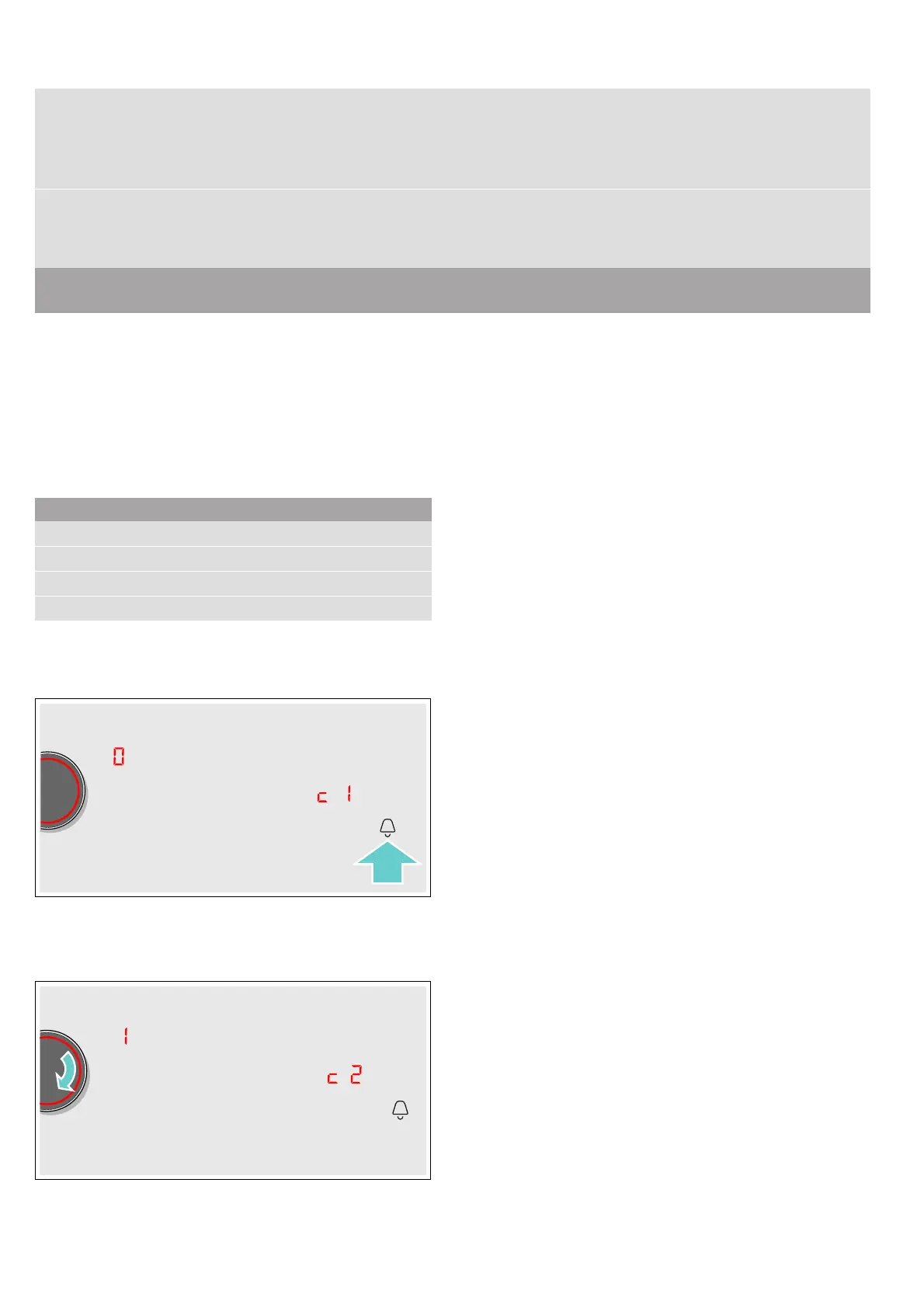
The first four displays provide product information.
Turn the twist knob to view the individual displays.
3. Touch the . symbol again to access the basic
settings.
™‚ and ‹ light up as a presetting in the displays.
4. Touch the . symbol repeatedly until the required
function is displayed.
5. Then use the twist knob to select the required
setting.
6. Touch the . symbol for at least three seconds.
The settings have been saved.
Leaving the basic settings
Turn off the hob with the main switch.
™‚ƒ
Check the cookware and the cooking results
‹ Not suitable
‚ Not perfect
ƒ Suitable
™‹
Restore to standard settings
‹ Individual settings.*
‚ Restore factory settings.
*Factory setting
**The hob's maximum power output is shown on the rating plate.
Product information Display screen
After-sales service index (ASSI)
‹‚
Production number
”š
Production number 1
Š†.
Production number 2
‹.†


 To Next Page