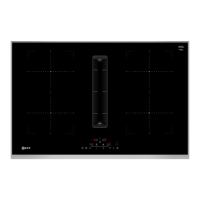
This document is a user manual for a Neff hob, model TL13FD9T8. It provides comprehensive information on the hob's functions, safety guidelines, usage, maintenance, and troubleshooting.
Function Description
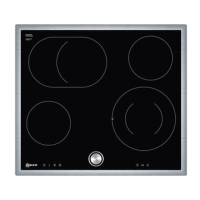
The Neff TL13FD9T8 hob is designed for preparing meals and drinks in domestic environments. It features touch-sensitive controls for selecting heat settings, activating special functions, and setting timers. The hob includes single-circuit and dual-circuit hotplates, offering flexibility for various cookware sizes.
Key functions include:
- Heat Settings: Adjustable power levels from 1 (lowest) to 9 (highest) with intermediate settings.
- PowerBoost Function: Allows for faster heating of large volumes of water, exceeding power level 9. This function is available on hotplates marked with 'P'.
- Childproof Lock: Prevents unintended operation by children. It can be activated manually or automatically when the hob is switched off.
- Time-Setting Options:
- Cooking Time: Sets a specific cooking duration for a hotplate, after which the hotplate automatically switches off. Up to 99 minutes can be set.
- Kitchen Timer: Functions independently of other settings, sounding a signal after a set time (up to 99 minutes).
- Stopwatch Function: Displays the elapsed time since activation, useful for monitoring cooking processes.
- Automatic Timer: A preselected cooking time for all hotplates that counts down and switches off the hotplate automatically.
- Automatic Switch-off: If a hotplate's settings are not changed for a long time, it will automatically switch off. The duration depends on the selected heat setting (1 to 10 hours).
- Keep-warm Function: Allows melting chocolate or butter and keeping food or cookware warm.
- Wipe Protection: Locks the control panel for 30 seconds to prevent accidental changes to settings while cleaning.
- Energy Consumption Display: Shows the total energy consumed between switching the hob on and off, displayed in kilowatt-hours (e.g., 1.08 kWh) for 10 seconds after switch-off. The accuracy depends on factors like voltage quality.
Important Technical Specifications
The manual provides a diagram showing the hotplate diameters:
- Ø 14.5 cm
- Ø 18/12 cm (dual-circuit hotplate)
The hob is designed for use up to an altitude of max. 2000 m above sea level. It is not intended for operation with external timers or separate remote controls unless specifically designed for EN 50615 compliance.
Usage Features
The hob's control panel is touch-sensitive, requiring users to touch relevant fields to select functions. Displays show selected values and functions, with indicators for heat settings (1-9), residual heat (H/h), PowerBoost (P), Keep-warm (L), and Timer (88).
Switching On/Off:
- To switch on: Press the main switch (①). An audible signal sounds, and light bars illuminate.
- To switch off: Press the main switch (①) until light bars go out. Residual heat indicators remain on until hotplates cool.
Setting Hotplates:
- Select the hotplate using the appropriate touch field.
- Adjust the heat setting using the '+' or '-' fields.
- Dual-circuit hotplates are activated by selecting the hotplate and then pressing the dual-circuit hotplate symbol.
Residual Heat Indicator:
- 'H' indicates the hotplate is very hot, suitable for keeping small dishes warm or melting chocolate.
- 'h' indicates the hotplate is hot.
Recommended Cooking Settings: The manual includes a detailed table with recommended power levels and cooking times for various foods, including melting, heating/keeping warm, defrosting/heating, poaching/simmering, boiling/steaming/stewing, deep-frying with little oil, and deep-frying. Specific test dishes like lentil stew, béchamel sauce, rice pudding, pork loin chops, and pancakes are detailed with precise instructions for testing purposes.
Energy Saving Tips:
- Match cookware size to the cooking zone.
- Use cookware with flat bases.
- Cover saucepans with suitable lids.
- Lift lids infrequently.
- Use a glass lid to monitor cooking.
- Cook with minimal water.
- Turn down power levels early.
- Utilize residual heat by switching off hotplates 5-10 minutes before cooking ends.
Maintenance Features
Cleaning and Servicing:
- General: Clean the appliance carefully to ensure efficient operation. Use suitable cleaning products and glass scrapers. Avoid unsuitable cleaning products (undiluted detergent, abrasive cleaners, oven spray, abrasive sponges, high-pressure/steam cleaners) as they can damage surfaces.
- Glass Ceramic: Clean after every use once the hob has cooled down. Remove heavy soiling with a glass scraper, then clean with a product specifically for glass ceramic.
- Hob Surround: Clean the frame with hot soapy water and a soft cloth after use. Do not use a glass scraper on the surround.
Troubleshooting: The manual provides a comprehensive troubleshooting guide for common faults, including:
- No power: Check household fuse, power failure.
- All displays flash: Control panel is wet or objects are on it.
- F2 error: Hotplates used at high power for too long, electronics overheated.
- F4 error: Electronics overheated again after F2.
- F5 and heat setting flash: Hot pot near control panel, electronics overheating risk.
- F8 error: Hotplate on for too long, automatically switched off.
- dE error: Demo mode activated.
- "E" message (e.g., E0111): Electronics detected a fault.
For serious issues or if the power cord is damaged, repairs should only be carried out by trained specialist staff using genuine spare parts. Customer Service contact information is provided for assistance.
Disposal: The appliance packaging materials are recyclable. Old appliances should be unplugged, the power cord cut, and disposed of in an environmentally friendly manner, following local authority guidelines. The appliance is labeled in accordance with European Directive 2012/19/EU (WEEE).

 Need help?

 To Next Page

 General