8Chapter 2 .
Basics
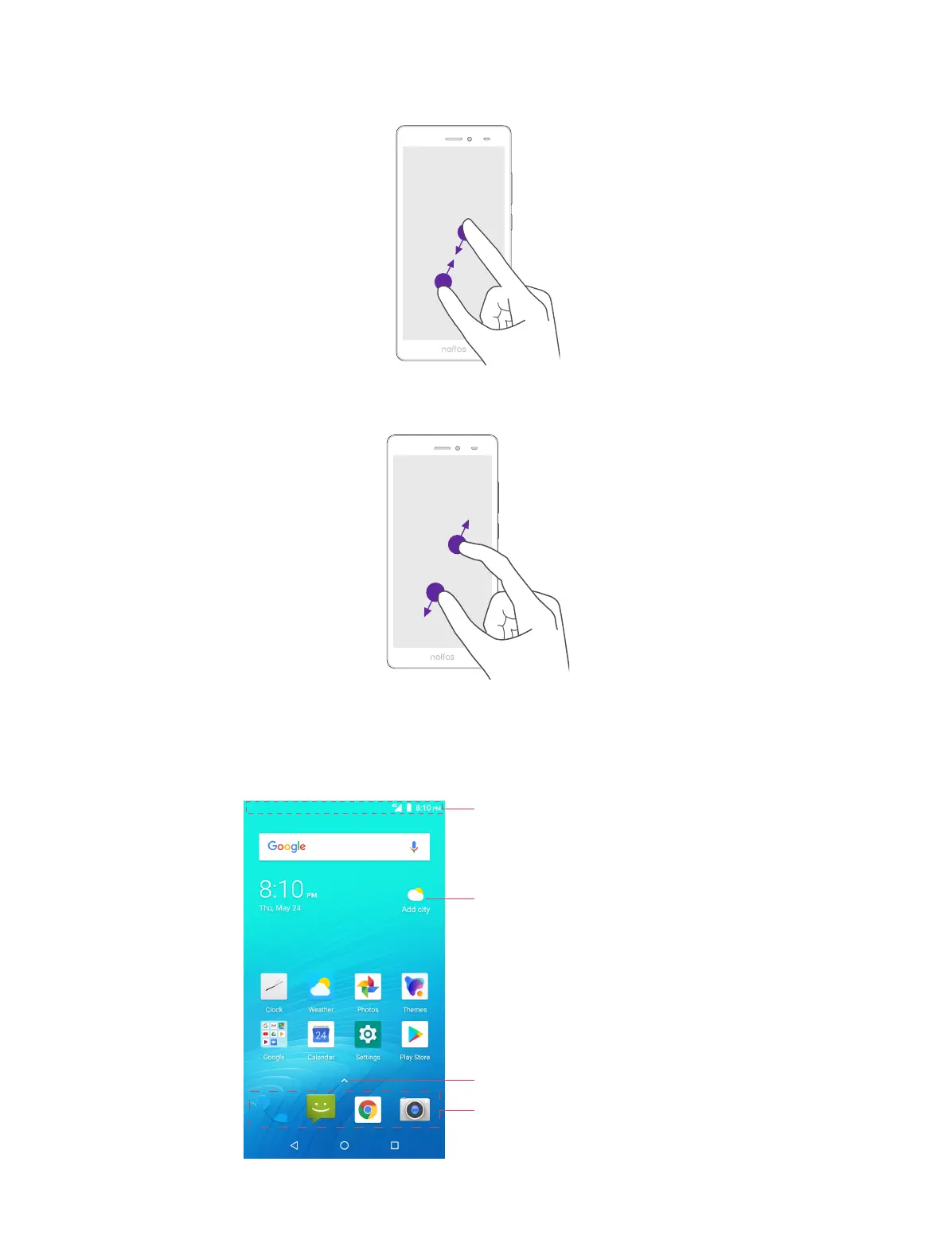
Pinch fingers together: Pinch two fingers together on the screen. For example, pinch two fingers together
to zoom out on a picture.
Spread fingers apart: Spread two fingers apart on the screen. For example, pinch two fingers out to zoom in
on a picture.
2. 2 Home screen
Your Home screens are where you can find your favorite widgets and all your applications.
Status bar: Displays status and notification icons
Widget: Self-contained applications that run
on the Home screen (not shortcuts)
App drawer: Tap to open application list
Dock component bar: Shortcuts to your frequently
used applications



 To Next Page