26Chapter 4 . Calls and Contacts
Record a call
You can record the call while it is in progress.
On in-call menu, tap to start recording, and tap to stop. Recording will end automatically when the call
ends. The recording will be saved to Internal shared storage/PhoneRecord by default.
Note:
In some countries, recording during the call is illegal, so their phone may not have this feature.
4. 4 Call log
All incoming, outgoing and missed calls are recorded in the call log.
means outgoing calls, means incoming calls, and means missed calls.
Save a recent call to your contact list
1. Go to Phone ->
, tap the number you want to save.
2. Tap Create new contact to save the number as a new contact, or tap Add to a contact to add the number
to an existing contact.
3. Configure the contact information and tap SAVE.
Send a message from the call log
Go to Phone -> , tap the number or contact you want to send a SMS to, and tap Send a message.
Block/Unblock the call log number
Go to Phone -> , tap the number or contact you want to block, and tap Block number -> BLOCK to add
the number or contact to blocked number list. You will no longer receive calls or messages from the number or
contact. You can go to Phone -> -> Settings -> Call blocking to view blocked number.
Tap the blocked number or contact, and tap Unblock number -> UNBLOCK to unblock it.
Call details
Go to Phone, tap a number or contact and tap Call details, you can:
• Copy the number: Tap Copy number to copy the number.
• Edit the number before call: Tap Edit number before call to open the dialer, and the number will be
entered automatically. You can edit it before making a call.
• Delete the call log: Tap to delete the call log.
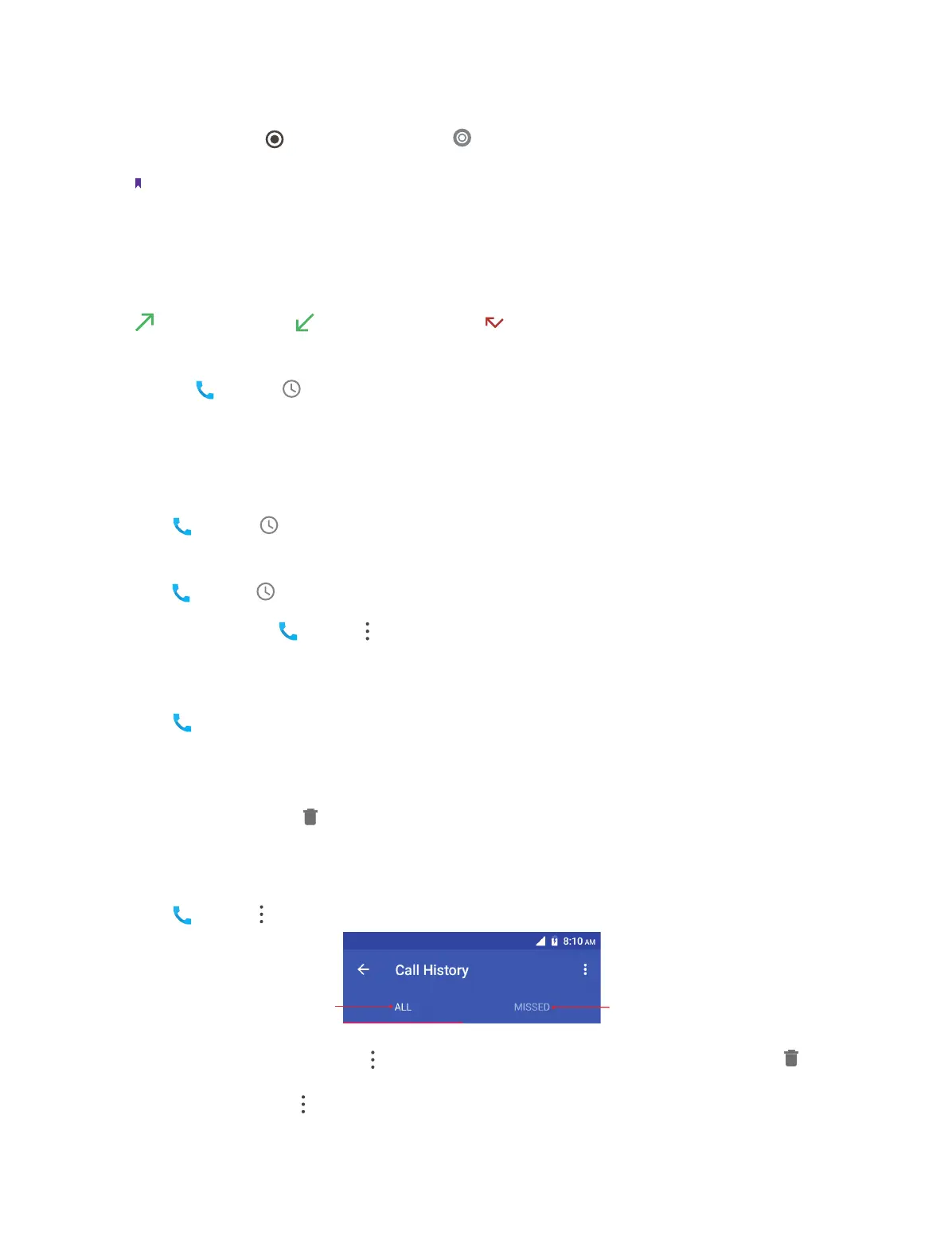
4. 5 Call history
Go to Phone -> -> Call history, you can view the call history:
ap or swipe right to
Tap or swipe left to
• Delete call history in batches: Tap -> Delete and check the call logs you want to remove, then tap ->
OK.
• Detele all call logs: Tap -> Clear call history -> OK to delete all.
• Send a message from the call history: Tap the number or contact in the call history, and tap Send a message
to send a message.



 To Next Page