32
Chapter 5 . Messages
Reply to a message
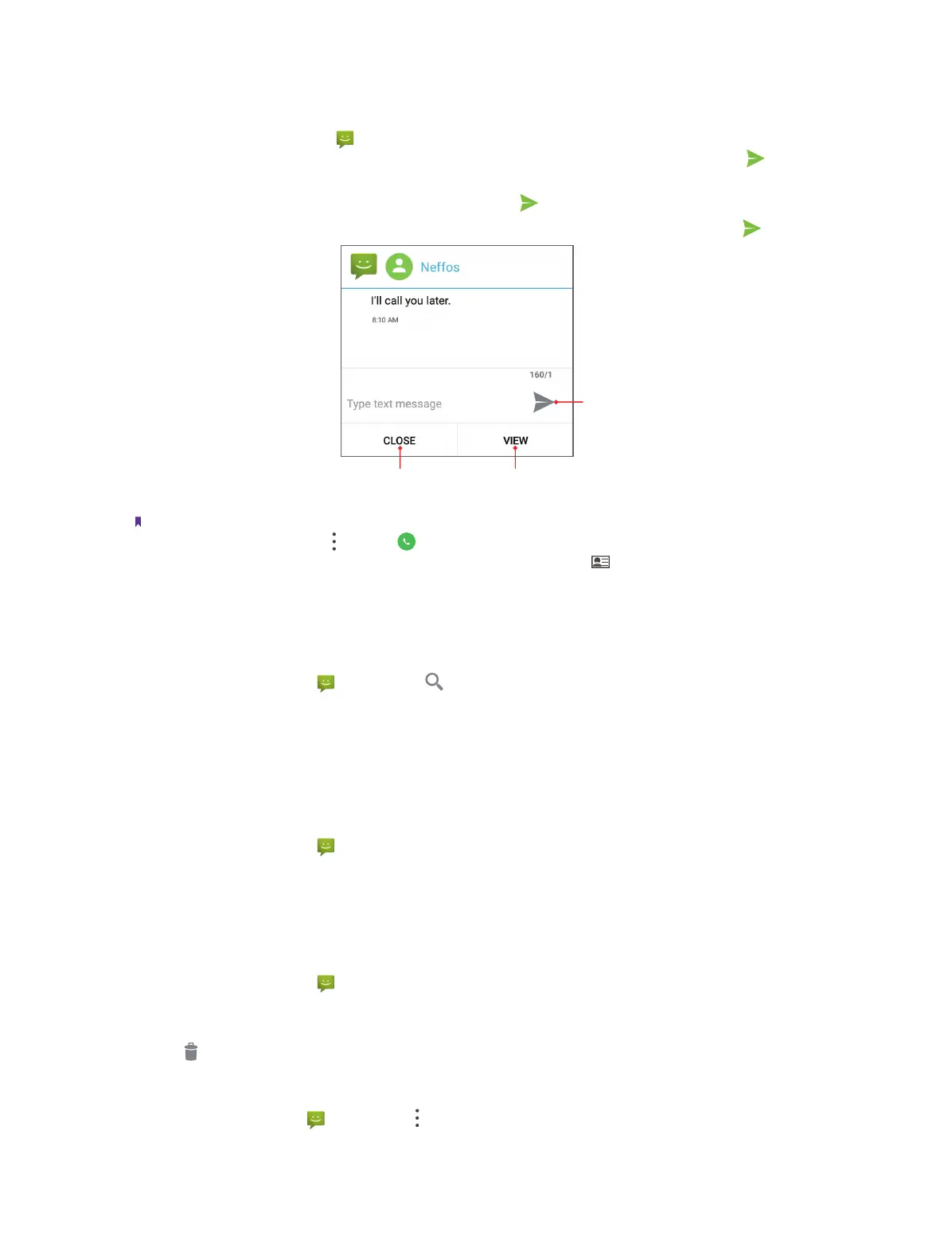
You can reply to a message by following ways:
• On the Home screen, open Messages. In the list of message threads, tap a contact name or phone
number to view your conversations. Select the text field and enter your message, and then tap
.
• Swipe down from the top of the screen to open the Notification Panel and tap the message notification,
Select the text field and enter your message, and then tap
.
• New messages will be displayed in a popup screen. You can type your messages on it and tap
.
Tap to close
Tap to view
Note:
1. You can reply a call by tapping -> Call ->
.
2. You can add the phone mumber to contacts and edit the contact by tapping .
5. 3 Search for messages
Use the message search feature to find messages quickly.
1. On the Home screen, tap Messages ->
.
2. Enter one or more keywords. The search results will be displayed underneath the search bar.
5. 4 Manage your messages
Message options
1. On the Home screen, tap Messages.
2. In the list of message threads, tap a contact name or phone number to view your conversations.
3. Touch and hold a message, you can copy, forward, delete or lock the message, view the message details,
select the message text and save message to SIM card.
Delete a conversation
1. On the Home screen, tap Messages.
2. In the list of message threads, touch and hold a coversation, and then select the conversations you want
to delete.
3. Tap
->
DELETE.
Delete all threads
On the Home screen, go to Messages -> -> Delete all threads -> DELETE to delete all the threads.



 To Next Page