
 Need help?
Do you have a question about the Nektar impact LX88 and is the answer not in the manual?
Lists the items included in the Impact LX product box.
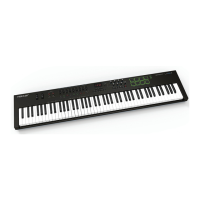
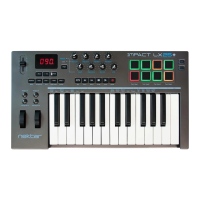
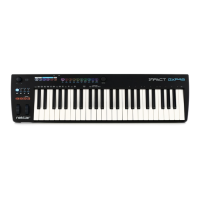
Details the key features and specifications of the Impact LX controller.
Outlines the hardware and software requirements for using the Impact LX.
Explains how to connect and power the Impact LX keyboard.
Guides on installing and setting up Nektar's DAW integration software.
Encourages product registration for updates and support benefits.
Step-by-step instructions for installing Studio One Artist and Impact LX integration.
Mentions that setup is similar for Studio One Pro users.
Checks if the Impact LX is functioning correctly with Studio One Artist.
Explains the function of the transport buttons on the Impact LX.
Controls mixer channel volume and pan using faders and pots.
Using fader buttons for track mute and solo functions.
How to bank through mixer channels beyond the first 8.
Controlling the master volume fader in Studio One.
Initial configuration for controlling instruments with Impact LX.
Navigating instrument patches and adjusting parameters.
Information on how to modify plug-in control assignments.
How to move between effect plug-ins in an insert chain.
Assigning drum sounds to pads using the Pad Learn function.
Using faders and pots to control drum sound volumes.
Adjusting the octave range of the keyboard.
Using Octave buttons for MIDI program, channel, and preset selection.
Using Transpose buttons for MIDI program, channel, and preset selection.
Setting up layered sounds on the keyboard.
Dividing the keyboard into different zones.
How to define the keyboard split point.
Configuring octave and MIDI channels for layer/split.
Sending MIDI program messages for layer or split.
Description and use of the pitch bend and modulation wheels.
Connecting and using a foot switch pedal.
Managing wheel and foot switch behavior for zones.
Overview of presets for controlling mixer, instruments, and general settings.
Details on controls that remain active across presets.
Functionality of the Shift/Mute button for muting MIDI and accessing secondary functions.
Sending current control status as a recall or experimental feature.
Parameter jumping avoidance technique.
Function for assigning notes to pads.
Accessing and navigating the setup menus.
Loading and saving pad setups into memory locations.
Step-by-step guide to assigning notes to pads.
Using pads as MIDI switch buttons.
Selecting velocity response for pads.
Introduces control assignment and MIDI channel settings.
Introduces global and setup functions.
How to change the MIDI CC number for a control.
Assigning MIDI channels to controls or global.
Explains Data 1 and Data 2 values for specific assignments.
How to save current settings to a preset.
How to save current pad settings to a map.
Setting the global MIDI channel for transmissions.
Setting MIDI channels for layer and split zones on LX88.
Selecting keyboard velocity response curves.
Sending MIDI program messages for layer/split on LX88.
Sending bank messages for layer/split on LX88.
Backing up controller settings via SysEx.
Restoring controller settings from a SysEx file.
Configuring virtual USB ports for layer/split on LX88.
 General
| Number of Keys | 88 |
|---|---|
| Velocity Sensitivity | Yes |
| Aftertouch | No |
| Pads | 8 |
| Faders | 9 |
| Transport Controls | Yes |
| Power | USB bus powered |
| Type | MIDI Keyboard Controller |
| OS Compatibility | Windows, macOS |
| Software | Included (varies by bundle) |



 To Next Page