
 Need help?
Do you have a question about the Nektar Impact LX61 and is the answer not in the manual?
Lists items included in the Impact LX box.
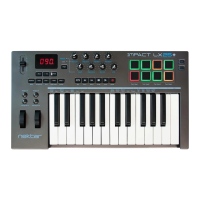
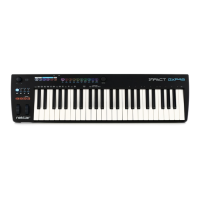
Details the specifications and capabilities of the Impact LX controllers.
Lists the hardware and software requirements for using the Impact LX and Studio One Artist.
Explains how to connect the Impact LX to a computer and power it on.
Guides users on installing and setting up Nektar DAW integration software.
Encourages product registration for updates and support benefits.
Details the installation process for Studio One Artist and Impact LX integration.
Mentions that the setup process is similar for Studio One Pro users.
Provides steps to verify if the Impact LX is correctly set up with Studio One Artist.
Explains the function of the transport buttons and their shift functions.
How to open and close the Studio One mixer window using the Impact LX.
Controls mixer channel volume and pan using faders and pots.
Uses fader buttons for mute and a combination for solo functions.
How to bank over to control subsequent groups of mixer channels.
Controls the master volume of the Studio One mixer.
Guides initial setup for controlling instruments with Impact LX.
How to open/close the instrument GUI window.
Controls instrument patches and parameters using Impact LX.
Shows how to view assigned controls and their current values in Studio One.
Information on customizing plug-in mapping within Studio One.
How to navigate between insert plug-ins on a track.
Assigns Studio One Impact sounds to pads using the Pad Learn function.
Uses faders and pots to control volume for Studio One Impact drum sounds.
Explains how to shift octaves using the Octave buttons.
Uses Octave buttons to control Program, MIDI Channel, and Presets.
Uses Transpose buttons for similar control functions.
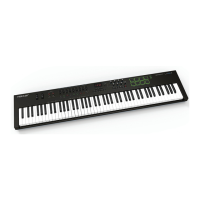
Describes how the layer function works on the LX88.
Describes how the split function works on the LX88.
How to set the split point on the LX88.
How to set octave and MIDI channel for layer/split.
Sending program messages via layer/split.
Details the use of pitch bend and modulation wheels.
How to connect and use a foot switch pedal.
Controls wheels/foot switch for layer/split zones on LX88.
Overview of presets for controlling MIDI software.
Explains global controls that are not stored in presets.
Describes the Shift/Mute button functionality.
Sends current control status as a snapshot.
Manages parameter takeover to avoid jumping.
Allows learning pad assignments.
Accesses setup menus for configuration.
How to load and save pad setups (maps).
Allows learning pad assignments.
Using pads as MIDI switch buttons.
Options for pad velocity curves.
Assign MIDI CC numbers to controls.
Assign MIDI channels to controls.
Define assignment types for controls.
Set Data 1 and Data 2 values for assignments.
How to save user presets and pad maps.
How to load saved presets.
Sets the global MIDI channel for the keyboard.
Sets MIDI channels for layer and split zones on LX88.
Selects keyboard velocity curves for response.
Sends 'all notes off' and resets controllers.
Sends MIDI program change messages.
Sends program messages for layer/split on LX88.
Sends Bank MSB MIDI messages.
Sends bank messages for layer/split on LX88.
Backs up and restores controller settings via sysex.
Configures USB port settings for DAW communication.
Sets virtual USB ports for layer/split on LX88.
 General
| Number of Keys | 61 |
|---|---|
| Transport Controls | Yes |
| Type | Keyboard Controller |
| Pads | 8 |
| Faders | 9 |
| Software | Bitwig Studio 8-Track |
| OS Compatibility | Windows, macOS |
| Power Supply | USB Powered |
| Connectivity | USB |
| Software Compatibility | Logic |
| Pedal Inputs | 1 x 1/4" (sustain) |
| USB | Yes (USB 2.0) |



 To Next Page