________________________________________________________________________________________
Document No. DOC-IPC-003,
User Manual iPC-Series & nPC300, Rev C Rel. 11-2014 Page 20 of 27
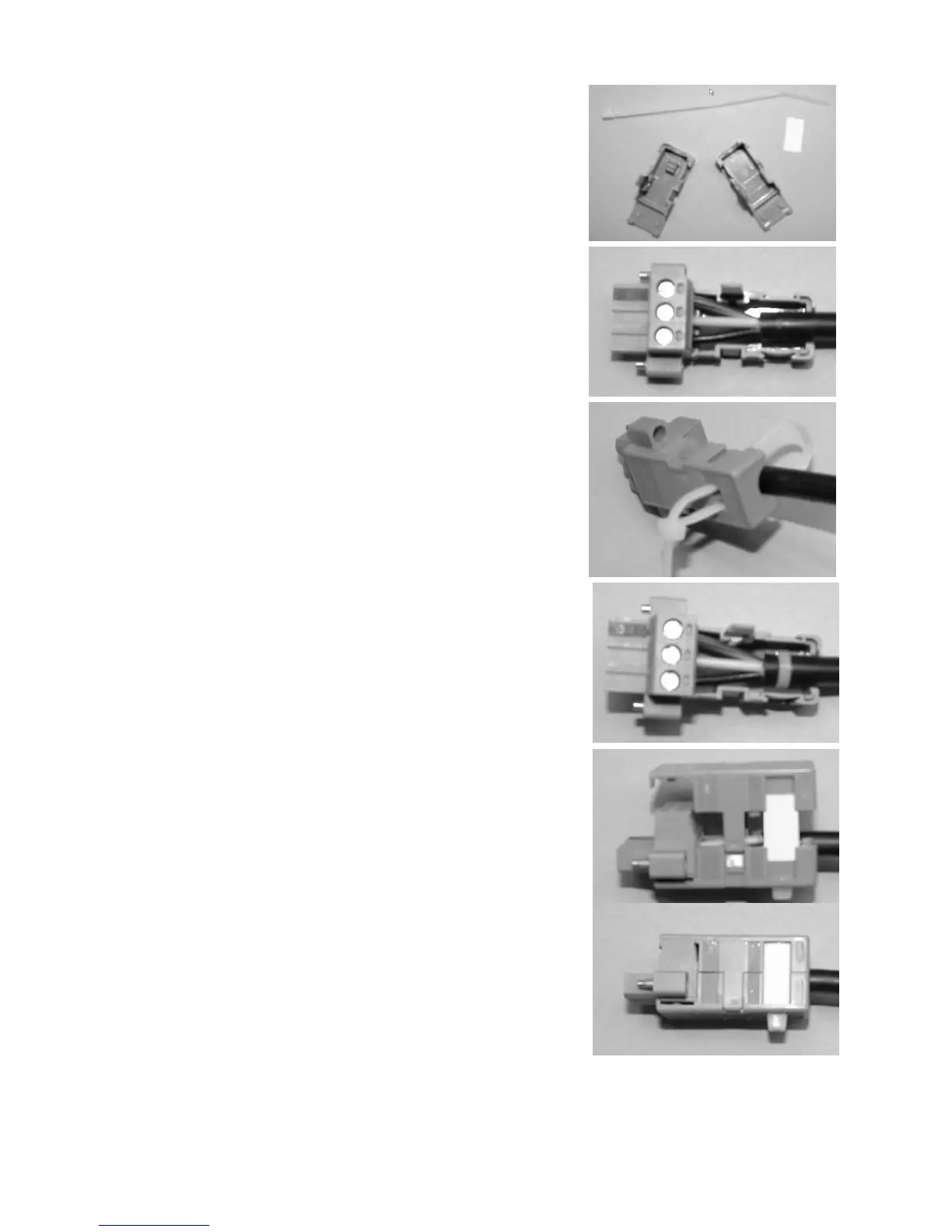
Protective Cover Installation
(Optional if desired)
Step 1: Gather the parts of the protective cover; top shell,
bottom shell, label insert, and wire tie. The picture
shows wire tie (top), label insert (right), bottom
shell (left), and top shell (lower right).
Step 2: Insert your pre-wired connector (with the screws facing
up) into the bottom shell. (See manual for cable
wiring instructions).
Step 3: Insert the wire tie from the bottom shell, loop around the
cable and come back out of the opposite hole in the
bottom shell.
Step 4: Tighten the wire tie around the cable and the bottom
shell.
Step 5: Seat the top shell onto the bottom as shown. Insert label
strip (if desired) in slot on top shell and bottom shell.
Step 6: Snap the top and bottom shells together.



 To Next Page