Configuration of the components
13
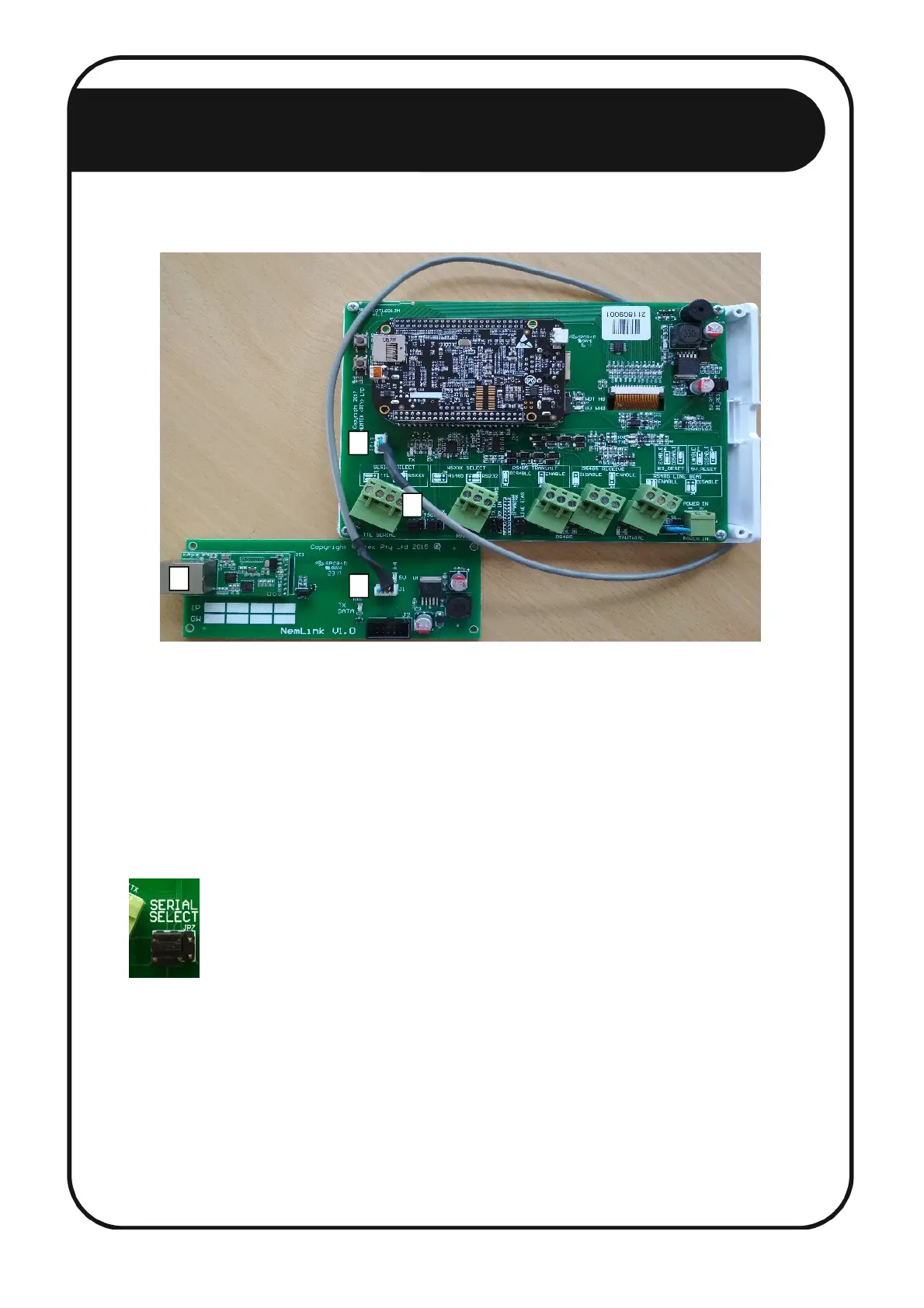
To configure the Smart IO Board, follow these steps:
1. Disconnect the power and open the NEMTEK FG7 (Refer to the FG7 Installer Manual).
2. Connect the supplied FG7-Nemlink pigtail to the FG7 J7 connector. [1]
3. Connect the other end of the pigtail to the Nemlink J1 connector. [2]
4. Configure the SERIAL SELECT jumper JP7 to TTL. No other jumpers need to be changed. Refer to
the Installer Manual for a complete list of jumper configurations. [3]
5. Close the FG7.
6. Connect the FG7 to a port on the ethernet switch (the port number does not matter) with an
ethernet cable. [4]
7. Power up the FG7.
8. Configure the FG7 software by referring to the FG7 Installer Manual. The FG7 can’t connect with any
8-way Relay Boards in this network configuration. To avoid a network malfunction, set the FG7
for 0 IO Boards and remove all relay mapping.



 To Next Page