6
2. INSTALLATION
Remark:
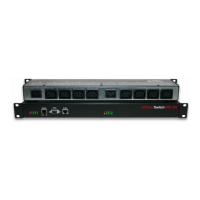
Make sure that the ePowerSwitch 8M+
R2
is powered off.
Connection instructions
1. Use a shielded
RJ45 network cable to connect your ePowerSwitch 8M+
R2
to the network.
2. Use appropriated three-wire power cords (two poles plus ground) to connect your electrical devices to
the ePowerSwitch 8M+
R2
unit.
3. Plug each power cable into a grounded
socket. The power supply LEDs light on to confirm that power
is on.
4. You can now configure the ePowerSwitch 8M+
R2
by following the indications of the chapter
"Configuration of the ePowerSwitch 8M+
R2
".


 To Next Page