43
3.3.8. Settings / Rules
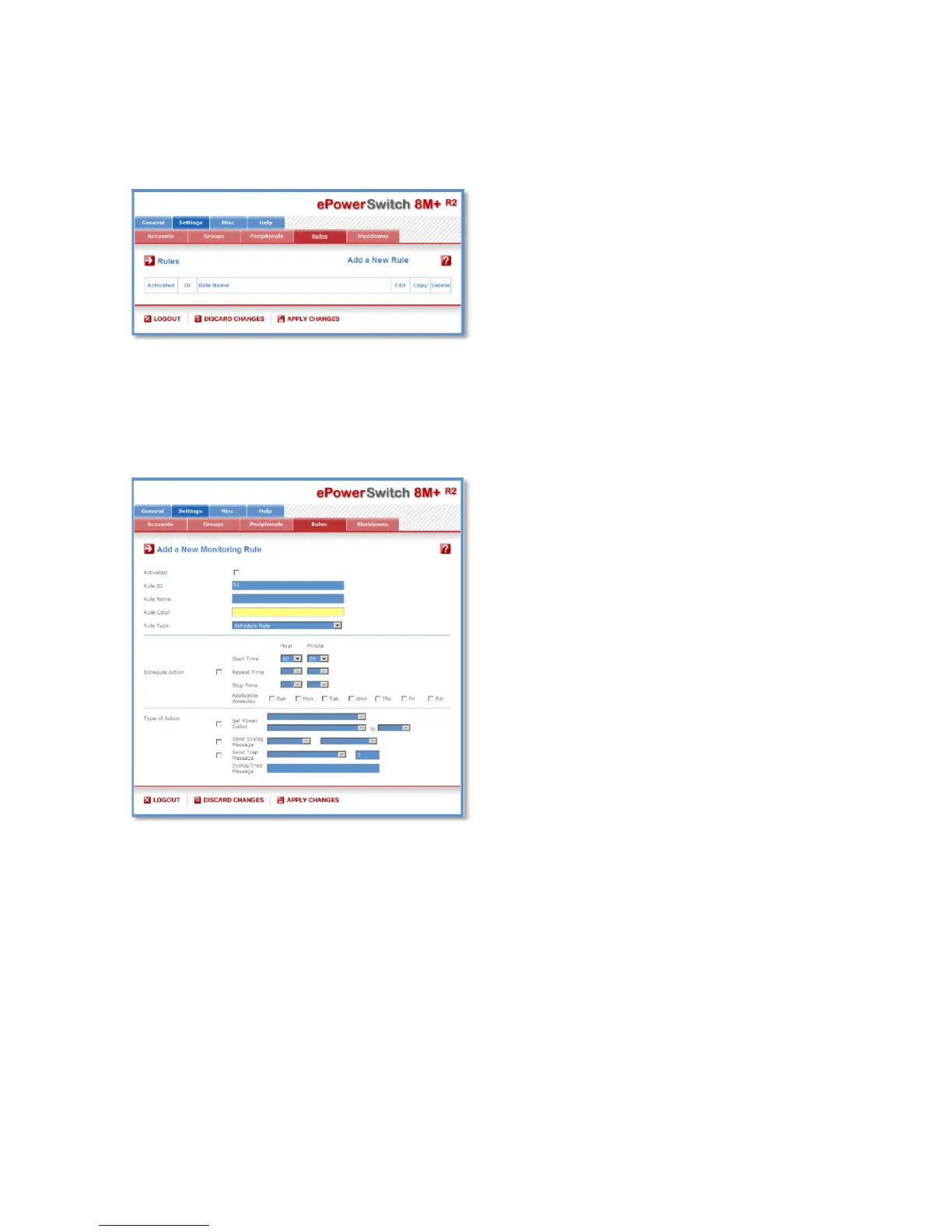
Rules are used to control actions according to a specific event. For example, you can define a rule to
switch a power outlet OFF and send an alert message using different methods like SNMP or Syslog when
a temperature, humidity, ambient light or current exceeds a predefined value or when a contact is open.
- To remove an existing rule, click on "Delete" of the corresponding rule.
- To modify a rule, click on "Edit" of the corresponding rule.
This page is used to create, modify and delete rules.
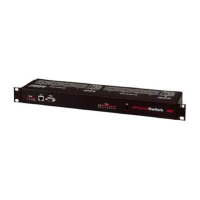
- To add a new rule, click on "Add a New Rule" on the right side of the page.
A new page appears, allowing you to set all the parameters of the rule.
A total of 32 rules can be created and there are 7 different types of rules:
1. Schedule Rule:
This rule is used to trigger user-specified actions according to a defined time table.
This rule can be used to:
- execute once defined actions at specified time and weekday(s). In this case you must only specify the
start time and the weekday(s),
- execute repeatedly defined actions during a given time. In this case you must specify the start time, the
interval on which the rule has to be repeated and the end time.
Examples:
- The rule could be used to restart a power outlet (or a group of power outlets) at regular interval during a
given time.
- The rule could be used to send sensor values over SNMP or a Syslog message at regular interval
during a given time.


 To Next Page