EN
1) Insert the micro SD card into the memory card slot; the Loop Recording mode turns on
automatically.
2) The length of the video recordings can be 1/3/5 minutes. It is recommended to set a
3-minute cycle (see Settings).
3) When there is no more space left on the memory card, the device will automatically
replace the oldest video file with the newest one; an exception is the files protected from
deletion.
4) The video recordings taken in Loop Recording mode are titled V_*****.MOV and
stored in the NORM folder.
Loop recording
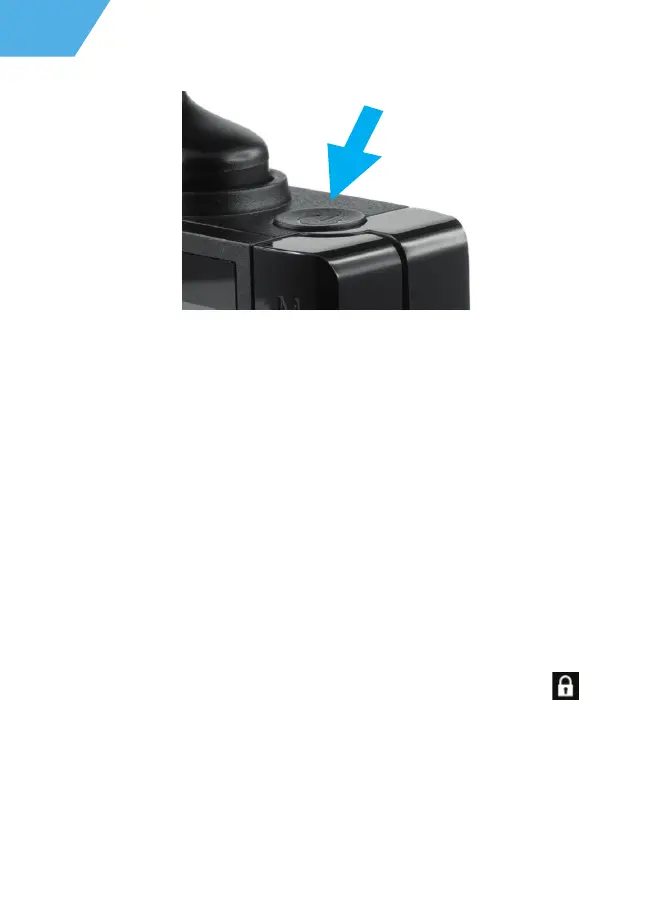
The Emergency recording is designed to protect the current video file from being
overwritten and deleted. Please press the UP button to protect the current video file.
Now this video file is marked to prevent it from being deleted/overwritten. An icon
appears on the screen.
The Emergency recording is activated automatically when the G-sensor triggers (sudden
acceleration/deceleration), or at a collision/car accident. Emergency recording is locked
automatically to avoid erasing during loop recording. The files protected from overwriting
are titled V_*****.MOV and stored on the memory card in the EMR folder.
Emergency recording
12


 To Next Page
 Loading...