3
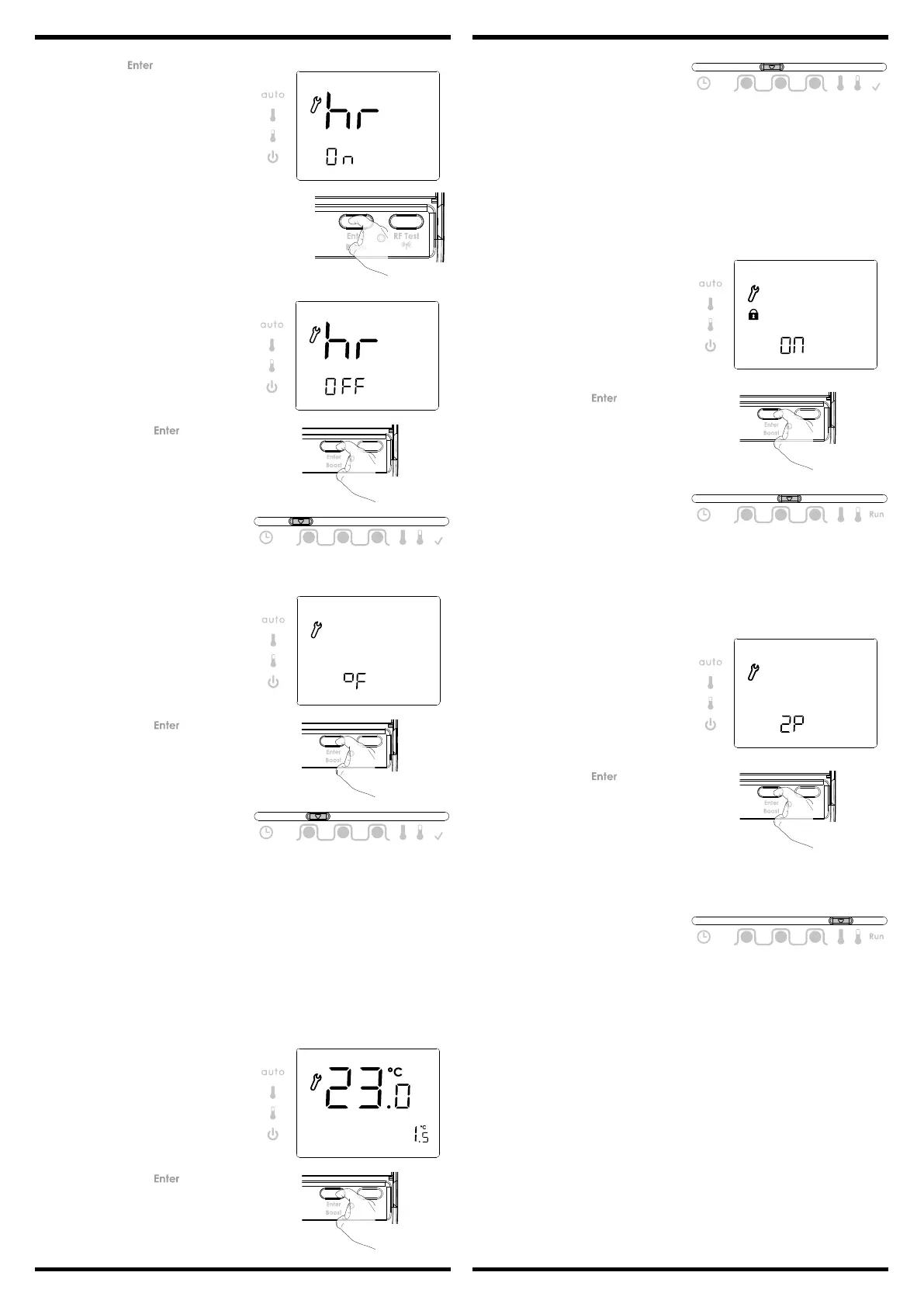
3- Thensavebypressing movethe
Programmingmode.
1- Pressandhold for5secondsto
accessthesengmode.
ONappearsonthedisplay.
5 sec
2- Rotatedialtotheletoselect"O",
totherighttoselect"On".
Important: This operaon is reserved for professional installers only; any wrong
changes would result in control anomalies.
Changeshouldonlybemadeifthetemperaturemeasured(measuredbyareliablether
-
mometer)isdierentbyatleast1°Ccomparedtothesetpointtemperatureoftheroom
thermostat.
Thecalibraonadjuststhetemperaturemeasuredbytheambienttemperaturesensor
tocompensateforadeviaonfrom+3°Cto-3°Cinincrementsof0.5°C.
IMPORTANT: Before carrying out the calibraon it is recommended to wait for 4h af
-
ter a setpoint temperature modicaon to insure that the ambient temperature is
stabilized.
Thepre-setcalibraonvalueis0.
1- Rotatethedialtoadjustthecalibraon
tothedesiredvalue.
Thepre-settemperatureisCelsius(°C).
2- Thensavebypressing
ormove
theProgrammingslider.
1- Rotatethedialtochangetodegree
Fahrenheit.
• Set °C/°F temperature
Prog
1 2 3
GO
• Set calibraon
Prog
1 2 3
GO
2- Thensavebypressing ormove
theProgrammingslider.
1- RotatethedialtoONandlocked.
2- Thensavebypressing ormove
theProgrammingslider.
Theproductisunlockedbydefault,OFFisdisplayed.
Whenprogramlockfunconisturnedonthenfollowingfunconswillbedisabled:
-Regardlessofphysicallocaon,ProgramSliderwillalwaysremainasperRUNmode
(excepttoaccessInstallersengs).
-InModeSliderAUTOposion:Manualoverridewillnotwork.
-InComfortSliderposion:modewillremainasperAUTOmode.
-BOOSTfunconisdisabled.
• Program lock
Prog
1 2 3
GO
2 points = ON/OFFregulaon.
TPI = Proporonalcontrolalgorithm.
Note regarding the Advanced installer sengs:IfMODEsliderismovedornopress/
rotaonfor15seconds,itwilldiscardchangesandexitinstallermode.
Thepre-setcontrolalgorithmisTPI.
1- Rotatethedialtochangeto2points
controlalgorithm.
2- Thensavebypressing ormove
theProgrammingslider.
• Select 2 points/TPI
Prog
1 2 3
Prog
1 2 3
• Opmisaon feature
- Overview
Dual funcon opmisaon , priority to comfort or energy savings, the choice is yours:
Depending on variousparameters: room inera, ambienttemperature,desired tem-
perature,thethermostatcalculatesand opmizestheprogrammingforeach heang
periodwhethersettoComfortorSavings(Eco):
- In OPTI ECO mode, thethermostat’sinbuiltalgorithmopmisesinordertoguarantee
maximumenergysavingsthroughouttheECOprogramme.
Inthismode,aslightdropinthetemperaturelevelatthebeginningandendofthe
ECOperiodisallowedtomaximizeenergysavings.Theprocessorwithinthethermos
-
tatstops the boiler operaon at the opmum me to slightly reduce the setpoint
temperaturebeforetheendoftheoccupancyperiod.
Inthismode,aslightdropinthetemperaturelevelatthebeginningandendofthe
comfortperiodisallowedtomaximizeenergysavings.
- In OPTI COMFORT mode,thethermostat’sinbuiltalgorithmopmisesinordertogua
-
ranteemaximumcomfortduringtheCOMFORTprogramme.Theprocessorwithinthe
thermostatstartstheboileroperaonattheopmummetoachievethesetpoint
temperatureatthestartoftheoccupancyperiod.
Inthismode,thepriorityisgiventoancipangandmaintainingthecomforttempe-
ratureduringperiodsofoccupancy.


 To Next Page
 Loading...