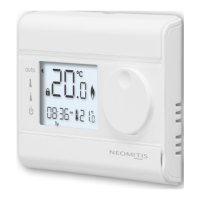
Press to
conrmandgoto
nextseng.
2
SET THE PROGRAM DAY
PROGRAMMING
SET DATE AND CLOCK
PLEASE READ BEFORE
PROGRAMMING YOUR THERMOSTAT
OPTIMISATION EXPLAINED
WHAT IS OPTIMISATION – OPTIMUM START?
Historically,mostUKheangsystemswastevastamountsofenergybyringunne-
cessarilyearlyformostoftheyear.Homeownerstendtosettheirboileronmes
basedonwhentheywakeupbyguessingwhatmetheyfeelthattheirboilershould
reinordertoreachtherequestedtargettemperature;forexampleturningtheboi-
leronat6aminordertohaveawarmroom/homebytheirwakeupmeat7am.
Dual funcon opmisaon, priority to comfort or energy savings, the choice is
yours: Dependingonvariousparameters:roominera,ambienttemperature,de
-
siredtemperature, the thermostatcalculates and opmizesthe programmingfor
eachheangperiodwhethersettoComfortorSavings(Eco):
In OPTI COMFORT mode, priority to comfort
Thermostat
*Defaulttemperatureseng
Eco Comfort
6:00pm
16°C* 16°C*20°C*
10:00pm
Eco
In OPTI COMFORT mode,thethermostat’sinbuiltalgorithmopmisesinorder
toguaranteemaximumcomfortduringtheCOMFORTprogramme.
The processor within the thermostat starts the boiler operaon at the op
-
mum me to achieve the setpoint temperature at the start of the occupancy
period.
In this mode, the priority is given to ancipang and maintaining the comfort
temperature during periods of occupancy.
Insteadofusingaxedstartme,OpmumStartcalculateshowlongthehousewill
taketowarmupdependingonthetemperatureofthehome,thenrestheboiler
automacallyatthemostecientmomentinordertoreachyourtargettempera
-
turebyyourprogrammedme.
HOW DOES OPTIMUM START WORK?
OpmumStartworksonadailybasis.Yousetthemethatyouwanttobewarm
andOpmumStartwilldotherest;forexample-if you wake up at 7:30AM, then
set your thermostat’s start me for 7:30AM.OpmumStartensuresthatyouare
warmwhenyouwanttobe(andnotbefore),reducingwastedenergyand saving
money(upto10%ofenergycosts).
Tochangetheopmisaontype,refertotheinsllaoninstrucons/advancedins
-
tallersengs..
In OPTI ECO mode, priority to energy savings
Thermostat
*Defaulttemperatureseng
Eco Comfort
6:00pm
16°C* 16°C*20°C*
10:00pm
Eco
In OPTI ECO mode,thethermostat’sinbuiltalgorithmopmisesinordertogua-
ranteemaximumenergysavingsthroughouttheECOprogramme.
In this mode, a slight drop in the temperature level at the beginning and end of
the comfort period is allowed to maximize energy savings.
Note regarding the clock: Thesummer/winterchangewillbeperformedautomacally
bytheroomthermostat.
Todisablethisfeature,refertotheinstallaoninstrucons/advancedinstallersengs.
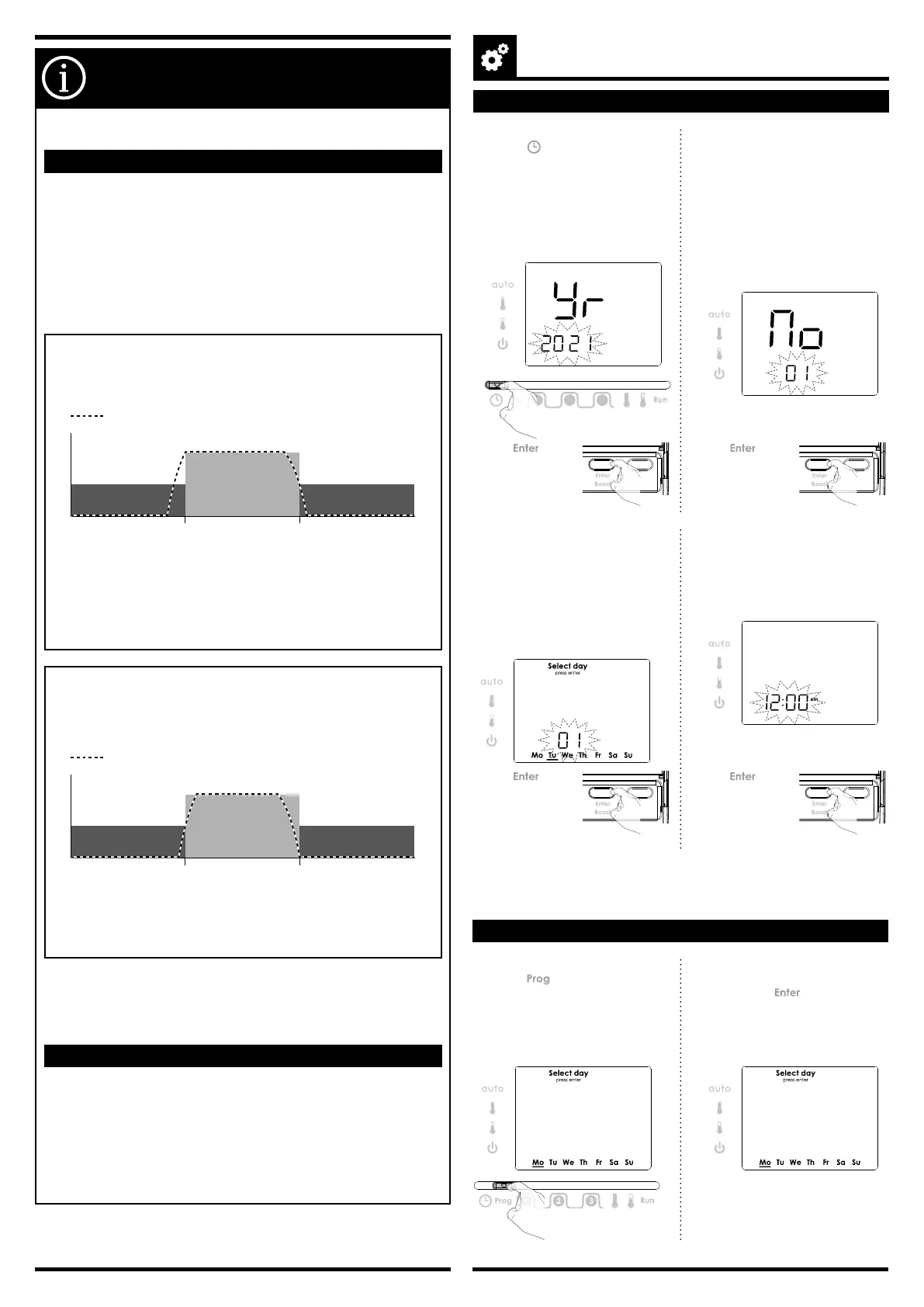
1- MovetheProgrammingsliderto
posion .Thedefaultyear2019is
ashing.
Turnthedialclockwisetoincrement
theyear.Turnthedialcounter-clo-
ckwisetodecrementtheyear.
2- Thedefaultmonth01isashing.
Turnthedialclockwisetoincre-
mentthemonth.Turnthedial
counter-clockwisetodecrementthe
month.
01 =January;02 = February;03 =
March;04 = April;05 = May;06 =
June;07 = July;08 = August;09 = Sep
-
tember;10 = October;11 = November;
12 = December.
Prog
1 2 3
Press to
conrmandgoto
nextseng.
3- Thedefaultday01andthecorre-
spondingdayunderliningareashing.
Turnthedialclockwisetoincrement
theday.Turnthedialcounter-clock-
wisetodecrementtheday.
Mo =Monday;Tu =Tuesday;We
=Wednesday;Th =Thursday;Fr =
Friday;Sa =Saturday;Su =Sunday
Press
to
conrmandgoto
nextseng.
Press or
slidetheprogram-
mingslidertoany
otherposionto
conrm/nishthis
seng.
4- Thedefaultme12.00isashing.
Tosetthecurrentme,turnthedial
clockwise,toincrementtheme,turn
thedialcounter-clockwise,todecre
-
menttheme.
2- Opon 1:Singledayprogramming.
Rotatedialtodayrequired,eg
Monday,press .Underscorewill
becomesolid.
MovetheProgramslidertoanyother
posiontoconrm/nishthisseng.
1-MovetheProgrammingsliderto
posion .Thecurrentdayseng
isashing.ThedefaultdayisMonday.


 To Next Page
 Loading...