Scotts Ltd. Cotswold House, 1 Crompton Road, Groundwell, Wiltshire. SN25 5AW. Enquiries: 0344 482 9700
1. Please clean the fan regularly in case of dust causing weaker wind speed and malfunction.
2. Please be sure to power off the fan and unplug the cord before cleaning and please ensure the
temperature of the fan is safe for handling.
3. Please do not use bleaching water, alcohol, or the like to clean the fan in case the fan discolours,
deforms or malfunctions.
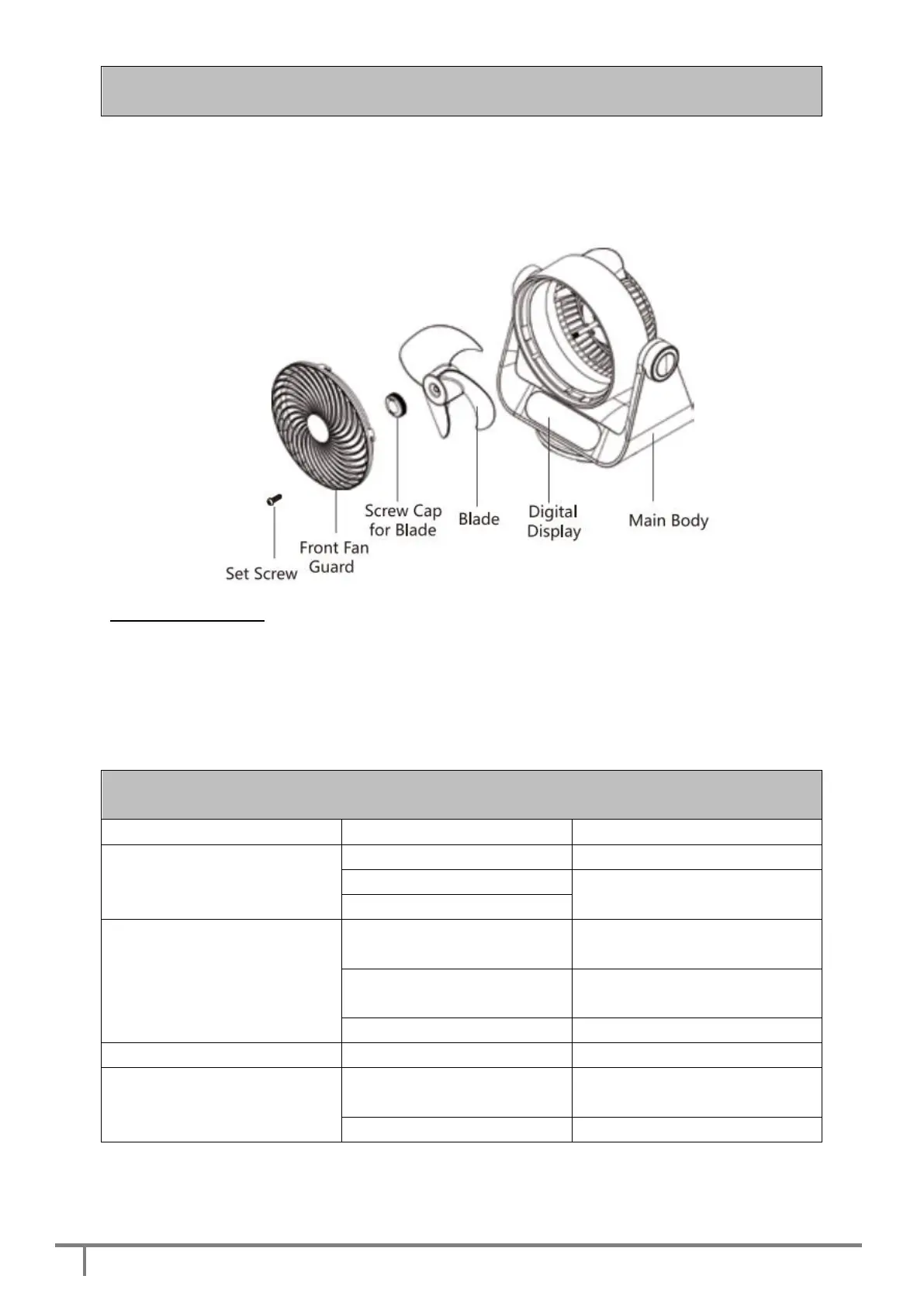
Disassembly Method
1. [Remove the screw]: Use a screw driver to remote the Set Screw of the Front Fan Guard.
2. [Remove the front fan guard]: After step 1, hold the Front Fan Guard and turn it counter clockwise
until it loosens from the Main Body.
3. [Remove the fan blade]: Turn the Screw Cap for Blade clockwise and take off the Blade. Clean the
component with a soft cloth dampened in the water or neutral detergents then wipe them with a soft dry
cloth thoroughly.
Please return for maintenance
Abnormal noise during working
Fan is not on a flat surface
Please place the fan onto a flat
surface
The front guard or blade is
not assembled properly
Please assemble correctly
Please return for maintenance.
Please clean the fan regularly
Abnormal noise during OSC
Normal phenomenon at the
1st time of use
Please return for maintenance


 To Next Page