4
Scotts Ltd. Cotswold House, 1 Crompton Road, Groundwell, Wiltshire. SN25 5AW
Enquiries: 0344 482 1414
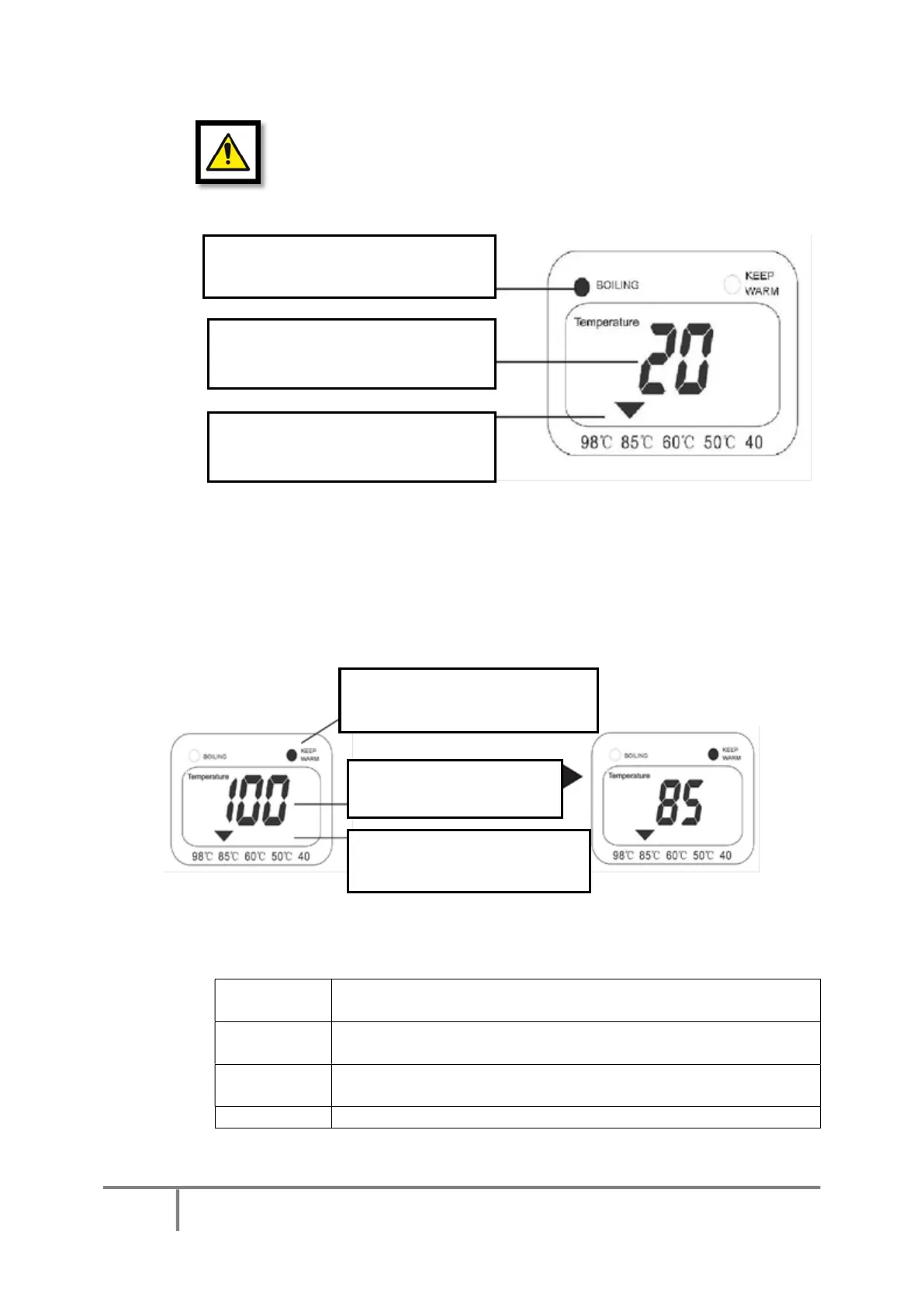
TO BOIL WATER
o When power is switched ON, water will start to boil immediately.
DO NOT open the top cover when water is boiling.
DO NOT add water when the appliance is still boiling.
DO NOT obstruct the top lid steam vent.
KEEP WARM FUNCTION
o The appliance will beep 5 times when the water has reached boiling point and the
“Keep Warm” function will switch on automatically.
o The default temperature is set at 85°C, however this can be adjusted according to
your requirements.
o If you add more water to the pot, the keep warm function will automatically heat
the water to maintain the desired temperature.
o To adjust the temperature for the Keep Warm setting, press the TEMP SET button on
the control panel until the arrow indicator is above the temperature setting that you
require.
Suitable for cooking rice, hot instant food and for hot drinks such as
hot chocolate drinks.
Suitable for all tea/coffee drinks. Most popular teas do not need to
be boiled to release their flavour.
Suitable for instant milk formulas and taking medication. Ideal for
warming milk too. Can also be useful for hot water bottles.
Red LED is lit when the water in the
pot is heating
The LCD display will show the current
water temperature
temperature setting selected for
the “Keep Warm” function
Amber LED is lit when the “Keep
Warm” function is in use
The LCD display will show
The temperature setting for
the “keep Warm” function


 To Next Page