BOUTON ACTION
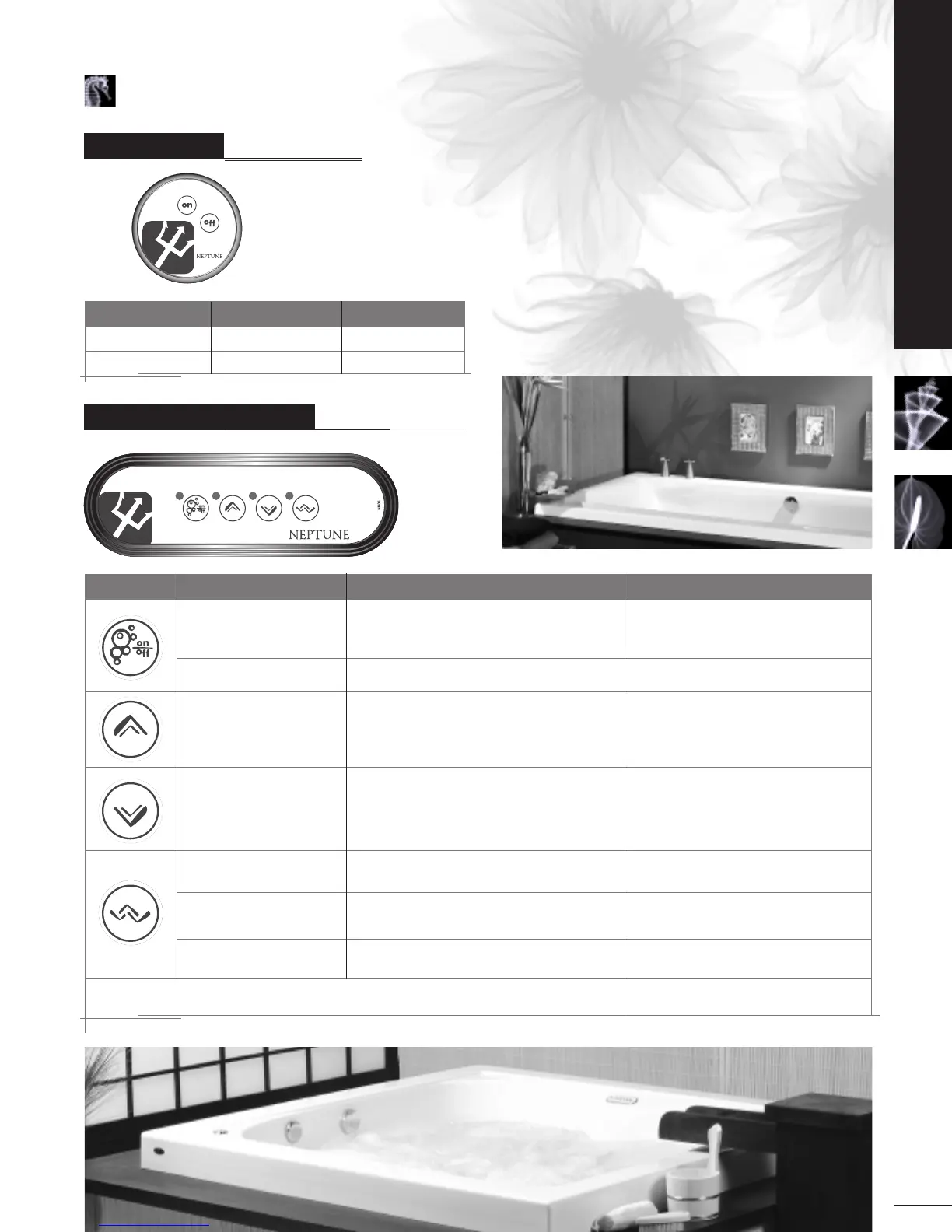
BLOWER DISPLAY
1
st
Touch Blower turns on at max. LED: ON
The 20 minute run timer activates itself.
2
nd
Touch Off LED: OFF
Touch and hold Blower speed increases. LED: ON, while button is depressed.
Release pressure at the desired speed.
Touch and hold Blower speed decreases. LED: ON, while button is pressed.
Release pressure at the desired speed.
1
st
Touch Wave cycle begins. LED: ON
2
nd
T
ouch
Quick wave c
ycle begins.
LED: FLASHES, 2 sec. ON, 2 sec. OFF.
3
rd
Touch Wave cycle off. LED: OFF
A 1-minute drying cycle will automatically be activated 20 minutes after the blower is stopped.
LED: FLASHES until drying cycle has executed.
ON/OF
F CONTROL
ACTION PUMP DISPLAY
1
st
Touch Pump starts LED: ON
2
nd
Touch Pump stops LED: OFF
11
OPERATING INSTRUCTIONS
MASS-AIR & ACTIV-AIR CONTROL
OPERATING INSTRUCTIONS


 To Next Page