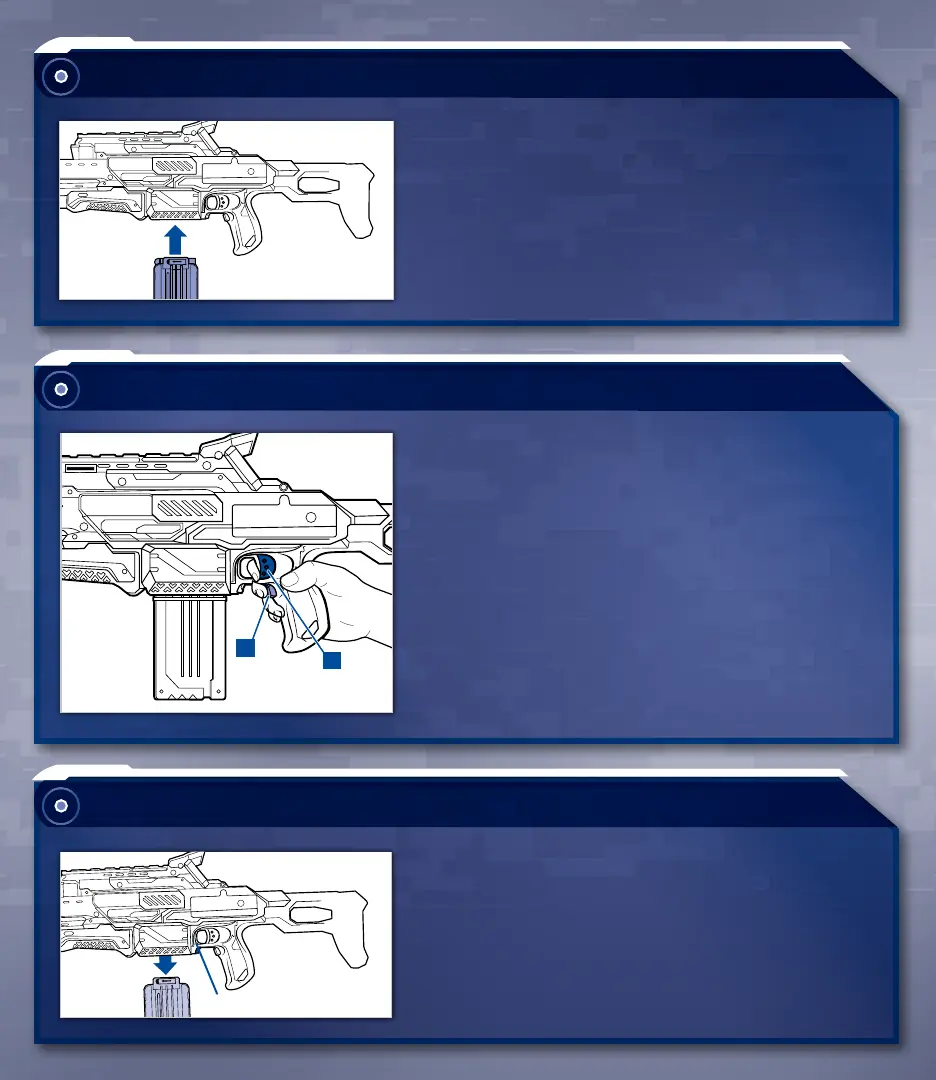
FIRING
1. Press and hold the ACCELERATION
TRIGGER to turn on the motor.
2. While holding the ACCELERATION TRIGGER,
pull the LAUNCH TRIGGER to fire. One dart
will fire per pull of the LAUNCH TRIGGER.
INSERTING CLIP
RELOADING
Insert CLIP into BLASTER (make sure arrow on
CLIP points away from LAUNCH TRIGGER).
1. Press CLIP RELEASE BUTTON to remove CLIP.
2. Repeat steps for loading darts.
1
2
CLIP RELEASE BUTTON


 To Next Page