With the SD card, you can save videos and photos on the memory card
to share them with friends and family on multiple platforms.
• Make sure the write protection switch on the card is not in the “locked” position.
• Insert the card into the slot.
• Blaster system is compatible with SD and SDHC cards from 32MB to 32GB.
• If this icon appears, check to see:
• if the write protection switch on your card is in the “locked” position
• if your card is full
• if it is not compatible with the blaster system
• if it is missing from the blaster.
FORMATTING THE SD CARD
Format the SD card only if you want to erase all data from the card.
1. Power down the blaster.
2. Insert the card you want to format into the blaster.
3. While holding down the delete button , press on/off button . Hold the delete button until the
Format menu appears.
4. The “no” icon will be highlighted on the screen. Press the toggle button to highlight the
“yes” icon .
5. Press the delete button . The data on the SD card will be deleted.
6. Press record/photo mode button or play/stop button to cancel formatting.
SD CARD
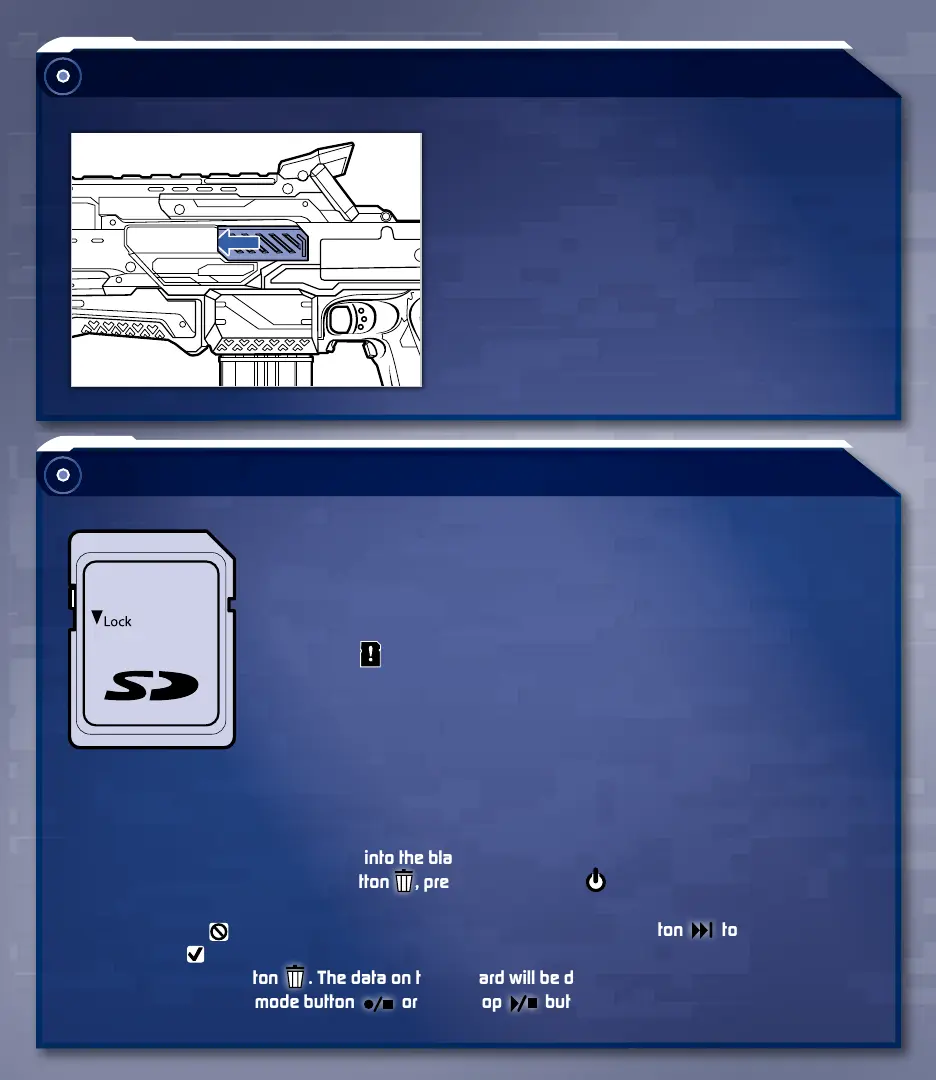
CLEARING A JAM
If blaster appears jammed:
1. Release ACCELERATION TRIGGER.
2. Open JAM CLEARING DOOR and remove
any jammed darts. Close door.
NOTE: Blaster will not function unless
JAM CLEARING DOOR is fully closed.


 To Next Page