22 23
WAKE UP O BY NESPRESSO
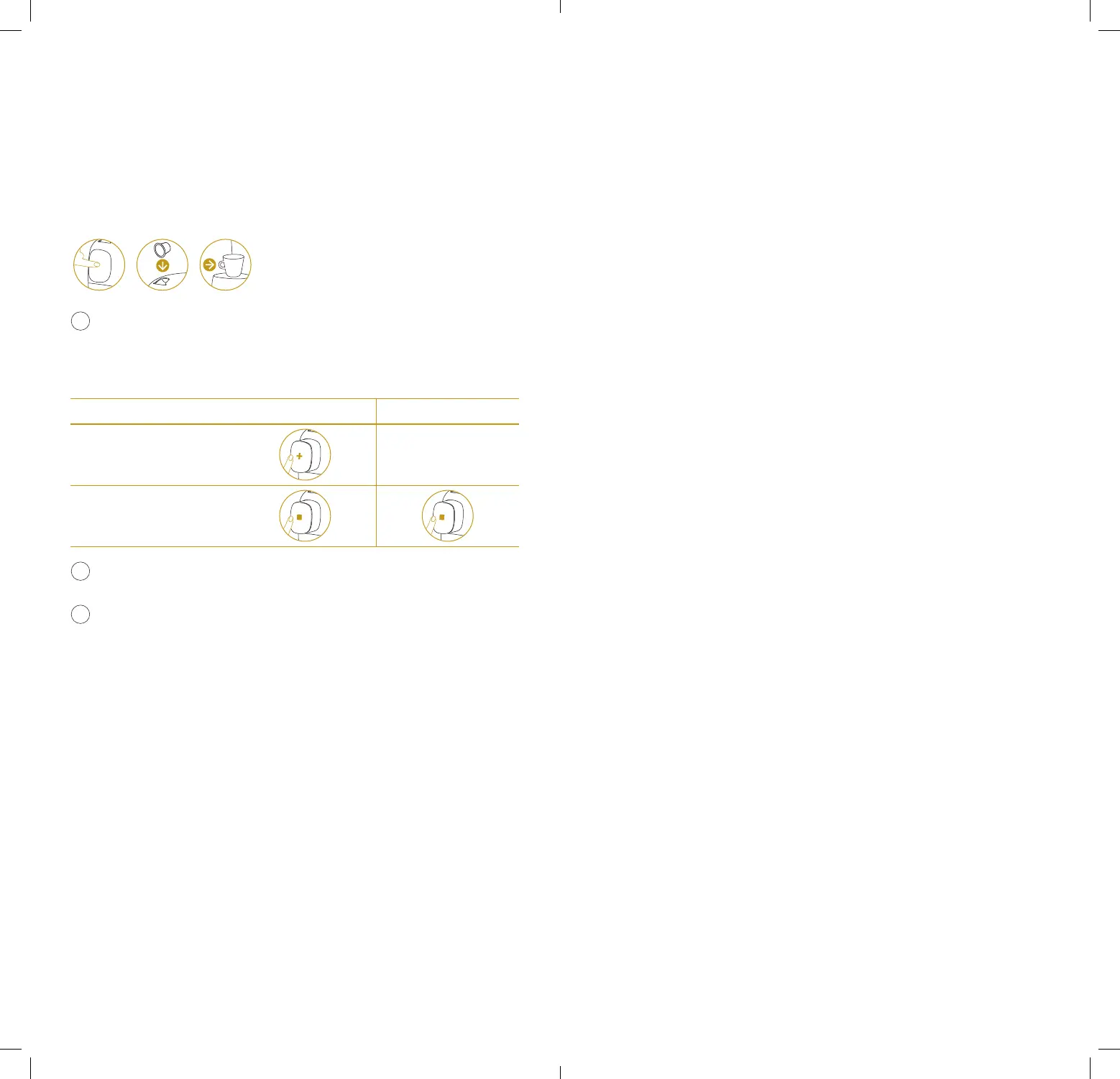
Touch the nozzle OR place a capsule OR place a cup.
Placing a cup first will trigger an Expert brewing (or the brewing mode
set as default) aer inserting and confirming the capsule.
BREWING MODE
CLASSIC MODE EXPERT MODE
Top up your coee
Stop your coee
In Expert brewing, all parameters including coee volume are
optimized so top up is not allowed.
O by Nespresso enters auto-o mode aer 1 minute of non-use.
ACCESS TO THE MENU
1. Wake up O by Nespresso.
2. Press on the nozzle until the set up message appears.
3. Swipe until you find what you are looking for. The categories are:
Display, Factory reset, Classic mode cup length seing, Language,
Connectivity, Emptying, Rinsing, Descaling, Help.
4. Touch the screen to select it and follow the machine instructions.
5. Swipe to exit the menu.
8 O BY NESPRESSO AT A GLANCE








 To Next Page