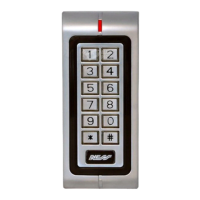
(User Settings can be programmed by the User at any time without entering Program Mode)
Assigning a PIN to a CARD
If the system is programmed for access is to be granted with “Card and PIN” (Programming Option 32 set) a PIN
for each Card must be assigned using this option. (The Factory Default when cards are first programmed into
the system is PIN 1234)
Press *
Assigning a PIN to a ID Number
This option also assigns a PIN to a Card, but if the card is unavailable you can assign it to the User’s ID Number
(Memory slot Number)
Press *
Unlocking the Door By Card OR PIN .
If the Door Access Control Setting (Section 6) is programmed to “Card or PIN”, access will be granted by
presenting a valid Card to the Reader or by entering a valid PIN
Either OR
If successful, the LED will flash Green and the Relay will activate for the Unlock time
If unsuccessful, the S2 will sound 3 Beeps and the likely cause will be a non valid Card (unprogrammed or
incorrectly programmed) or incorrect PIN entry (refer to Programming Section 3, “Adding Users”)
If a Card is presented and the LED glows steady S2 is waiting for a PIN to be entered. If this is not intended refer
to Programming Section 6 “Door Access Control Settings” and select the correct Access Setting


 To Next Page
 Loading...